
Villager Pickup
This Project adds the Capability to turn villagers into Spawn Eggs with Right clicking for easy Transportation, while keeping all the Trades etc.
Screenshots
About this Mod
🧑🌾 Villager Pickup
Moving Villagers doesn't have to be a struggle. No more boats, minecarts, or frustrating pathfinding. Villager Pickup lets you pick up any Villager and move them with ease!
Simply Shift + Right-Click a Villager to turn them into a Spawn Egg.
✨ Features
- 📦 Easy Moving: Pick up villagers and place them back down exactly where you want them.
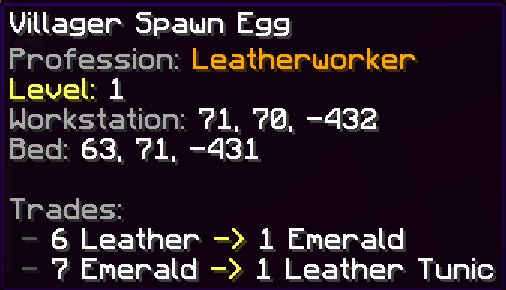
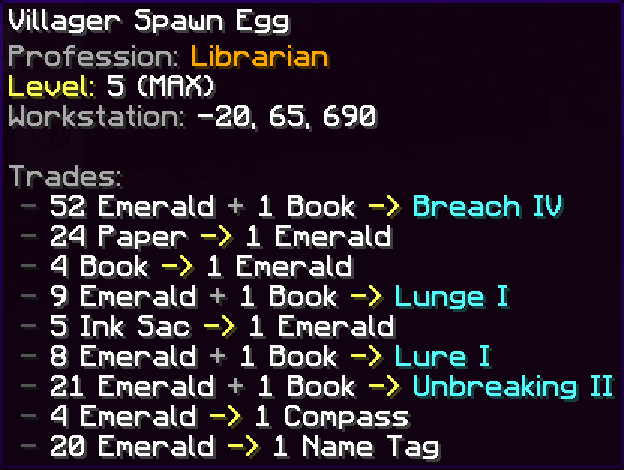
- 📜 Detailed Tooltips: Hover over the Spawn Egg to see everything about your Villager:
- Profession & Level: See their job and how high their level is.
- Workstation & Bed: Shows the coordinates of where they are linked.
- Trade List: View their trades directly in the item description.
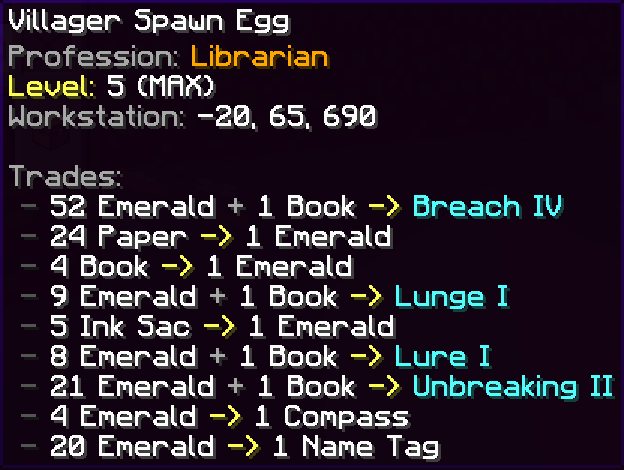
- Enchanted Books: If a Librarian has an Enchanted Book trade, it will show the exact enchantment and level (e.g., Mending I) right in the tooltip!
- 🍦 Purely Server-Side: This mod only needs to be on the server. Friends can join with a completely Vanilla Minecraft client!
- ✅ Data-Safe: Saves all trades, XP, and discounts. Nothing is lost when you pick them up.
🚀 How to Use
- Pick Up: Crouch (Shift) and Right-Click a Villager with an empty hand.
- Move: The Villager is now an item in your inventory.
- Place: Use the Spawn Egg on the ground to put your Villager back.
📜 License
Licensed under the MIT License. You are free to use this in any modpack!
Available Versions
How to Install Villager Pickup on Your Server
Order Server
Order a Minecraft Java server with at least 3 GB RAM (4 GB recommended).
Set fabric Loader
In the panel under "Egg", select the fabric loader and matching Minecraft version (1.21.10).
Install Mod
Open the mod browser in the dashboard and search for "Villager Pickup". Click "Install" – done! Alternatively, upload the .jar via SFTP to the /mods folder.
Compatibility
Mod Loaders
Minecraft Versions
1.21.10
Server-side
✓ RequiredRecommended RAM
4 GB(min. 3 GB)Frequently Asked Questions
Villager Pickup server crashes on startup – what to do?
Most common cause: wrong fabric version or insufficient RAM. Check the server log (latest.log) for "OutOfMemoryError" or "Mixin" errors. With Mado Hosting: ensure at least 3 GB RAM is allocated and the loader matches the mod version (1.21.10). You can switch loaders with one click in the panel.
Is Villager Pickup compatible with fabric?
Villager Pickup officially supports fabric for Minecraft 1.21.10. The Mado dashboard automatically detects incompatible loader combinations.
Server lagging with Villager Pickup – how to optimize performance?
Recommended RAM: 4 GB (per 8 players). Use /spark profiler to check if Villager Pickup consumes the most tick time. Common fixes: reduce server view-distance to 8-10, install "performant" or "starlight" as supplementary mods on Forge. With Mado Hosting, your server runs on NVMe SSDs with dedicated CPU cores for minimal latency.
Similar Mods




![[ETF] Entity Texture Features](https://cdn.modrinth.com/data/BVzZfTc1/af683d206d50b05258d865b0d6e4aa2f2cee12f2_96.webp)
![[EMF] Entity Model Features](https://cdn.modrinth.com/data/4I1XuqiY/6e5bbd0d06b1741bfdab6c0cfab6de8fdaf0064c_96.webp)
Rent Modded Server
Install Villager Pickup with just one click on your server.