
Pirate Radio
A TTS-based FM pirate radio simulator in Minecraft! Uses real FM simulation, with some practical approximations.
Screenshots
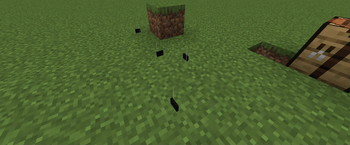
About this Mod
Have you ever wanted to play with pirate FM radio, FM interference, and in general an FM radio simulator? Then this mod is for you!
This mod is a fairly simplified but still complete, real-time FM radio interference simulator, primarily designed for multiplayer (tho the simulation happens on the client - this was made for blanketcon and there's no way the server would keep up with the simulation when you have hundreds of players). Craft pirate radios, load them up with messages, set a frequency, and enjoy the interference (or the messages, whichever you prefer)!
Get an electronics trader (spawning disabled for now - spawn in manually), buy a single board computer (SBC), a piece of wire, and a powerbank, craft the SBC, power bank, and wire together to get a disposable pirate radio transmitter. Also buy a storage card, open its interface to set frequency and message. Place down transmitter, place card in transmitter, and off you go. Use the /fm command to open the FM receiver GUI. (The FM receiver can be reskinned using WebAssembly!)
This mod does not ship machine code. Speech synthesis is provided by flite via WebAssembly.
Available Versions
How to Install Pirate Radio on Your Server
Order Server
Order a Minecraft Java server with at least 3 GB RAM (4 GB recommended).
Set fabric Loader
In the panel under "Egg", select the fabric loader and matching Minecraft version (1.21.1).
Install Mod
Open the mod browser in the dashboard and search for "Pirate Radio". Click "Install" – done! Alternatively, upload the .jar via SFTP to the /mods folder.
Compatibility
Mod Loaders
Minecraft Versions
1.21.1
Server-side
✓ RequiredRecommended RAM
4 GB(min. 3 GB)Frequently Asked Questions
Pirate Radio server crashes on startup – what to do?
Most common cause: wrong fabric version or insufficient RAM. Check the server log (latest.log) for "OutOfMemoryError" or "Mixin" errors. With Mado Hosting: ensure at least 3 GB RAM is allocated and the loader matches the mod version (1.21.1). You can switch loaders with one click in the panel.
Is Pirate Radio compatible with fabric?
Pirate Radio officially supports fabric for Minecraft 1.21.1. The Mado dashboard automatically detects incompatible loader combinations.
Server lagging with Pirate Radio – how to optimize performance?
Recommended RAM: 4 GB (per 8 players). Use /spark profiler to check if Pirate Radio consumes the most tick time. Common fixes: reduce server view-distance to 8-10, install "performant" or "starlight" as supplementary mods on Forge. With Mado Hosting, your server runs on NVMe SSDs with dedicated CPU cores for minimal latency.
Similar Mods




Rent Modded Server
Install Pirate Radio with just one click on your server.
Details
- License
- MIT License, Creative Commons Attribution 4.0 International
- Server-side
- Required