Pixel MK Menu
Pixel MK Menu is a client side GUI mod for minecraft. It changes the main menu, buttons, the pause menu and other miscellaneous GUIs.
Screenshots
About this Mod














Executive Summary
Pixel MK Menu is a client side GUI mod for minecraft. It changes the main menu,
buttons, the pause menu and other miscellaneous GUIs.
Table of Contents
Introduction
The Minecraft main menu and other menus aren't that modern, sleek or beautiful.
We can see due to the popularity of menu editor mods and GUI redesign mods and
other mod GUIs that the menus leave a lot to be desired. This desire to change the
menu and the soon-to-be-released Pixel MK 4 modpack leaves a hole to be filled
that was filled with Pixel MK 1 and 2's Voxel Menu mod that was brought over from
the Voxel Modpack.
This mod serves as a port/successor to that mod, redesigning the menu and,
bringing in modern mod support as well as support for Forge.
Changes
Pixel MK Menu currently only changes the Main Menu, Create's main menu
(if Create is loaded) and the Pause Menu.
Main Menu
The Main menu has up to 10 buttons, when both Create and Quark are
enabled/installed alongside Pixel MK Menu, normally this count is only 8.
Default Menu
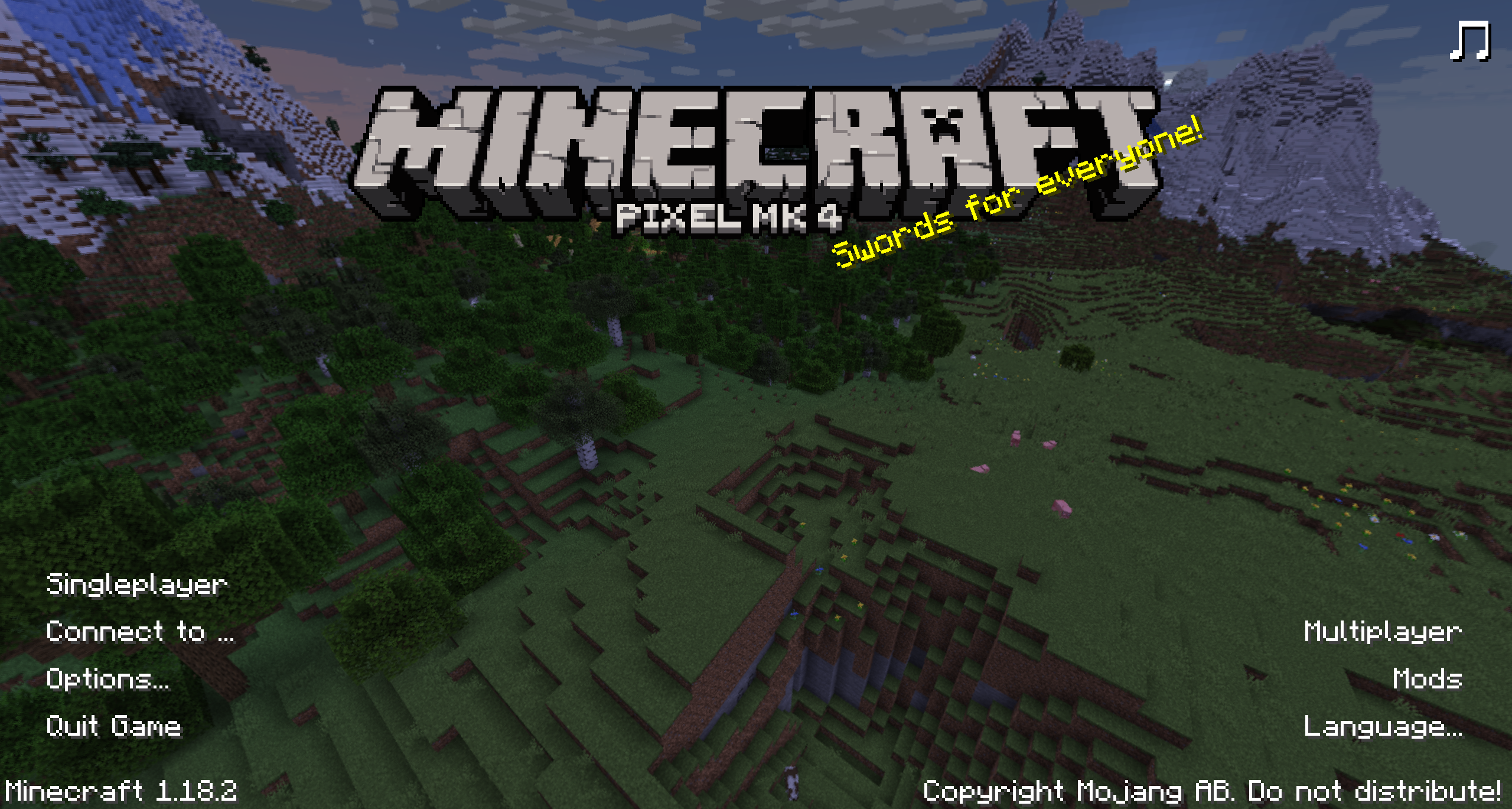
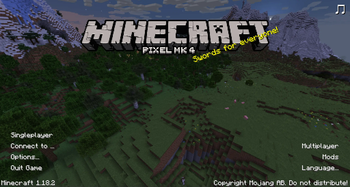
As you can see the main menu looks much more sleek and polished. This modernity
directly reflects the modpack as a whole and is translated into the modpack using
resourcepacks and others. For anyone who doesn't like the menu it can be removed
without consequence.
One of the new buttons on the menu is a mute button to mute menu music entirely,
the menu music can also be muted using the config to restore the original menu music.
It is also possible to add a modpack definition in the top-left corner to bring
a little extra touch to the menu using a JSON file, this will eventually also be
extended into an entire button and dynamic screen.
With Create and Quark
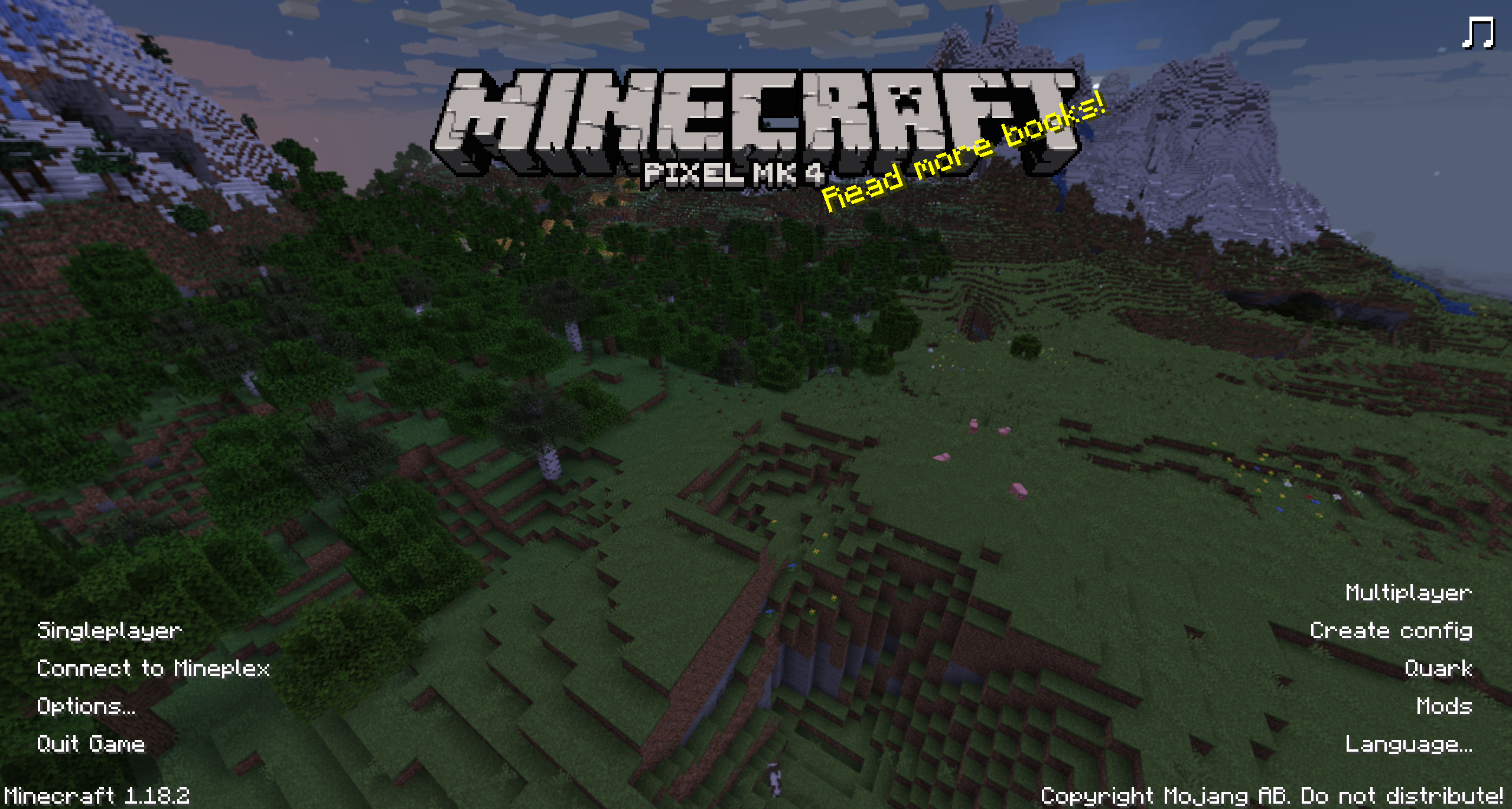
The Buttons added with Quark and Create are built into the mod but any other buttons
will have to be added via determination from other mod authors unless requested
and approved through the issue tracker.
The way to add this is documented here
Pause Menu
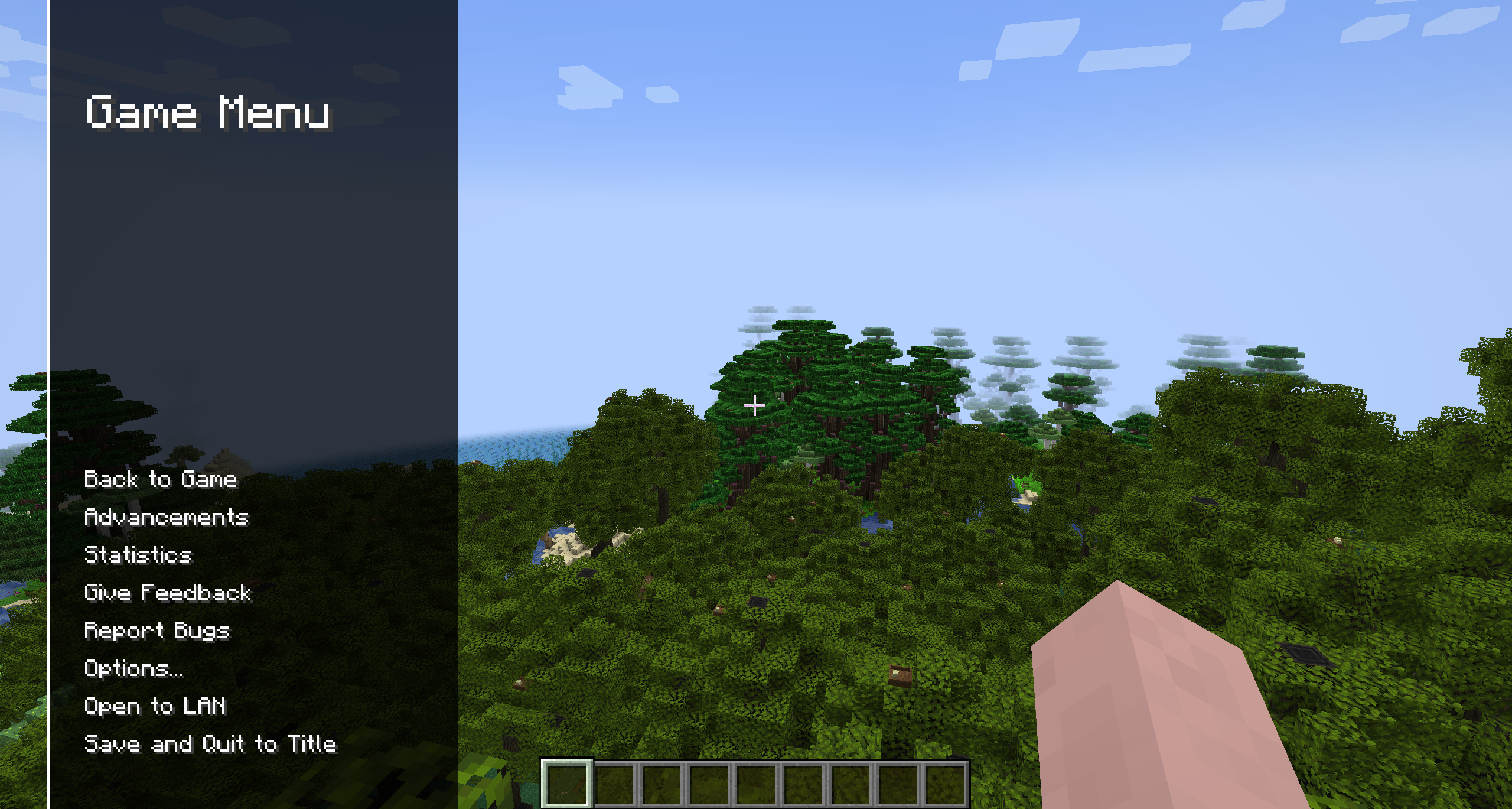
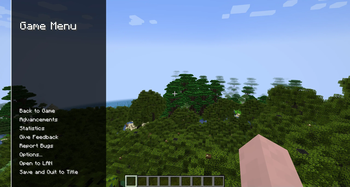
The pause menu has been redesigned to take up a smaller space of the screen and
no longer dims the background meaning that it is easier to see you surroundings
when online.
The pause menu also has animations associated with it.
Adding Buttons
This Functionality does not yet exist in 1.20.6
To add a button it is as simple as catching an event (AddModButtonsEvent event)
on the Forge Event Bus.
The file for this event can be found at AddModButtonsEvent.java.
The code used would be something along the lines of
import com.pixelmk.pixelmkmenu.event.AddModButtonsEvent;
import net.minecraft.client.gui.components.Button;
import net.minecraftforge.common.MinecraftForge;
import net.minecraftforge.eventbus.api.SubscribeEvent;

// ...

public void init() {
    // ...
    MinecraftForge.EVENT_BUS.addListener(this::addButton);
    // ...
}

@SubscribeEvent
public void addButton(AddModButtonsEvent event) {
    event.createButton("examplemod.usingStringButton",
        $ -> {LOGGER.info("This button was created using a string")});
    event.createButton(new TranslatableComponent("examplemod.usingComponentButton"),
        $ -> {LOGGER.info("This button was created using a component")});
    event.addButton(new Button("examplemod.usingMCButton"),
        $ -> {LOGGER.info("This button was created using a Minecraft Button")});
}
Credits
Programming - Joe Targett of the Pixel MK team
Some code lifted and edited from
Pack Menu and Somnia Awoken.Music by eXtaticus, Kuraishin, ph00tbag, and FelixMoog.
Art by Joe Targett
Idea by xIGBClutchIx, Mumfrey and the rest of the VoxelModPack Team.
License
MIT License
Copyright (c) 2024 Joe Targett, Pixel MK Group
Permission is hereby granted, free of charge, to any person obtaining a copy
of this software and associated documentation files (the "Software"), to deal
in the Software without restriction, including without limitation the rights
to use, copy, modify, merge, publish, distribute, sublicense, and/or sell
copies of the Software, and to permit persons to whom the Software is
furnished to do so, subject to the following conditions:
The above copyright notice and this permission notice shall be included in all
copies or substantial portions of the Software.
THE SOFTWARE IS PROVIDED "AS IS", WITHOUT WARRANTY OF ANY KIND, EXPRESS OR
IMPLIED, INCLUDING BUT NOT LIMITED TO THE WARRANTIES OF MERCHANTABILITY,
FITNESS FOR A PARTICULAR PURPOSE AND NONINFRINGEMENT. IN NO EVENT SHALL THE
AUTHORS OR COPYRIGHT HOLDERS BE LIABLE FOR ANY CLAIM, DAMAGES OR OTHER
LIABILITY, WHETHER IN AN ACTION OF CONTRACT, TORT OR OTHERWISE, ARISING FROM,
OUT OF OR IN CONNECTION WITH THE SOFTWARE OR THE USE OR OTHER DEALINGS IN THE
SOFTWARE.
Available Versions
How to Install Pixel MK Menu on Your Server
Order Server
Order a Minecraft Java server with at least 3 GB RAM (4 GB recommended).
Set neoforge Loader
In the panel under "Egg", select the neoforge loader and matching Minecraft version (1.20.6).
Install Mod
Open the mod browser in the dashboard and search for "Pixel MK Menu". Click "Install" – done! Alternatively, upload the .jar via SFTP to the /mods folder.
Compatibility
Mod Loaders
Minecraft Versions
1.20.6
Server-side
✗ UnsupportedRecommended RAM
4 GB(min. 3 GB)Frequently Asked Questions
Pixel MK Menu server crashes on startup – what to do?
Most common cause: wrong neoforge version or insufficient RAM. Check the server log (latest.log) for "OutOfMemoryError" or "Mixin" errors. With Mado Hosting: ensure at least 3 GB RAM is allocated and the loader matches the mod version (1.20.6). You can switch loaders with one click in the panel.
Is Pixel MK Menu compatible with neoforge?
Pixel MK Menu officially supports neoforge for Minecraft 1.20.6. The Mado dashboard automatically detects incompatible loader combinations.
Server lagging with Pixel MK Menu – how to optimize performance?
Recommended RAM: 4 GB (per 8 players). Use /spark profiler to check if Pixel MK Menu consumes the most tick time. Common fixes: reduce server view-distance to 8-10, install "performant" or "starlight" as supplementary mods on Forge. With Mado Hosting, your server runs on NVMe SSDs with dedicated CPU cores for minimal latency.
Similar Mods

![[ETF] Entity Texture Features](https://cdn.modrinth.com/data/BVzZfTc1/af683d206d50b05258d865b0d6e4aa2f2cee12f2_96.webp)
![[EMF] Entity Model Features](https://cdn.modrinth.com/data/4I1XuqiY/6e5bbd0d06b1741bfdab6c0cfab6de8fdaf0064c_96.webp)



Rent Modded Server
Install Pixel MK Menu with just one click on your server.