
Player Disguise
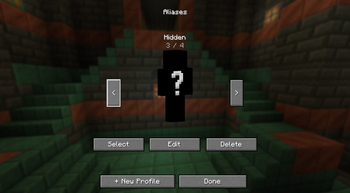
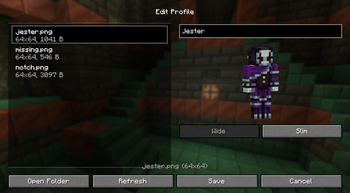
Add new profiles with custom names and skins
Screenshots
About this Mod
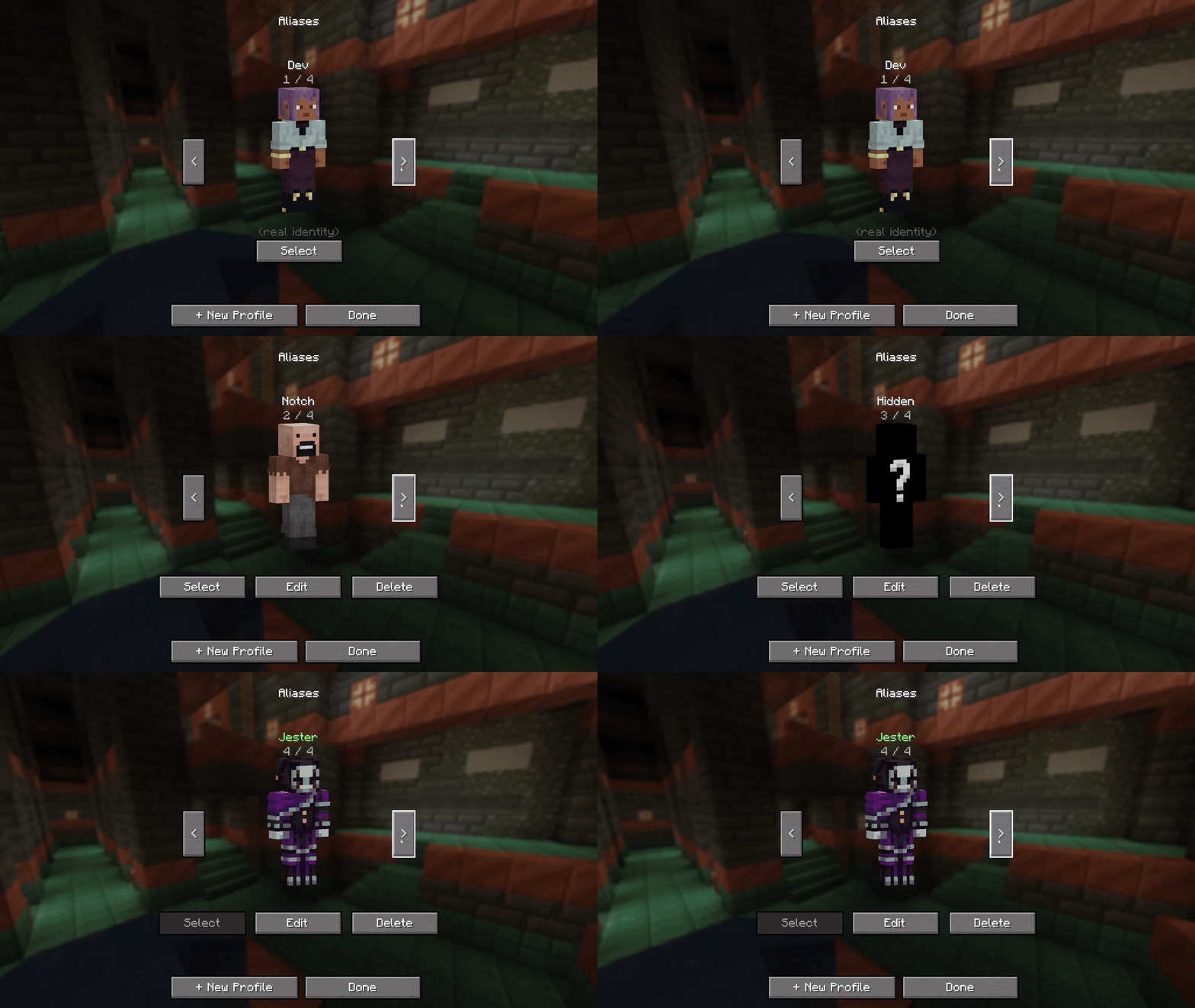



Pick a name. Pick a skin. Step into a new identity on the server, for everyone, in real time.
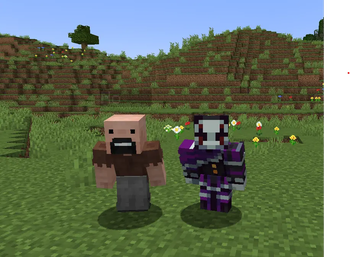
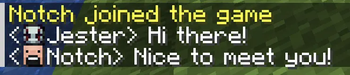
Player Disguise is a custom-alias system for servers, character-driven worlds, and anyone who wants a fresh identity without leaving their account. Build a book of profiles client-side, then present any one of them to the rest of the server: chat, tab, nameplates, F5 self-view, voice icons, map markers, and more.
Runs on NeoForge 1.21.1. A Fabric port is planned.
What's in the box
- A profile book. Create profiles with a custom name and skin PNG. Wide and slim model support. Skins are validated against vanilla specs (64×64 or 64×32, ≤64 KB) before they ever touch the server.
- Server-wide visibility. Once you join, everyone on the server sees your alias and skin: chat, tab list, nameplates, F5 self-view.
- Persistent claims. Your alias and skin stay reserved on the server across logouts. Other players can't snatch a name you're using.
- Cooldown on release. When you switch profiles, your previous alias enters a per-player cooldown so a quick rejoin doesn't lose it.
- Efficient skin transfer. Two-step handshake: the server only requests data when it doesn't already have the skin saved. No re-uploading on every login.
- Storage hygiene. Server-side cleanup routines keep the skin cache bounded.
For server admins
Aliases exist for fun, not for hiding. Operators always have a real-name lookup:
/whois <alias>— name-anchored. Returns every player who has ever used that alias, with timestamps./namehistory <player>— player-anchored. Returns every alias that player has ever held, including their real-name intervals.- Standard moderation commands (
/ban,/kick, etc.) operate on real names, not aliases. - Real-name collision kick. If a player joins under their real Mojang name and someone else is currently disguised as that name, the disguised player is temporarily kicked. Your real name is always your real name.
- Reserved-name list. A player can never claim an alias that matches another player's real Mojang name.
Compatibility
| Mod | What it does |
|---|---|
| Simple Voice Chat | Voice icons follow the disguised identity |
| BlueMap | Map markers reflect the disguise |
| JourneyMap | Map markers reflect the disguise |
| Chat Heads | Chat avatars match the disguised skin |
Data & privacy
Skin PNGs and aliases travel only between the modded client and the modded server you're joining. There are no external skin hosts, no third-party APIs, no telemetry. Vanilla servers will still see your real Minecraft identity.
Credits
By WeaversWorkshop. Licensed under MPL-2.0.
Found a bug? Open an issue.
Available Versions
How to Install Player Disguise on Your Server
Order Server
Order a Minecraft Java server with at least 3 GB RAM (4 GB recommended).
Set neoforge Loader
In the panel under "Egg", select the neoforge loader and matching Minecraft version (1.21.1).
Install Mod
Open the mod browser in the dashboard and search for "Player Disguise". Click "Install" – done! Alternatively, upload the .jar via SFTP to the /mods folder.
Compatibility
Mod Loaders
Minecraft Versions
1.21.1
Server-side
~ OptionalRecommended RAM
4 GB(min. 3 GB)Frequently Asked Questions
Player Disguise server crashes on startup – what to do?
Most common cause: wrong neoforge version or insufficient RAM. Check the server log (latest.log) for "OutOfMemoryError" or "Mixin" errors. With Mado Hosting: ensure at least 3 GB RAM is allocated and the loader matches the mod version (1.21.1). You can switch loaders with one click in the panel.
Is Player Disguise compatible with neoforge?
Player Disguise officially supports neoforge for Minecraft 1.21.1. The Mado dashboard automatically detects incompatible loader combinations.
Server lagging with Player Disguise – how to optimize performance?
Recommended RAM: 4 GB (per 8 players). Use /spark profiler to check if Player Disguise consumes the most tick time. Common fixes: reduce server view-distance to 8-10, install "performant" or "starlight" as supplementary mods on Forge. With Mado Hosting, your server runs on NVMe SSDs with dedicated CPU cores for minimal latency.
Similar Mods




Rent Modded Server
Install Player Disguise with just one click on your server.