
Player Finder
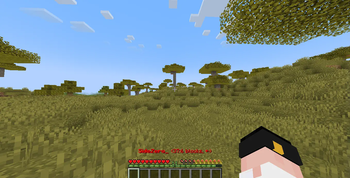
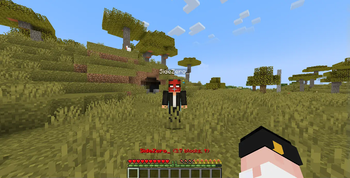
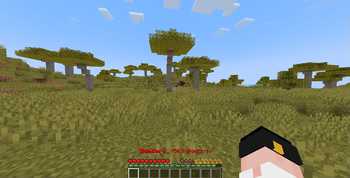
Displays the nearest player’s name, distance, and direction directly on your HUD — no commands or compass needed.
Screenshots
About this Mod
🧭 Player Finder
Player Finder is a client-side utility mod for Minecraft that makes multiplayer navigation simple and intuitive.
Instead of typing commands, players use a dedicated in-game menu to instantly see:
- 🎯 Nearest Player Tracking → Displays the closest player to you
- 📏 Distance in Blocks → Shows exactly how far away they are
- 🧭 Direction Indicator → Points you toward their location for quick navigation
- 👥 Player Count Display → Tells you how many other players are detected nearby
✨ Key Highlights
- Client-side only → Each player installs it individually; no server setup required
- Smooth experience with v1.1.0+ → Recommended for stability and performance improvements
- Lightweight & efficient → Minimal impact on FPS
- Detection Scope → Works when an entity is rendered by the client, even if it’s not currently on your screen (does not scan the entire map)
- Compatible with Fabric → Supports Minecraft 1.21.1 – 1.21.8
🔖 Recommended Version
For the best performance and smoother gameplay, it is strongly advised to use Player Finder v1.1.0 or newer.
Earlier builds are functional but may lack optimizations and polish.
Available Versions
How to Install Player Finder on Your Server
Order Server
Order a Minecraft Java server with at least 3 GB RAM (4 GB recommended).
Set fabric Loader
In the panel under "Egg", select the fabric loader and matching Minecraft version (1.21.8).
Install Mod
Open the mod browser in the dashboard and search for "Player Finder". Click "Install" – done! Alternatively, upload the .jar via SFTP to the /mods folder.
Compatibility
Mod Loaders
Minecraft Versions
1.21.8, 1.21.7, 1.21.6 (+5 more)
Server-side
✗ UnsupportedRecommended RAM
4 GB(min. 3 GB)Frequently Asked Questions
Player Finder server crashes on startup – what to do?
Most common cause: wrong fabric version or insufficient RAM. Check the server log (latest.log) for "OutOfMemoryError" or "Mixin" errors. With Mado Hosting: ensure at least 3 GB RAM is allocated and the loader matches the mod version (1.21.8). You can switch loaders with one click in the panel.
Is Player Finder compatible with fabric?
Player Finder officially supports fabric for Minecraft 1.21.8, 1.21.7, 1.21.6. The Mado dashboard automatically detects incompatible loader combinations.
Server lagging with Player Finder – how to optimize performance?
Recommended RAM: 4 GB (per 8 players). Use /spark profiler to check if Player Finder consumes the most tick time. Common fixes: reduce server view-distance to 8-10, install "performant" or "starlight" as supplementary mods on Forge. With Mado Hosting, your server runs on NVMe SSDs with dedicated CPU cores for minimal latency.
Similar Mods




Rent Modded Server
Install Player Finder with just one click on your server.