
PlayerMusic
Play music using its URL
Screenshots
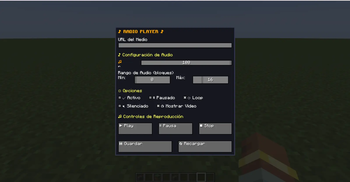
About this Mod
In-Game Music for Minecraft
PlayerMusic adds an immersive in-game radio system that allows you to play music from YouTube and other media cloud services directly inside Minecraft, with a strong focus on high-quality audio playback.
This mod is NOT WaterFrames and is not focused on video playback. PlayerMusic is entirely centered on music and sound immersion.
────────────────────────────
📻 Radio Block
────────────────────────────
PlayerMusic adds a Radio Block that allows players to play music directly from the block.
It also includes an option to render the video on top of the Radio Block, allowing players to visually see the current playback progress.
────────────────────────────
📻 Tablet Item (Forge)
────────────────────────────
A Tablet has been added that allows you to listen to music or watch videos by pressing Shift + Right Click on the tablet.
Players near you will be able to hear the music.
⚠️ This feature is currently in Beta.
If a player joins the server after you started playing the music, they will hear it from the beginning and not synchronized with you.
────────────────────────────
🔊 Music Command
────────────────────────────
PlayerMusic includes a command that allows you to play music for a specific player or for all players on the server:
/playmusic "URL" <PLAYER | @a>
• The URL must be written inside quotation marks (" ")
• PLAYER plays music for a single player
• @a plays music for all players on the server
• VOLUME controls the playback volume
This command reproduces audio only and does not display any video.
────────────────────────────
📦 Required Dependencies
────────────────────────────
To use PlayerMusic correctly, the following dependencies are required:
- WaterMedia
- CreativeCore
- WaterMedia YouTube Plugin
These dependencies ensure proper audio playback and prevent issues when playing YouTube content.
────────────────────────────
⚠️ Important Notes
────────────────────────────
• This mod plays AUDIO ONLY — it does NOT display videos on screens.
• PlayerMusic is still in early development and is just getting started.
• Updates will be released gradually over time with new features.
────────────────────────────
🚀 Planned Features
────────────────────────────
• An in-game tablet / iPad-style device to listen to music
• Playlist support
• A world radio system with real radio stations from around the globe
• More music-related features focused on immersion
────────────────────────────
🙏 Credits
────────────────────────────
Special thanks to SrRapero720, creator of WaterMedia and WaterFrames, and for providing the API that makes this mod possible.
────────────────────────────
💬 Support
────────────────────────────
If you have questions, need help, or want to report bugs, feel free to join our Discord server.
Available Versions
How to Install PlayerMusic on Your Server
Order Server
Order a Minecraft Java server with at least 3 GB RAM (4 GB recommended).
Set fabric Loader
In the panel under "Egg", select the fabric loader and matching Minecraft version (1.21.1).
Install Mod
Open the mod browser in the dashboard and search for "PlayerMusic". Click "Install" – done! Alternatively, upload the .jar via SFTP to the /mods folder.
Compatibility
Mod Loaders
Minecraft Versions
1.21.1, 1.20.1
Server-side
✓ RequiredRecommended RAM
4 GB(min. 3 GB)Frequently Asked Questions
PlayerMusic server crashes on startup – what to do?
Most common cause: wrong fabric version or insufficient RAM. Check the server log (latest.log) for "OutOfMemoryError" or "Mixin" errors. With Mado Hosting: ensure at least 3 GB RAM is allocated and the loader matches the mod version (1.21.1). You can switch loaders with one click in the panel.
Is PlayerMusic compatible with fabric and forge and neoforge?
PlayerMusic officially supports fabric, forge, neoforge for Minecraft 1.21.1, 1.20.1. Note: Forge and Fabric mods are NOT cross-compatible – pick one loader and stick with it. The Mado dashboard automatically detects incompatible loader combinations.
Server lagging with PlayerMusic – how to optimize performance?
Recommended RAM: 4 GB (per 8 players). Use /spark profiler to check if PlayerMusic consumes the most tick time. Common fixes: reduce server view-distance to 8-10, install "performant" or "starlight" as supplementary mods on Forge. With Mado Hosting, your server runs on NVMe SSDs with dedicated CPU cores for minimal latency.
Similar Mods

![[ETF] Entity Texture Features](https://cdn.modrinth.com/data/BVzZfTc1/af683d206d50b05258d865b0d6e4aa2f2cee12f2_96.webp)
![[EMF] Entity Model Features](https://cdn.modrinth.com/data/4I1XuqiY/6e5bbd0d06b1741bfdab6c0cfab6de8fdaf0064c_96.webp)



Rent Modded Server
Install PlayerMusic with just one click on your server.