
Poinpow
A mod that blocks ads on Minehut and adds quality of life tools.
Screenshots
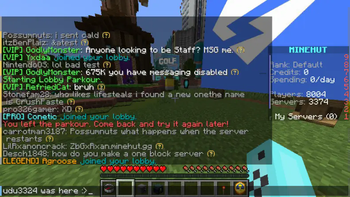




About this Mod







📘 Features
Poinpow is a fabric mod that adds amazing features and makes the player experience 103% better. (QoL) Features that Minehut locks behind a paywall (ex: removing ads, muting chat, etc.) are in Poinpow. If you catch a bug, create an issue in the repo or send it to me in this discord server.
| Features | Command |
|---|---|
| AutoSkipBarrier | Automatically skips the transition ads when joining minehut/free servers. |
| BlockLobbyAds | Blocks player made ads in the lobby. |
| ToggleSpecificAds | Extends the functionality of BlockLobbyAds to block certain ads based on ranks. |
| ChatPhraseFilter | Filters and blocks messages in chat based on a regex list. |
| MuteLobbyChat | A command that mutes Minehut's lobby, only allowing /msg, joins, and some other stuff. |
| HubCommandBack | Adds back the /hub command. It redirects the command /hub to /mh when necessary. |
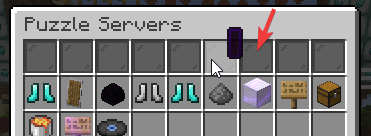
| BlockChestAds | Removes the ads inside the compass server listing in hub. |
| BlockLobbyMapAds | Removes the humungous map art that advertises things in lobby. It also mutes the sound played if present. |
| BlockLobbyWelcome | Blocks the lobby join message that sometimes has an ad in it. |
| BlockRaids | Blocks the raid messages in hub. |
| BlockFreeCredits | Blocks the vote messages encouraging to vote for free credits. |
| BlockMinehutAds | Blocks ads from Minehut that are sent in free servers. |
Skipping ads automatically with AutoSkipBarrier (very fast)
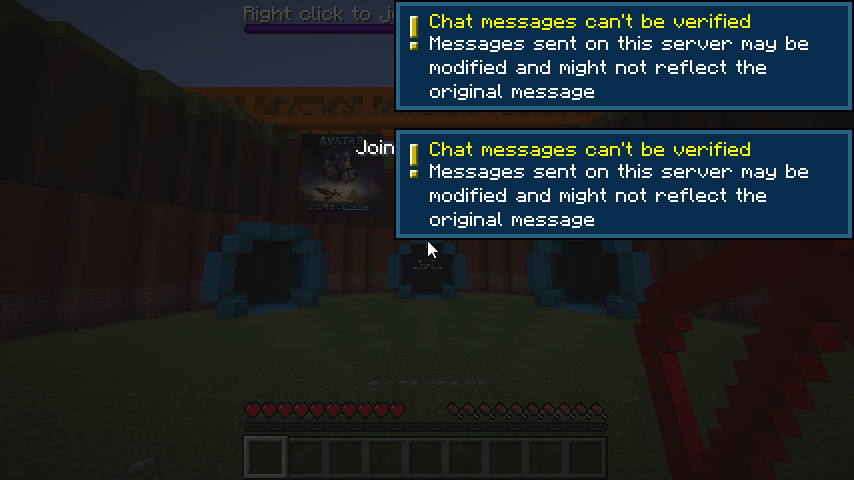
Example of BlockLobbyAds (blocks ads made by player) and BlockLobbyMapAds. It clears up chat a lot and blocks those awful map ads.

/poinpow - An intractable/clickable help command that easily allows the toggling of certain features.

💾 How to Install
- Make sure you have Fabric installed in your mc launcher
- Download the latest release of Poinpow here
- Download the latest release of Fabric API here
- Move the two jars you downloaded into the mods folder (its usually .minecraft/mods)
- Launch Minecraft and enjoy the mod!
- (optional) Star the repository to support me :> You can join the discord server to send feedback about the mod too.
🛠 How to Compile Jar
If you want to contribute to the code or make the jar yourself, you can find the steps (here)[https://github.com/udu3324/Poinpow?tab=readme-ov-file#%EF%B8%8F-how-to-compile-the-jar].
🧾 Is it Against the Rules?
No. I read the rules, and it doesn't break any. Unless..... "Minehut reserves the right to suspend or refuse service for users and servers at any time at their discretion." bruh
💚 How to Contribute
You can contribute by starring the repo, reporting issues, and creating pull requests. You can also send feedback in the discord server.
Available Versions
How to Install Poinpow on Your Server
Order Server
Order a Minecraft Java server with at least 3 GB RAM (4 GB recommended).
Set fabric Loader
In the panel under "Egg", select the fabric loader and matching Minecraft version (1.21.6).
Install Mod
Open the mod browser in the dashboard and search for "Poinpow". Click "Install" – done! Alternatively, upload the .jar via SFTP to the /mods folder.
Compatibility
Mod Loaders
Minecraft Versions
1.21.6, 1.21.5, 1.21.3 (+9 more)
Server-side
✗ UnsupportedRecommended RAM
4 GB(min. 3 GB)Frequently Asked Questions
Poinpow server crashes on startup – what to do?
Most common cause: wrong fabric version or insufficient RAM. Check the server log (latest.log) for "OutOfMemoryError" or "Mixin" errors. With Mado Hosting: ensure at least 3 GB RAM is allocated and the loader matches the mod version (1.21.6). You can switch loaders with one click in the panel.
Is Poinpow compatible with fabric?
Poinpow officially supports fabric for Minecraft 1.21.6, 1.21.5, 1.21.3. The Mado dashboard automatically detects incompatible loader combinations.
Server lagging with Poinpow – how to optimize performance?
Recommended RAM: 4 GB (per 8 players). Use /spark profiler to check if Poinpow consumes the most tick time. Common fixes: reduce server view-distance to 8-10, install "performant" or "starlight" as supplementary mods on Forge. With Mado Hosting, your server runs on NVMe SSDs with dedicated CPU cores for minimal latency.
Similar Mods


Rent Modded Server
Install Poinpow with just one click on your server.