
Pokeloader
Displays the iconic Pokeball on game startup with some satisfying audio as well.
Screenshots
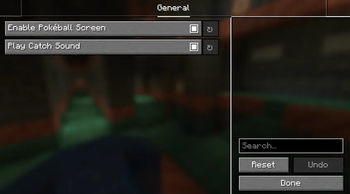

About this Mod
Pokeloader
This is Pokeloader! It's a mod that displays a Pokemon themed animation on game startup before the Mojang Studios logo appeaars.
Compatibility
This mod is currently exclusive to the Fabric mod loader, and I'm trying to develop a NeoForge port, however, success has been limited and therefore I cannot predict support for other modloaders.
Dependencies for this mod's functionality vary by version:
1.19.4 - Present
You will need YetAnotherConfigLib (YACL) in order to reach the mod's configuration menus, you will also need Mod Menu (or a suitable alternative).
1.19.3 and older
Builds for 1.19.3 and older are considered legacy and will recieve limited support. If you plan to use them you will need Cloth Config API and Mod Menu (or a suitable alternative) in order to recieve the full functionality these builds provide.
Support, Bugs, and Issues
If you are having issues with the mod or have encountered a bug please report it on my GitHub repository so I can most effectively patch it.
Noteworthy Disclaimer
This is my first operational Minecraft Mod, so the functionality, maintaining, and reliability of this mod should be taken with a grain of salt. Just saying!
Available Versions
How to Install Pokeloader on Your Server
Order Server
Order a Minecraft Java server with at least 3 GB RAM (4 GB recommended).
Set fabric Loader
In the panel under "Egg", select the fabric loader and matching Minecraft version (26.1.2).
Install Mod
Open the mod browser in the dashboard and search for "Pokeloader". Click "Install" – done! Alternatively, upload the .jar via SFTP to the /mods folder.
Compatibility
Mod Loaders
Minecraft Versions
26.1.2, 26.1.1, 26.1 (+29 more)
Server-side
✗ UnsupportedRecommended RAM
4 GB(min. 3 GB)Frequently Asked Questions
Pokeloader server crashes on startup – what to do?
Most common cause: wrong fabric version or insufficient RAM. Check the server log (latest.log) for "OutOfMemoryError" or "Mixin" errors. With Mado Hosting: ensure at least 3 GB RAM is allocated and the loader matches the mod version (26.1.2). You can switch loaders with one click in the panel.
Is Pokeloader compatible with fabric?
Pokeloader officially supports fabric for Minecraft 26.1.2, 26.1.1, 26.1. The Mado dashboard automatically detects incompatible loader combinations.
Server lagging with Pokeloader – how to optimize performance?
Recommended RAM: 4 GB (per 8 players). Use /spark profiler to check if Pokeloader consumes the most tick time. Common fixes: reduce server view-distance to 8-10, install "performant" or "starlight" as supplementary mods on Forge. With Mado Hosting, your server runs on NVMe SSDs with dedicated CPU cores for minimal latency.
Similar Mods

![[ETF] Entity Texture Features](https://cdn.modrinth.com/data/BVzZfTc1/af683d206d50b05258d865b0d6e4aa2f2cee12f2_96.webp)
![[EMF] Entity Model Features](https://cdn.modrinth.com/data/4I1XuqiY/6e5bbd0d06b1741bfdab6c0cfab6de8fdaf0064c_96.webp)



Rent Modded Server
Install Pokeloader with just one click on your server.