
Polymorph+
(26.1.2 port) No more recipe conflicts! Adds an option to choose the crafting result if more than one is available.
Screenshots
About this Mod

Polymorph+



Polymorph+ resolves recipe conflicts by letting the player pick which output a given set of ingredients should produce. Conflicting recipes stay co-installed, you choose the result.
MC 26+ builds are beta (NeoForge and Fabric 26.x are themselves still in beta), back up your worlds before loading. 1.21.11 is stable.
Features
Crafting table
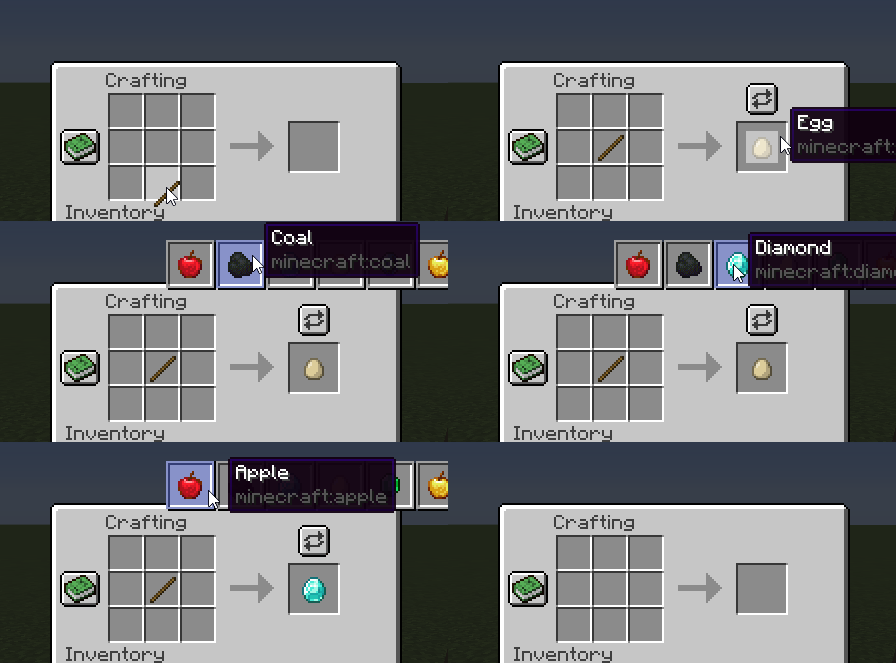
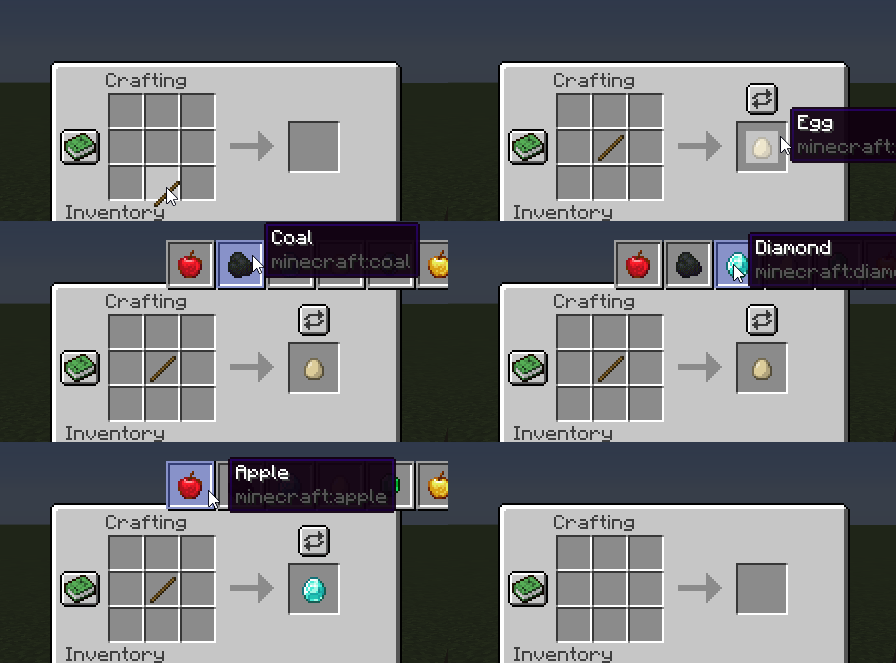
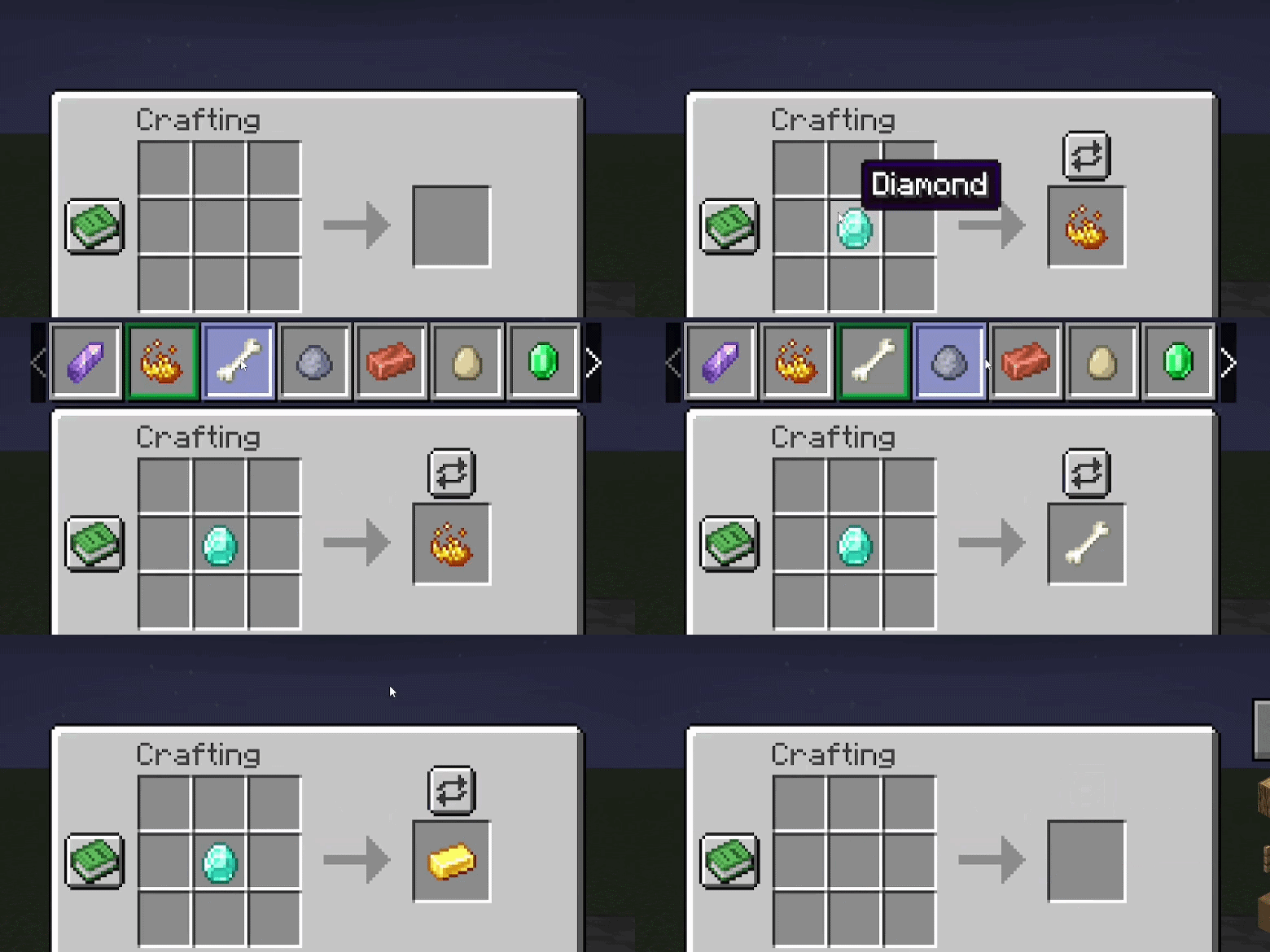
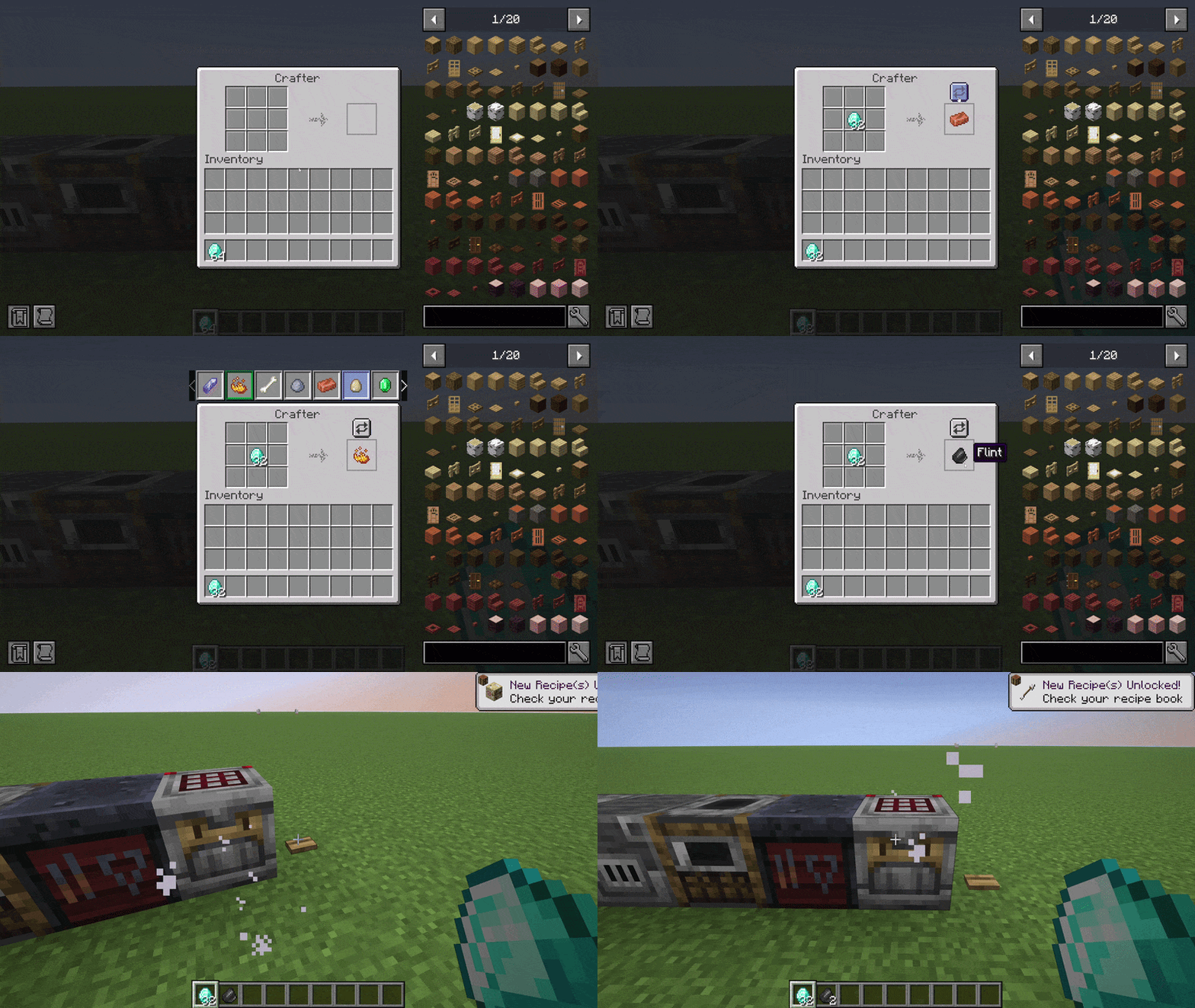
A button appears above the output slot when ingredients match more than one recipe. Click it, pick the result. The selection persists as long as the input stays the same.
Smelting (furnace, blast furnace, smoker)
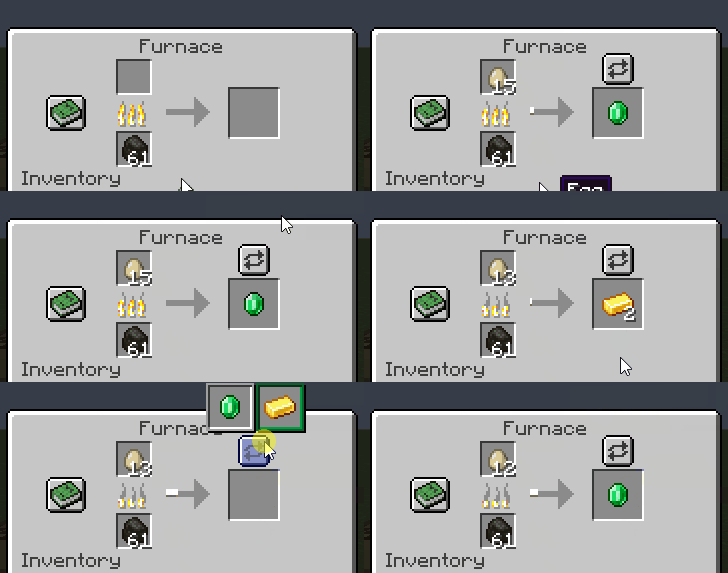
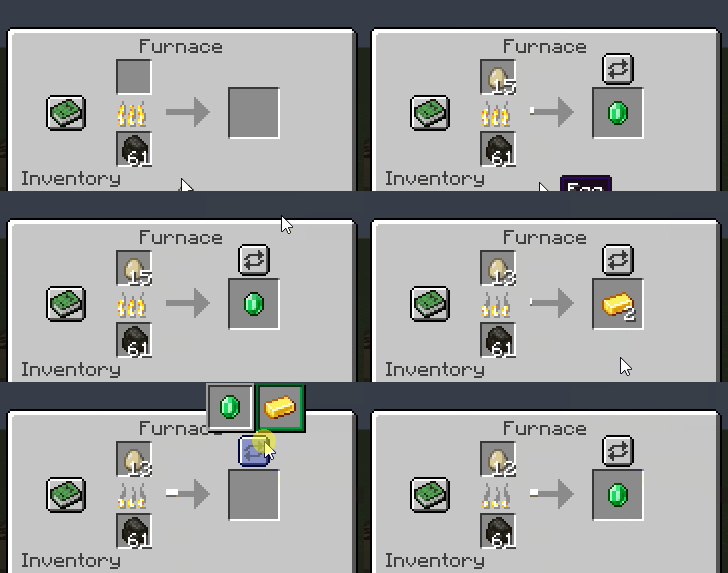
Same selector above the output slot. The choice is saved on the block.
Smithing
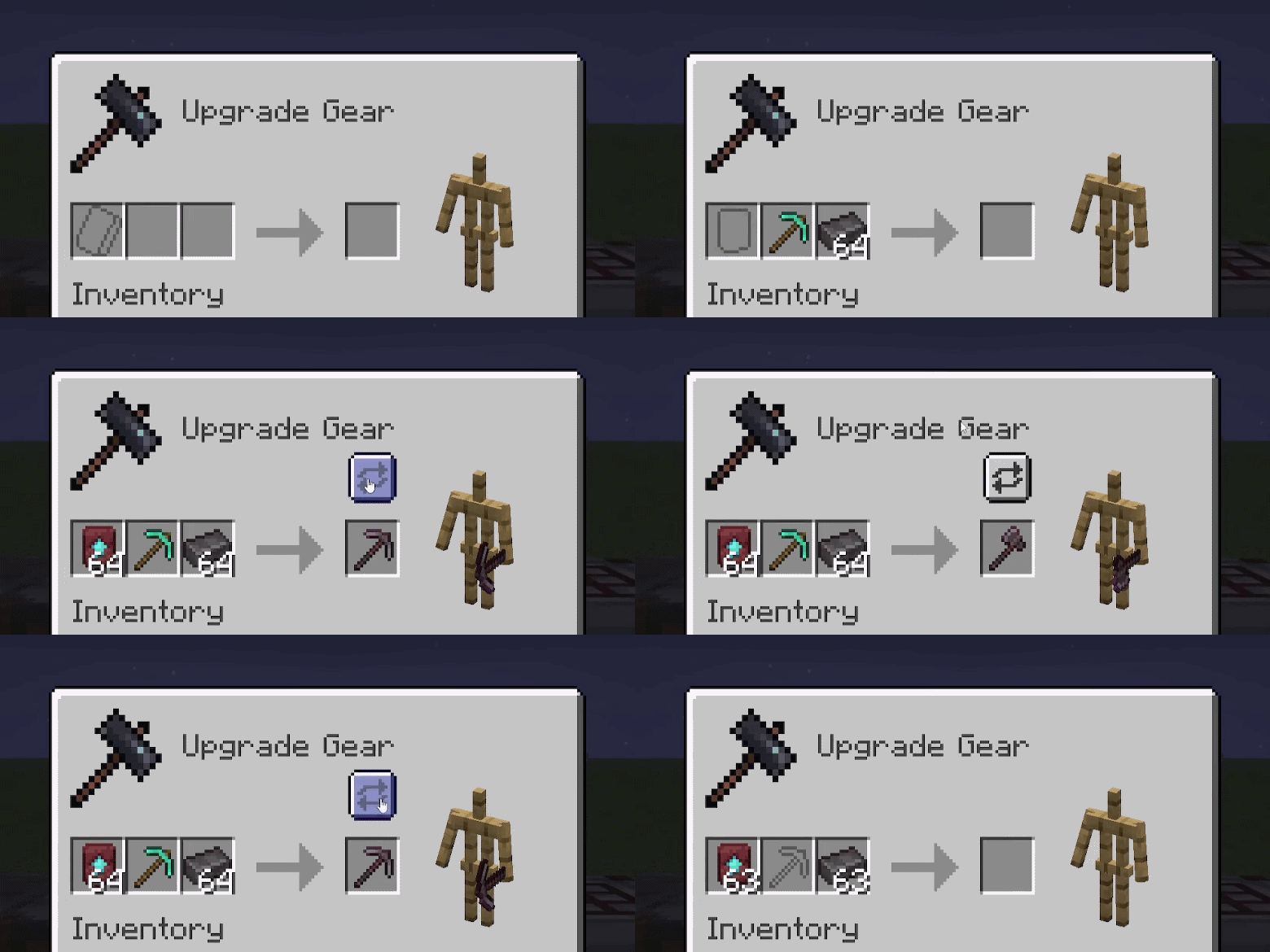
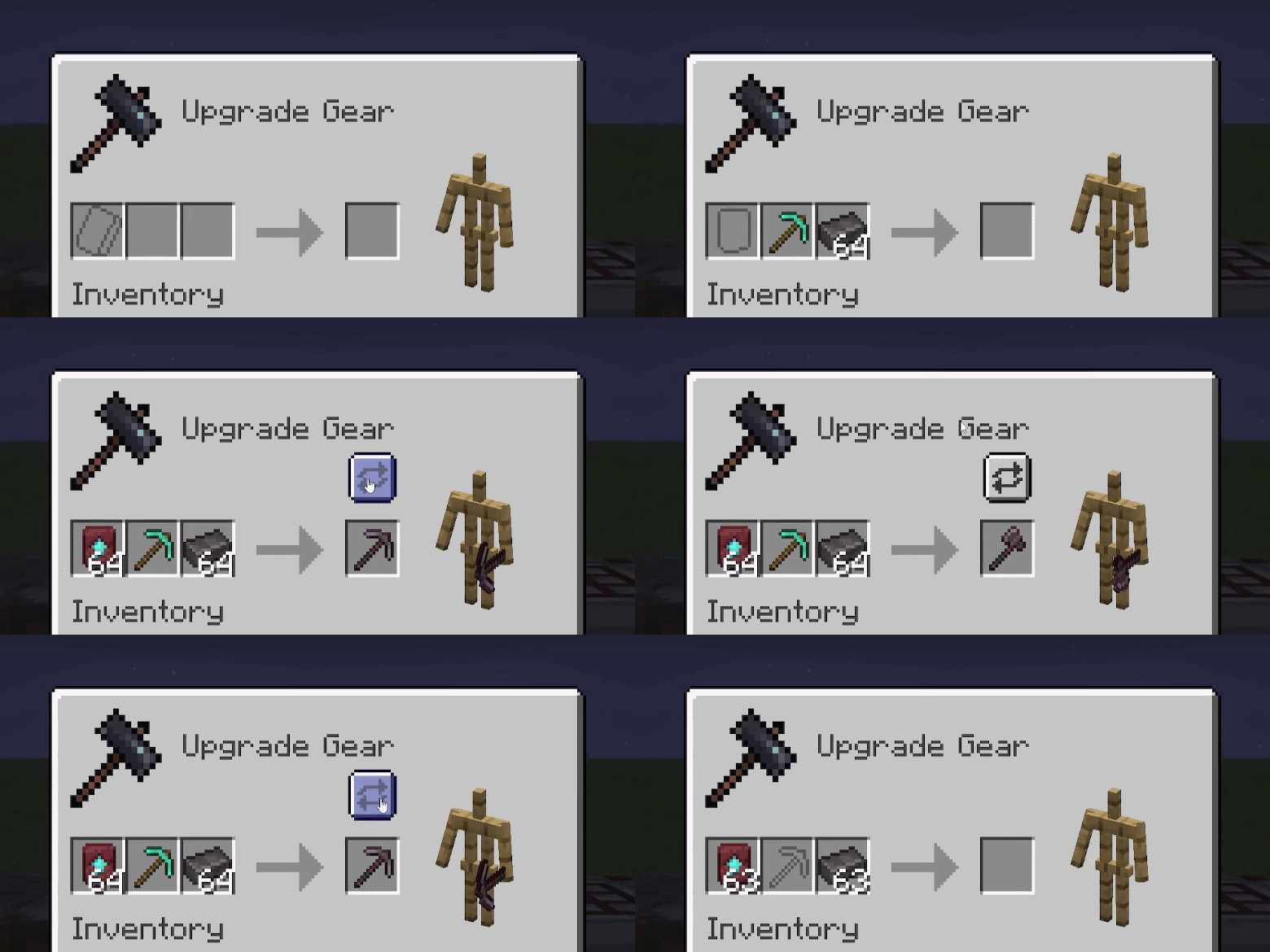
When a smithing transform input matches more than one recipe, the selector appears next to the result slot.
Crafters
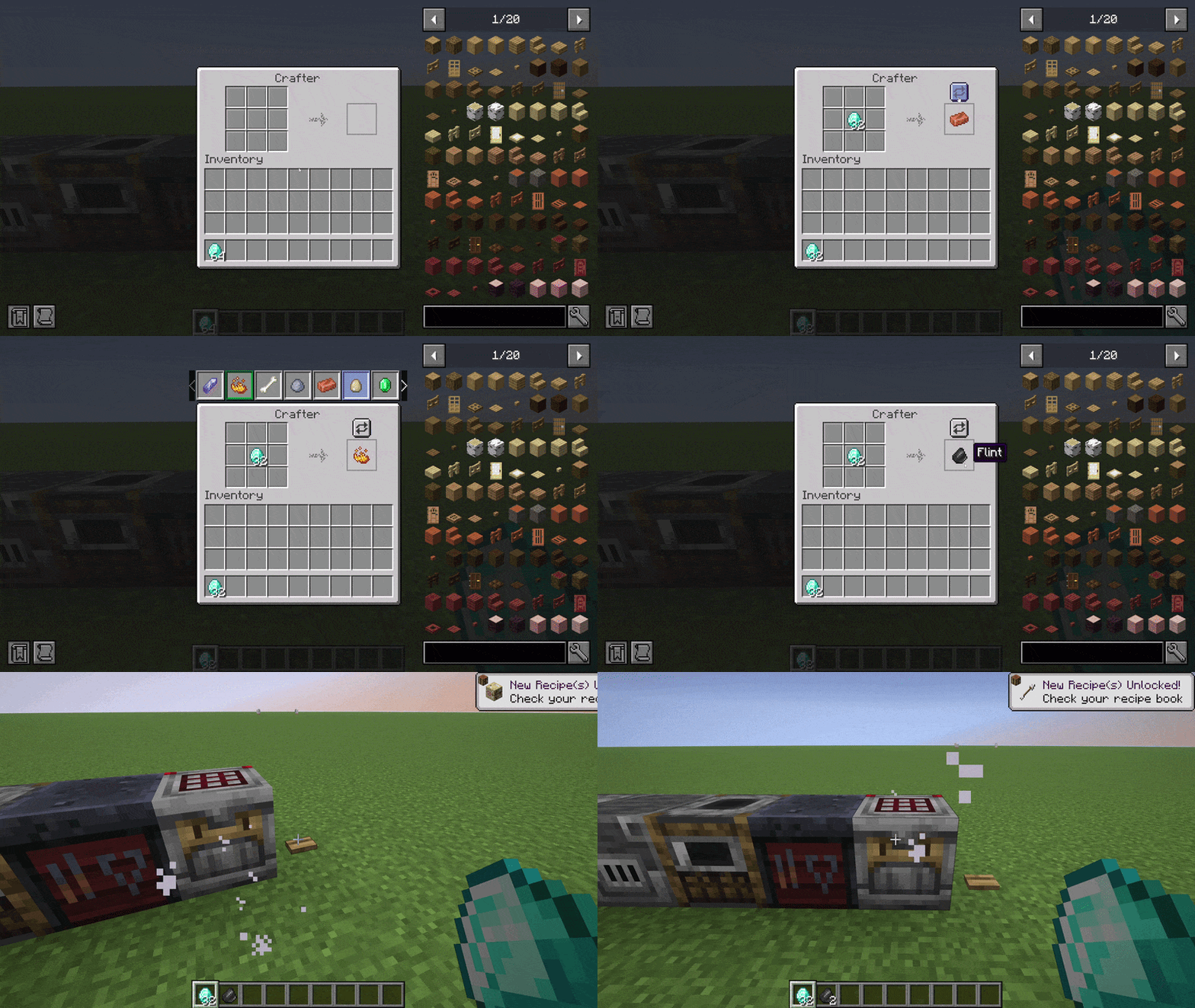
Same selector inside the vanilla Crafter screen. The choice is saved on the block entity so redstone automation respects it across world reloads.
Quality of life
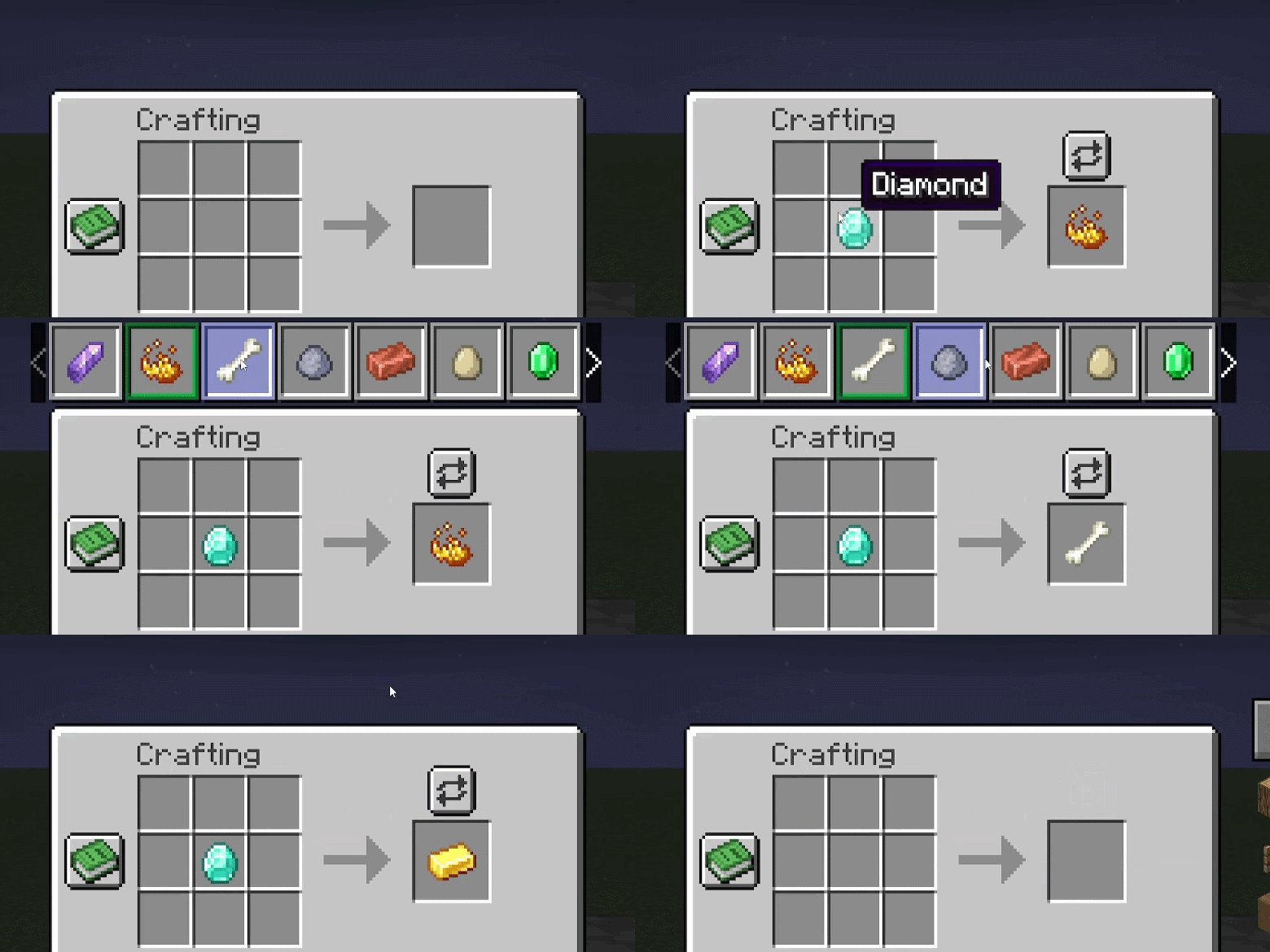
- Scrollable selector when there are more than seven conflicts (mouse wheel or side arrows).
- Pinned panel. Right click the open arrow to dock the selector for the session, left click to unpin. Pin state is saved to
config/polymorph_plus_client.json. - First-run tutorial. Four hint bubbles, English and French, auto-dismiss after eight seconds.
- JEI and REI compatibility (WIP). The "+" fill button (JEI) and auto-craft button (REI) currently keep the previous selection on click. Manual pick via the polymorph selector works fine.
Commands
/polymorph conflicts scans crafting, smelting, blasting, smoking, and smithing recipes and writes a list of detected conflicts to the logs folder.
Credits and license
Original mod by TheIllusiveC4, upstream repo. Port maintained by Aminoquiz. Source and assets are LGPL-3.0-or-later. This port is unofficial.

Help keep these mods going via ko-fi.com/aminoquiz, or host your server on Wabbanode with code AMINE (from 1.49 USD/month).
Available Versions
How to Install Polymorph+ on Your Server
Order Server
Order a Minecraft Java server with at least 3 GB RAM (4 GB recommended).
Set fabric Loader
In the panel under "Egg", select the fabric loader and matching Minecraft version (26.2).
Install Mod
Open the mod browser in the dashboard and search for "Polymorph+". Click "Install" – done! Alternatively, upload the .jar via SFTP to the /mods folder.
Compatibility
Mod Loaders
Minecraft Versions
26.2, 26.1.2, 26.1.1 (+2 more)
Server-side
✓ RequiredRecommended RAM
4 GB(min. 3 GB)Frequently Asked Questions
Polymorph+ server crashes on startup – what to do?
Most common cause: wrong fabric version or insufficient RAM. Check the server log (latest.log) for "OutOfMemoryError" or "Mixin" errors. With Mado Hosting: ensure at least 3 GB RAM is allocated and the loader matches the mod version (26.2). You can switch loaders with one click in the panel.
Is Polymorph+ compatible with fabric and neoforge?
Polymorph+ officially supports fabric, neoforge for Minecraft 26.2, 26.1.2, 26.1.1. The Mado dashboard automatically detects incompatible loader combinations.
Server lagging with Polymorph+ – how to optimize performance?
Recommended RAM: 4 GB (per 8 players). Use /spark profiler to check if Polymorph+ consumes the most tick time. Common fixes: reduce server view-distance to 8-10, install "performant" or "starlight" as supplementary mods on Forge. With Mado Hosting, your server runs on NVMe SSDs with dedicated CPU cores for minimal latency.
Similar Mods




![[ETF] Entity Texture Features](https://cdn.modrinth.com/data/BVzZfTc1/af683d206d50b05258d865b0d6e4aa2f2cee12f2_96.webp)

Rent Modded Server
Install Polymorph+ with just one click on your server.