
Potion Blender
Potion Blender is a small mod to merge potion effects into one item, allowing for interesting combinations.
Screenshots
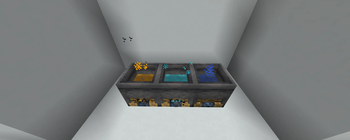
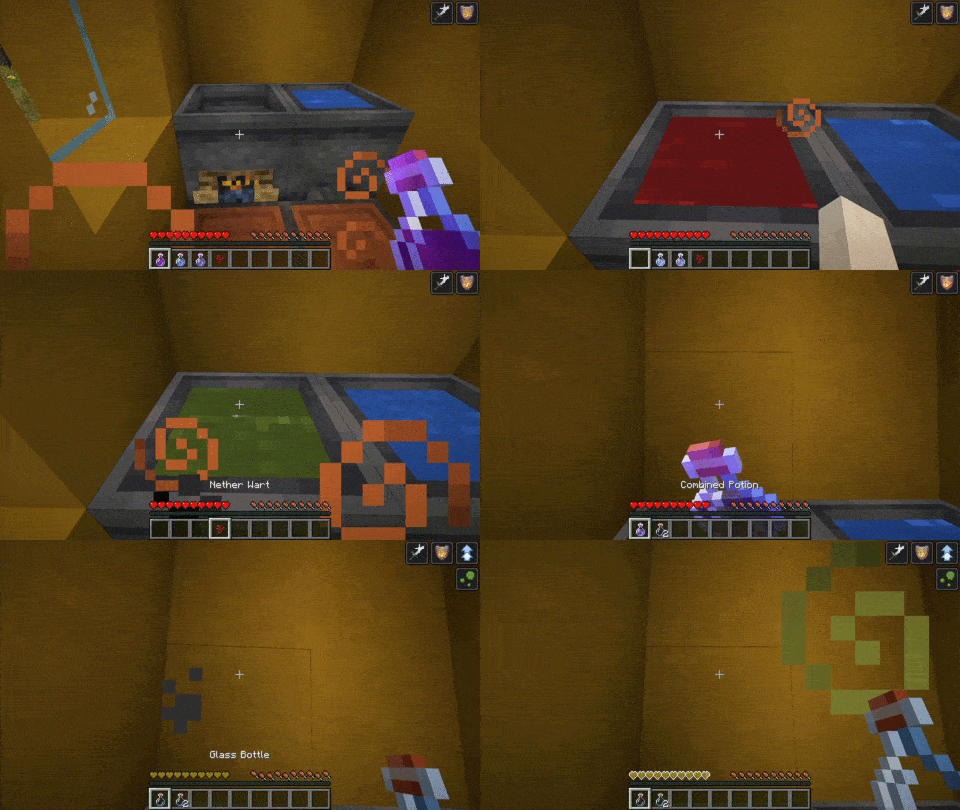
About this Mod
Potion Blender
Overview
Potion Blender is a small mod to merge potion effects into one item, allowing for interesting combinations.
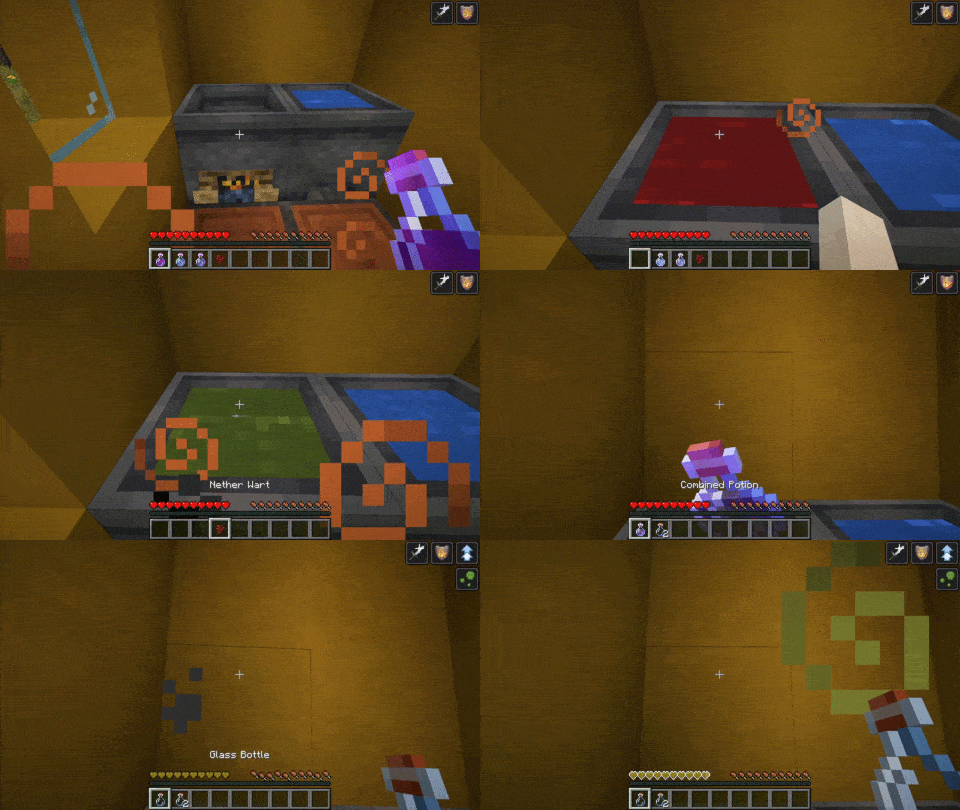
How to use
1 - Cauldron
First, you need to make a special cauldron. Do so by right-clicking a campfire with a vanilla cauldron.
2 - Starting to blend
Then, throw a potion into the cauldron. It can be any vanilla potion that is not Splash or Lingering. The potion effects will be the base of your combined brew. You can then add up to two more potions (neither splash nor lingering) to add their effects to the final product.
Note that throwing any combined potion into the cauldron is strongly discouraged
3 - The final ingredient
It is time to finish the brewing and choose your desired potion. You may choose one of these three ingredients :
- Nether wart -> Normal potion
- Gunpowder -> Splash potion
- Dragon Breath -> Lingering potion
Please wait for the brewing cauldron to perform its magic and grab your combined brew!
4 - Using arrows
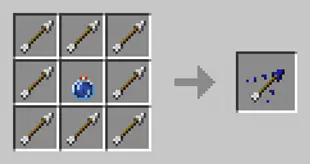
You can craft tipped arrows with multiple effects using a combined lingering potion. It follow the same pattern as the vanilla craft:
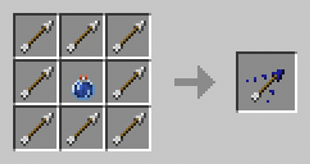
5 - Cancelling the blend
You can reset the cauldron anytime by right-clicking on the cauldron to get back your ingredients.
Effect stacking
Adding the same effect to a potion multiple times results in effects adding. It, however, comes with a price as each additional effect decreases the added time. The first stacked effect adds 50% of its duration, and the 2nd one 25%.
Instant Effects does not stack as duplicated effects are lost.
Configuration
See the wiki for the most up to date information
Since version 2.0.0
The config is in .minecraft/config/potionblender/potion_blender_config.json
- configVersion: DO NOT TOUCH. This value is managed by the mod
- maxNbOfEffects : the maximum number of potions you can combine in a single brew
- brewbrewingTime: the delay in tick before brewing the potion (default to 140 ticks or 7s)
- normalPotionIngredient, splashPotionIngredient, lingeringPotionIngredient define the ingredient corresponding to each potion. Make sure to type the name right, or you will get a warning, and the item will not be recognized.
Here is the default configuration:
{
  "configVersion": 1,
  "maxNbOfEffects": 3,
  "brewingTime": 140,
  "normalPotionIngredient": "minecraft:nether_wart",
  "splashPotionIngredient": "minecraft:gunpowder",
  "lingeringPotionIngredient": "minecraft:dragon_breath"
}
Prior to version 2.0.0:
The configuration file is in your .minecraft/potionblender/potion_blender_config.json
The configurable options are:
- max_effects: The maximum number of potions in a cauldron. Be careful when updating this value in an existing world, as it may cause desync on an already placed cauldron.
FAQ
Will this work with X potion mod?
Any mod that adds potion via the vanilla system is compatible. Typically these potions use the vanilla flask or appear in the vanilla potion tab.
However, some mod implements their own potion system, such as Botania. These potions are incompatible and will not work.
Compatibility has been tested with Dave's Potioneering since version 2.0.0
Known issues
- Sodium breaks the cauldron rendering, causing it to appear with water instead of the potion's colors. Setting biome blend to 0 fixes the issues. This is a long-standing bug on sodium end.
- Versions before 1.0.3 break vanilla lingering potion. Please use the latest version!
License
This mod is available under the GPLv3 license.
======
If you encounter a bug or have a suggestion, feel free to leave a comment or open an issue on GitHub
Available Versions
How to Install Potion Blender on Your Server
Order Server
Order a Minecraft Java server with at least 3 GB RAM (4 GB recommended).
Set fabric Loader
In the panel under "Egg", select the fabric loader and matching Minecraft version (1.21.1).
Install Mod
Open the mod browser in the dashboard and search for "Potion Blender". Click "Install" – done! Alternatively, upload the .jar via SFTP to the /mods folder.
Compatibility
Mod Loaders
Minecraft Versions
1.21.1, 1.21, 1.20.6 (+7 more)
Server-side
✓ RequiredRecommended RAM
4 GB(min. 3 GB)Frequently Asked Questions
Potion Blender server crashes on startup – what to do?
Most common cause: wrong fabric version or insufficient RAM. Check the server log (latest.log) for "OutOfMemoryError" or "Mixin" errors. With Mado Hosting: ensure at least 3 GB RAM is allocated and the loader matches the mod version (1.21.1). You can switch loaders with one click in the panel.
Is Potion Blender compatible with fabric and forge and neoforge?
Potion Blender officially supports fabric, forge, neoforge for Minecraft 1.21.1, 1.21, 1.20.6. Note: Forge and Fabric mods are NOT cross-compatible – pick one loader and stick with it. The Mado dashboard automatically detects incompatible loader combinations.
Server lagging with Potion Blender – how to optimize performance?
Recommended RAM: 4 GB (per 8 players). Use /spark profiler to check if Potion Blender consumes the most tick time. Common fixes: reduce server view-distance to 8-10, install "performant" or "starlight" as supplementary mods on Forge. With Mado Hosting, your server runs on NVMe SSDs with dedicated CPU cores for minimal latency.
Similar Mods




Rent Modded Server
Install Potion Blender with just one click on your server.