
Potioncraft
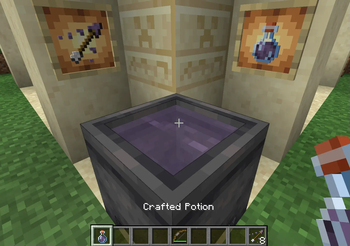
Makes cauldrons do what they should! You can brew and mix your potions in a cauldron, like a real witch/wizard/alchemist.
Screenshots

About this Mod
This mod is in development, many features are planned and bugs are to be expected.
Please report bugs, I will fix them ASAP.
Mixing
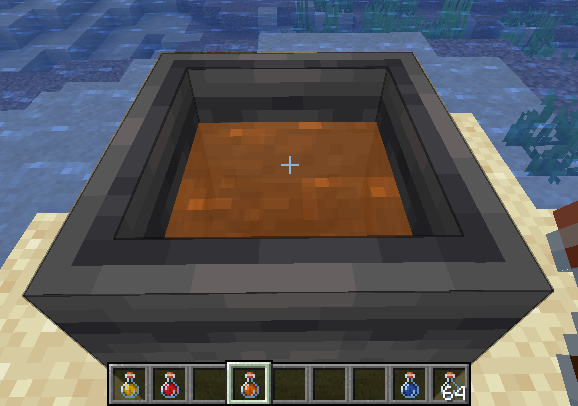
Mixing is a core component of this mod, it involves taking several potions and combining their effects in cauldron. To begin mixing, add any potion to a cauldron! The cauldron behaves the same as vanilla with the 3 levels.
While mixing, the cauldron cannot be used for other vanilla purposes (and cannot be moved with pistons).
Additionally, the mixture will appear translucent.
To revert to vanilla behavior, empty the cauldron or dilute with water until there is no remaining effect.
Additionally using a milk bucket will remove all effects.
Balancing
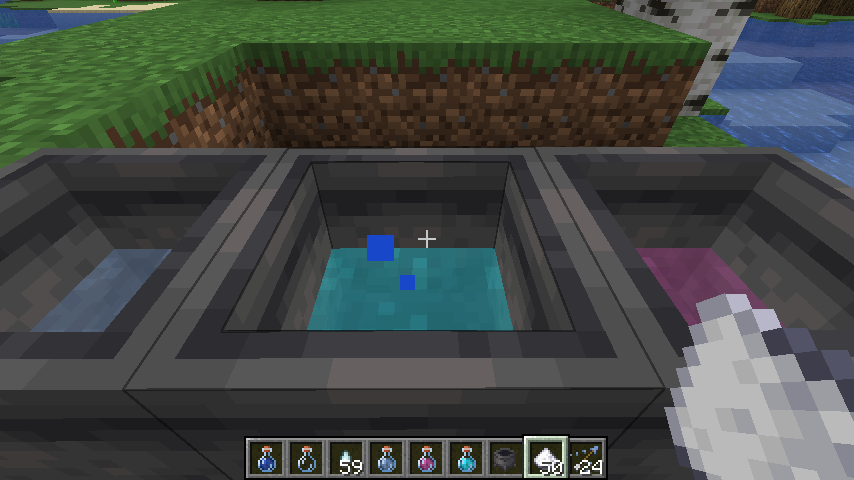
Potioncraft uses dilution to balance potions, adding two potions will result in two potions that have both effects but with half duration and amplification.
Adding a water bottle to a mixture will increase the cauldron level, but dilutes the mixture.
Another balancing mechanic is "potency". This limits the amount of ingredients you can add to a single mixture, the default max is 5 but this can be changed or disabled in the config. Mixing a potion with max potency into an existing mixture will cause that mixture to have max potency! Potency is indicated by the potion cauldron splashing and making bubble noises.
Brewing
Brewing using only a cauldron requires no blaze powder, but more ingredients are needed for 3 potions.
All the vanilla recipes can be used to create effects.
This mod uses data packs to determine recipes, so you can change everything to how you like!
View the README on the GitHub for more info on data packs!
Available Versions
How to Install Potioncraft on Your Server
Order Server
Order a Minecraft Java server with at least 3 GB RAM (4 GB recommended).
Set fabric Loader
In the panel under "Egg", select the fabric loader and matching Minecraft version (1.21.6).
Install Mod
Open the mod browser in the dashboard and search for "Potioncraft". Click "Install" – done! Alternatively, upload the .jar via SFTP to the /mods folder.
Compatibility
Mod Loaders
Minecraft Versions
1.21.6, 1.20.4, 1.20.1 (+1 more)
Server-side
✓ RequiredRecommended RAM
4 GB(min. 3 GB)Frequently Asked Questions
Potioncraft server crashes on startup – what to do?
Most common cause: wrong fabric version or insufficient RAM. Check the server log (latest.log) for "OutOfMemoryError" or "Mixin" errors. With Mado Hosting: ensure at least 3 GB RAM is allocated and the loader matches the mod version (1.21.6). You can switch loaders with one click in the panel.
Is Potioncraft compatible with fabric?
Potioncraft officially supports fabric for Minecraft 1.21.6, 1.20.4, 1.20.1. The Mado dashboard automatically detects incompatible loader combinations.
Server lagging with Potioncraft – how to optimize performance?
Recommended RAM: 4 GB (per 8 players). Use /spark profiler to check if Potioncraft consumes the most tick time. Common fixes: reduce server view-distance to 8-10, install "performant" or "starlight" as supplementary mods on Forge. With Mado Hosting, your server runs on NVMe SSDs with dedicated CPU cores for minimal latency.
Similar Mods

![[ETF] Entity Texture Features](https://cdn.modrinth.com/data/BVzZfTc1/af683d206d50b05258d865b0d6e4aa2f2cee12f2_96.webp)
![[EMF] Entity Model Features](https://cdn.modrinth.com/data/4I1XuqiY/6e5bbd0d06b1741bfdab6c0cfab6de8fdaf0064c_96.webp)



Rent Modded Server
Install Potioncraft with just one click on your server.