
Potpourri
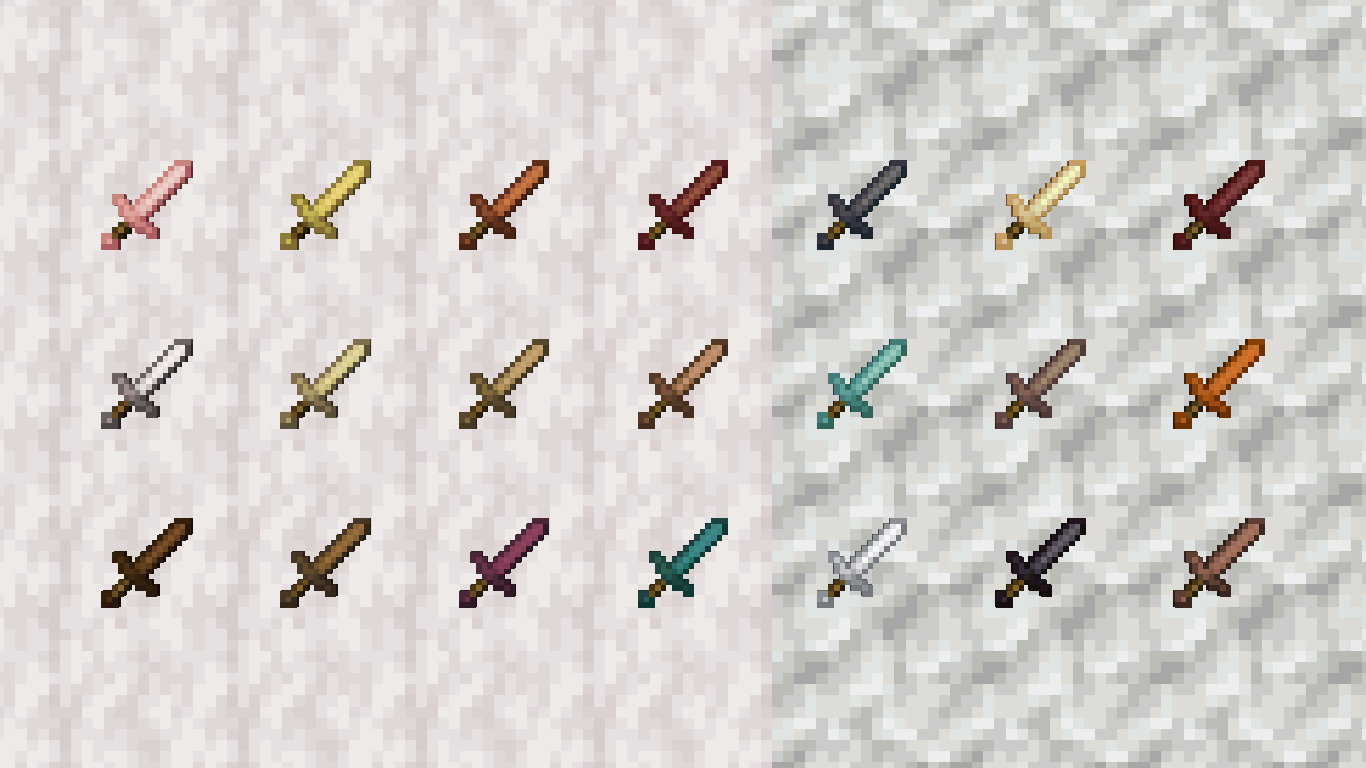
Adds in little details, such as item variants depending on where you found the item or how you crafted it.
Screenshots
About this Mod
Potpourri
It's the small details that count, and Potpourri takes that to heart.
What does Potpourri add?
Potpourri aims to add more small details here and there that aren't really needed, like extra paintings, item variants, or small structures.
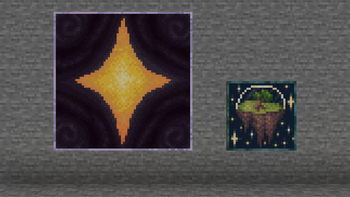
Potpourri currently adds 142 item variants, 3 armor trims, one structure, 2 paintings, and one new damage type.
List of Features
Item Variants
Tool variants for most stone and wood types (135 Total)
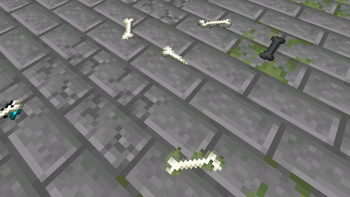
Mossy, Pale Mossy, Wither, Sculk, and Arrow bone variants
- 2 Bone Arrows can be crafted with one Bone and one Flint and function just like regular arrows. However, a stack can only hold up to 16.
Invisible Item Frames can now be crafted with one Item Frame and one Glass Pane (Can be done with Glow Item Frames too!)
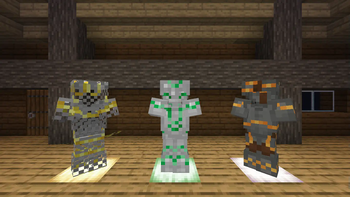
3 Armor Trims
Eyes armor trim, based on the Creaking
- Made using Chiseled Resin Bricks
Rabbit armor trim, based on rabbits.
- Made using Rabbit's Foot
Profit armor trim, found in blacksmith chests
- Made using Deepslate Emerald Ore
Structures
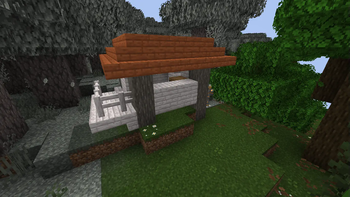
Pale Hut Structure
- Found rarely in Pale Garden
2 Paintings
Four Pointer - A drawing of a star
Island - A drawing of an island floating in space
Misc Features
Stonecutters now hurt to stand on
- New Damage type, includes new death messages
Expect updates as often as my brain comes up with new ideas, which may be incredibly slow, or reasonably often.
˅ ˅ ˅ Important! ˅ ˅ ˅
Please note that as a datapack this this may not be compatible with some mods!
You are required to download the resource pack! (Unless you install the mod version)
Available Versions
How to Install Potpourri on Your Server
Order Server
Order a Minecraft Java server with at least 3 GB RAM (4 GB recommended).
Set datapack Loader
In the panel under "Egg", select the datapack loader and matching Minecraft version (1.21.5).
Install Mod
Open the mod browser in the dashboard and search for "Potpourri". Click "Install" – done! Alternatively, upload the .jar via SFTP to the /mods folder.
Compatibility
Mod Loaders
Minecraft Versions
1.21.5
Server-side
✓ RequiredRecommended RAM
4 GB(min. 3 GB)Frequently Asked Questions
Potpourri server crashes on startup – what to do?
Most common cause: wrong datapack version or insufficient RAM. Check the server log (latest.log) for "OutOfMemoryError" or "Mixin" errors. With Mado Hosting: ensure at least 3 GB RAM is allocated and the loader matches the mod version (1.21.5). You can switch loaders with one click in the panel.
Is Potpourri compatible with datapack and fabric and forge and neoforge and quilt?
Potpourri officially supports datapack, fabric, forge, neoforge, quilt for Minecraft 1.21.5. Note: Forge and Fabric mods are NOT cross-compatible – pick one loader and stick with it. The Mado dashboard automatically detects incompatible loader combinations.
Server lagging with Potpourri – how to optimize performance?
Recommended RAM: 4 GB (per 8 players). Use /spark profiler to check if Potpourri consumes the most tick time. Common fixes: reduce server view-distance to 8-10, install "performant" or "starlight" as supplementary mods on Forge. With Mado Hosting, your server runs on NVMe SSDs with dedicated CPU cores for minimal latency.
Similar Mods

![[ETF] Entity Texture Features](https://cdn.modrinth.com/data/BVzZfTc1/af683d206d50b05258d865b0d6e4aa2f2cee12f2_96.webp)
![[EMF] Entity Model Features](https://cdn.modrinth.com/data/4I1XuqiY/6e5bbd0d06b1741bfdab6c0cfab6de8fdaf0064c_96.webp)



Rent Modded Server
Install Potpourri with just one click on your server.