
Prevent Enderman Block Pickup
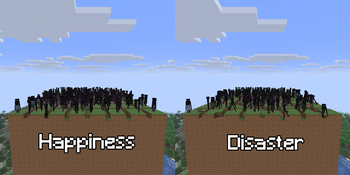
Prevents Endermen from picking up (& placing) blocks and destroying your carefully crafted world!
Screenshots
About this Mod
Prevent Enderman Block Pickup
Prevent Enderman Block Pickup, as it says on the tin, prevents Endermen from picking up blocks (and technically also placing down). This mod only has to be installed on the server side (which is the client when playing single player) in order for it to work. You can remove this mod at any time (or use the config in v2.0.0 and up) to allow Endermen to pick up blocks again; This mod does not permanently change your world(s).
I know that there are quite a few other mods out there that do the same, but I can't seem to find one that does exactly what I want and/or is available in the version(s) I want. For example, some still allow Endermen to pick up pumpkins and melons, some create an entry in the Advancements tab, and some are not open source. This doesn't mean they are bad mods; I just wanted a version of anti-Enderman griefing that I personally have no issues with.
Version Support
I intend to support all release versions from 1.21.1 onward. I might release this mod for older versions like 1.20.x, but I'll see about that.
Why? (Rant)
I don't mind most forms of mob griefing, such as sheep eating grass (grass grows back and passive mobs can be controlled very easily) or creepers exploding (technically you could prevent this by staying alert all the time), but there is one form I truly hate: Enderman griefing. Why? Because you cannot reasonably control it.
Unless you light up everything around you in simulation distance, you can't prevent them from spawning (why does Minecraft assume I want everything to be lit up around near/in a completed base?), and you cannot control when they pick up or place which block where, which is incredibly frustrating if, like me, you want everything to stay exactly where you put it.
Available Versions
How to Install Prevent Enderman Block Pickup on Your Server
Order Server
Order a Minecraft Java server with at least 3 GB RAM (4 GB recommended).
Set fabric Loader
In the panel under "Egg", select the fabric loader and matching Minecraft version (26.1.2).
Install Mod
Open the mod browser in the dashboard and search for "Prevent Enderman Block Pickup". Click "Install" – done! Alternatively, upload the .jar via SFTP to the /mods folder.
Compatibility
Mod Loaders
Minecraft Versions
26.1.2, 26.1.1, 26.1 (+11 more)
Server-side
✓ RequiredRecommended RAM
4 GB(min. 3 GB)Frequently Asked Questions
Prevent Enderman Block Pickup server crashes on startup – what to do?
Most common cause: wrong fabric version or insufficient RAM. Check the server log (latest.log) for "OutOfMemoryError" or "Mixin" errors. With Mado Hosting: ensure at least 3 GB RAM is allocated and the loader matches the mod version (26.1.2). You can switch loaders with one click in the panel.
Is Prevent Enderman Block Pickup compatible with fabric?
Prevent Enderman Block Pickup officially supports fabric for Minecraft 26.1.2, 26.1.1, 26.1. The Mado dashboard automatically detects incompatible loader combinations.
Server lagging with Prevent Enderman Block Pickup – how to optimize performance?
Recommended RAM: 4 GB (per 8 players). Use /spark profiler to check if Prevent Enderman Block Pickup consumes the most tick time. Common fixes: reduce server view-distance to 8-10, install "performant" or "starlight" as supplementary mods on Forge. With Mado Hosting, your server runs on NVMe SSDs with dedicated CPU cores for minimal latency.
Similar Mods




Rent Modded Server
Install Prevent Enderman Block Pickup with just one click on your server.