
Private Area
Private Area is a mod that adds a chunk-based land claiming system using regions. Players can select chunks with a region wand, create protected areas, manage members, owners, and access rules.
Screenshots

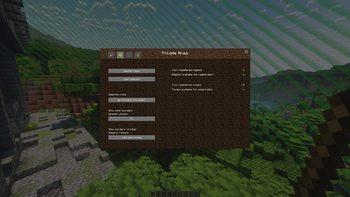
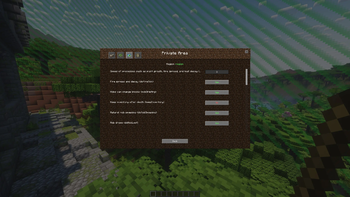
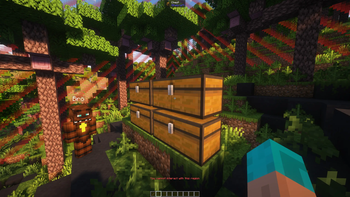
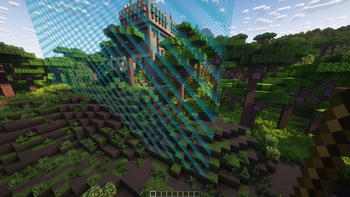
About this Mod
Private Area
Private Area is a region protection mod for Minecraft, inspired by the idea of territory protection systems such as WorldGuard, but built with a different approach: simple installation, simple configuration, and better compatibility with modded servers.
The main goal of the project is to provide a native mod-based alternative for servers that need protected regions without relying on an additional Bukkit/Paper-style plugin layer.
Many existing protection systems are built around server plugins. They work well in their own ecosystem, but on heavily modded servers they often require hybrid server cores or additional compatibility layers. This can create a complicated setup:
Forge / mod loader -> hybrid server core -> plugin -> possible compatibility issues
Private Area aims to simplify this. Instead of adding another server layer, it works as a Minecraft mod. For supported versions, the goal is to install it directly into a modded server environment and manage regions through an in-game interface.
What does Private Area do?
Private Area allows players and administrators to create protected regions directly inside the game.
Regions are selected by chunks using a special item called the Region Wand. After selecting the desired chunks, the player can register a region and manage it through a graphical interface.
Protected regions can prevent unauthorized players from:
- breaking blocks;
- placing blocks;
- interacting with containers and mechanisms;
- modifying protected territory;
- using region-specific actions without permission.
The mod also supports region members and co-owners. Members can be allowed to interact with a region, while co-owners can help manage it.
Why use Private Area?
Private Area is built around three main ideas.
Simple installation
Private Area is a mod, not a Bukkit, Spigot, or Paper plugin.
For supported versions, the goal is to install it directly into a modded server without requiring a separate plugin core, hybrid server layer, or additional server-side compatibility stack.
This is especially important for large modpacks, where changing the server core can easily cause compatibility issues with other mods.
Simple usage
The mod is designed to be used directly in-game.
Instead of relying only on commands, Private Area provides:
- a graphical interface;
- visual chunk and region borders;
- region selection modes;
- member and co-owner management;
- region settings;
- an integrated tutorial section.
The goal is to make region protection understandable not only for administrators, but also for regular players.
Modded-server compatibility
Private Area is being developed specifically with modded servers in mind.
The project is intended to work naturally alongside large Forge modpacks and, in the future, other Minecraft versions, mod loaders, and server environments.
Current features
- Chunk-based region selection.
- Region Wand item.
- Visual borders for selected, owned, and foreign regions.
- Region registration.
- Region expansion and reduction.
- Region deletion.
- Member management.
- Co-owner management.
- Configurable player and administrator limits.
- Per-region rule editing.
- Local region-based rule overrides.
- GUI-based setup and management.
- Built-in tutorial pages.
- Russian and English localization.
Region rules
Private Area already includes support for several region-related rules and protections, including interaction protection, damage-related rules, and selected gamerule-style overrides.
The rule system is still being expanded. Future versions are planned to include more advanced territory-protection flags, such as:
- item pickup control;
- item drop control;
- chat control;
- entry and exit rules;
- custom enter and leave messages;
- mob spawning categories;
- explosion protection categories;
- crop growth control;
- fluid flow control;
- fire spread control;
- block and entity interaction rules;
- more flexible permission groups.
The goal is to keep the power of advanced region protection systems while making everything easier to configure through a modded Minecraft interface.
Future plans
Support for more Minecraft versions, mod loaders, and platforms is planned for future releases.
Private Area is still actively developing, so advanced flags and compatibility features will be added gradually over time.
The long-term goal of Private Area is to become a full-featured region protection solution for modded Minecraft servers.
Planned directions include:
- support for more Minecraft versions;
- support for more mod loaders;
- support for more server platforms;
- more territory-protection flags;
- better support for large modpacks;
- more flexible permission groups;
- region priorities;
- global/default region rules;
- improved configuration tools;
- more server administration features.
Who is this mod for?
Private Area is useful for:
- survival servers;
- modded SMP servers;
- roleplay servers;
- technical servers;
- private friend servers;
- large modpacks;
- servers that need region protection without relying on Bukkit/Paper-style plugin layers.
If you want region protection for a Forge-based modded server without turning your setup into a complicated plugin/mod hybrid stack, Private Area is made for that.
Available Versions
How to Install Private Area on Your Server
Order Server
Order a Minecraft Java server with at least 3 GB RAM (4 GB recommended).
Set fabric Loader
In the panel under "Egg", select the fabric loader and matching Minecraft version (1.20.1).
Install Mod
Open the mod browser in the dashboard and search for "Private Area". Click "Install" – done! Alternatively, upload the .jar via SFTP to the /mods folder.
Compatibility
Mod Loaders
Minecraft Versions
1.20.1
Server-side
✓ RequiredRecommended RAM
4 GB(min. 3 GB)Frequently Asked Questions
Private Area server crashes on startup – what to do?
Most common cause: wrong fabric version or insufficient RAM. Check the server log (latest.log) for "OutOfMemoryError" or "Mixin" errors. With Mado Hosting: ensure at least 3 GB RAM is allocated and the loader matches the mod version (1.20.1). You can switch loaders with one click in the panel.
Is Private Area compatible with fabric and forge?
Private Area officially supports fabric, forge for Minecraft 1.20.1. Note: Forge and Fabric mods are NOT cross-compatible – pick one loader and stick with it. The Mado dashboard automatically detects incompatible loader combinations.
Server lagging with Private Area – how to optimize performance?
Recommended RAM: 4 GB (per 8 players). Use /spark profiler to check if Private Area consumes the most tick time. Common fixes: reduce server view-distance to 8-10, install "performant" or "starlight" as supplementary mods on Forge. With Mado Hosting, your server runs on NVMe SSDs with dedicated CPU cores for minimal latency.
Similar Mods




Rent Modded Server
Install Private Area with just one click on your server.