
Private Horses
Sick of having your horse, donkey, or mule jacked? With this mod, you can relax — no one but you can ride or leash your animal now!
Screenshots
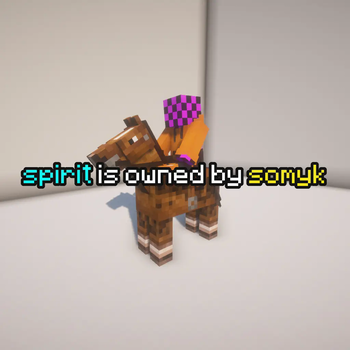
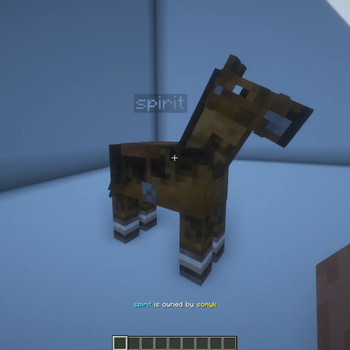
About this Mod
🐴 Private Horses — keep your mount yours!
This mod ensures that only the owner can interact with their horse, donkey, or mule — no more random riders jumping on your beloved steed!
Exceptions apply only to server operators and players with the private-horses.interact permission.
⚙️ New Gamerule: private-horses.disable_damage
Want extra protection for your tamed animals?
Enable the new gamerule private-horses.disable_damage to prevent any damage to your horse, donkey, or mule — except for fall damage and damage caused by the owner.
By default, this rule is disabled.
🔐 Public or private? You decide.
You can freely switch your mount’s accessibility:
- Make it public – Sneak and right-click with sugar
- Make it private again – Sneak and right-click with wheat
This lets you easily share or reclaim access to your horse, donkey, or mule.
🔄 Transfer ownership
Inspired by the Transferable Pets mod, this mod also lets you give your animal to another player.
To do so:
- Put the animal on a lead (leash).
- Sneak and right-click the player you want to transfer it to.
Done! They’re now the proud new owner.
Default config values
# Message translations
message:
  # 'AnimalName' is owned by 'PlayerName'
  owned_by: '%s is owned by %s'

  # 'PlayerName' is new owner of 'AnimalName'
  new_owner: '%s is new owner of %s'

  # 'PlayerName' transferred 'AnimalName' to you
  transfer: '%s transferred %s to you'

# Use the above translations instead of a polymer translation
ignore_polymer: false
Note: If a player tries to equip horse armor on someone else's horse, it will appear equipped due to a client-side visual bug. However, the armor will remain in the player's inventory.
You are welcome to support me via the following links:

Available Versions
How to Install Private Horses on Your Server
Order Server
Order a Minecraft Java server with at least 3 GB RAM (4 GB recommended).
Set fabric Loader
In the panel under "Egg", select the fabric loader and matching Minecraft version (1.21.11).
Install Mod
Open the mod browser in the dashboard and search for "Private Horses". Click "Install" – done! Alternatively, upload the .jar via SFTP to the /mods folder.
Compatibility
Mod Loaders
Minecraft Versions
1.21.11, 1.21.10, 1.21.9 (+5 more)
Server-side
✓ RequiredRecommended RAM
4 GB(min. 3 GB)Frequently Asked Questions
Private Horses server crashes on startup – what to do?
Most common cause: wrong fabric version or insufficient RAM. Check the server log (latest.log) for "OutOfMemoryError" or "Mixin" errors. With Mado Hosting: ensure at least 3 GB RAM is allocated and the loader matches the mod version (1.21.11). You can switch loaders with one click in the panel.
Is Private Horses compatible with fabric?
Private Horses officially supports fabric for Minecraft 1.21.11, 1.21.10, 1.21.9. The Mado dashboard automatically detects incompatible loader combinations.
Server lagging with Private Horses – how to optimize performance?
Recommended RAM: 4 GB (per 8 players). Use /spark profiler to check if Private Horses consumes the most tick time. Common fixes: reduce server view-distance to 8-10, install "performant" or "starlight" as supplementary mods on Forge. With Mado Hosting, your server runs on NVMe SSDs with dedicated CPU cores for minimal latency.
Similar Mods
![[EMF] Entity Model Features](https://cdn.modrinth.com/data/4I1XuqiY/6e5bbd0d06b1741bfdab6c0cfab6de8fdaf0064c_96.webp)


Rent Modded Server
Install Private Horses with just one click on your server.