
Prodigy Tech
Tech mod powered on hot air and unusual materials.
Screenshots
About this Mod
Requires Patchouli.
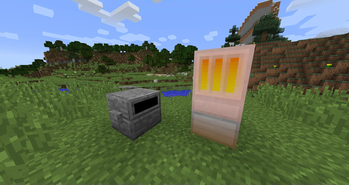
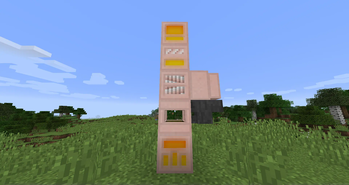
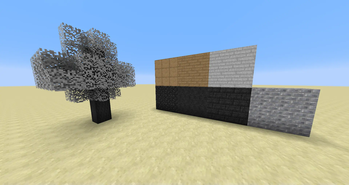
Prodigy Tech is a tech mod relying on unusual materials and Hot Air to power its machines. It is mostly inspired by RotaryCraft and IndustrialCraft, although the mix should give you an unique experience.
It features:
- An unique power system based on Hot Air.
- A defined tech tree layed down in advancements to guide you through your progress.
- A Patchouli-powered book to guide you through it.
- No worldgen or any visible marks in the world.
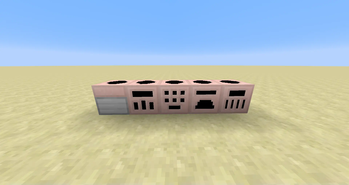
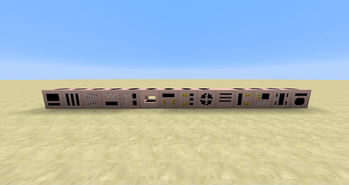
- Several decorative blocks.
- CraftTweaker support.
- And much more...
Get yourself started by crafting the in game guide with a Book and Sand, it will teach you all you need to know about the various machines and systems. Entries will gradually unlock as you obtain various materials and machines. If you need more then read the Getting Started guide on the FTB wiki.
If you don't want to read the book, get a good supply of Iron, Sand, Clay and Gunpowder, craft yourself an Explosion Furnace, fill it with 16 Iron, 4 Clay, 5 Gunpowder and 4 Sand (or any multiple of all of that), give it a redstone pulse then let advancements, JEI or the vanilla recipe book guide you through the rest.
If you don't want to get in game, the Official FTB Wiki has all the info you need, unless you want to use CraftTweaker with it in which case you should go here.
Available Versions
How to Install Prodigy Tech on Your Server
Order Server
Order a Minecraft Java server with at least 3 GB RAM (4 GB recommended).
Set forge Loader
In the panel under "Egg", select the forge loader and matching Minecraft version (1.12.2).
Install Mod
Open the mod browser in the dashboard and search for "Prodigy Tech". Click "Install" – done! Alternatively, upload the .jar via SFTP to the /mods folder.
Compatibility
Mod Loaders
Minecraft Versions
1.12.2
Server-side
✓ RequiredRecommended RAM
4 GB(min. 3 GB)Frequently Asked Questions
Prodigy Tech server crashes on startup – what to do?
Most common cause: wrong forge version or insufficient RAM. Check the server log (latest.log) for "OutOfMemoryError" or "Mixin" errors. With Mado Hosting: ensure at least 3 GB RAM is allocated and the loader matches the mod version (1.12.2). You can switch loaders with one click in the panel.
Is Prodigy Tech compatible with forge?
Prodigy Tech officially supports forge for Minecraft 1.12.2. The Mado dashboard automatically detects incompatible loader combinations.
Server lagging with Prodigy Tech – how to optimize performance?
Recommended RAM: 4 GB (per 8 players). Use /spark profiler to check if Prodigy Tech consumes the most tick time. Common fixes: reduce server view-distance to 8-10, install "performant" or "starlight" as supplementary mods on Forge. With Mado Hosting, your server runs on NVMe SSDs with dedicated CPU cores for minimal latency.
Similar Mods

![[ETF] Entity Texture Features](https://cdn.modrinth.com/data/BVzZfTc1/af683d206d50b05258d865b0d6e4aa2f2cee12f2_96.webp)
![[EMF] Entity Model Features](https://cdn.modrinth.com/data/4I1XuqiY/6e5bbd0d06b1741bfdab6c0cfab6de8fdaf0064c_96.webp)



Rent Modded Server
Install Prodigy Tech with just one click on your server.