
Prometheus
🔥 Backbone of modded fire 🔥
Screenshots

About this Mod








📝 Description
This mod provides an easy-to-use API for modders who wish to introduce their own custom fire types, seamlessly integrating consistent behavior.
It's what powers Soul Fire'd and Copper Fire, and allows integration with many other mods!
⚠️ Important: Prometheus must be installed on both client and server, as it introduces substantial gameplay changes, not just visuals.
✨ Features
🛠️ Comprehensive API for Custom Fires
Modders and datapack creators can easily add their own custom fires (or implement another mod's fire), automatically ensuring automatic consistent behavior and custom enchantments.
Learn how to integrate custom fire types and utilize the provided API through detailed documentation:
🔥 Consistent fire behavior
Once your custom fire is registered with Prometheus API, you will automatically benefit from all these features and more!
🔹 Custom Fire overlay
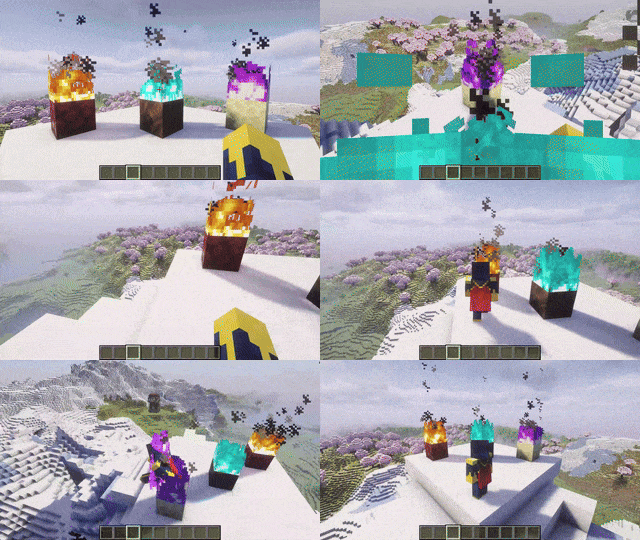
Want a slimmer version? Check out Slim Fire!⚔️ Custom Fire damage
Entities catching custom fires burn with the correct color and take the appropriate amount of damage per second!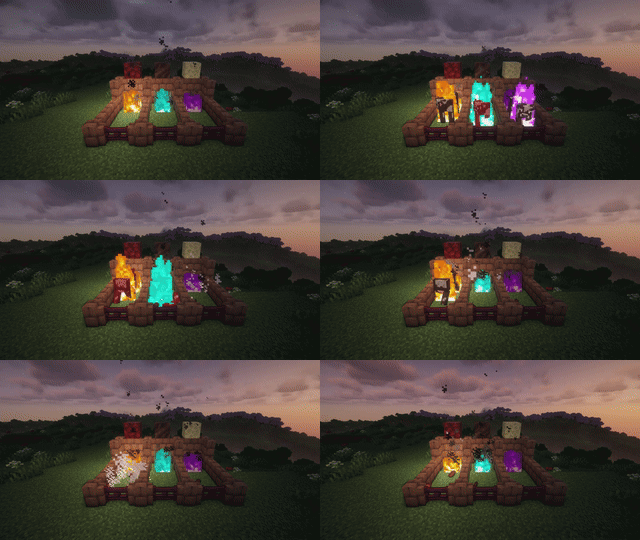
⚙️ Custom Fire properties
You can set the light level, whether rain douses your fire, and associate your torches, campfires, lanterns, and more!🎯 Custom Fire mechanics
For instance, but not limited to, zombies and arrows burning from custom fires set their targets on the correct kind of fire!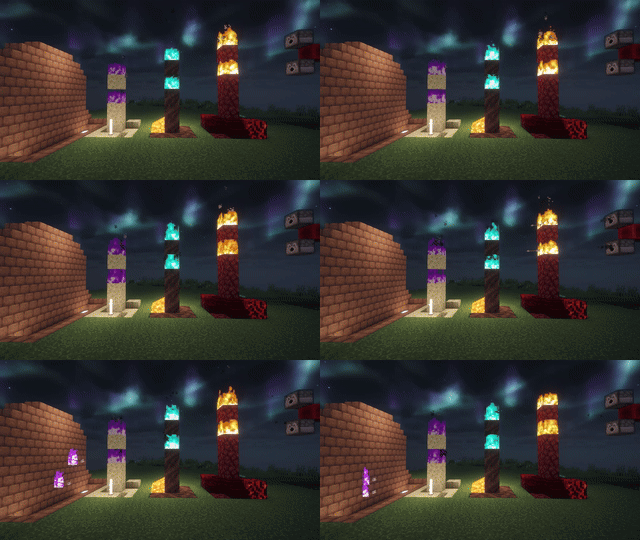
💡 Custom Fire effect
You can set any custom effect for your fire, applied everytime an entity takes damage from your fire!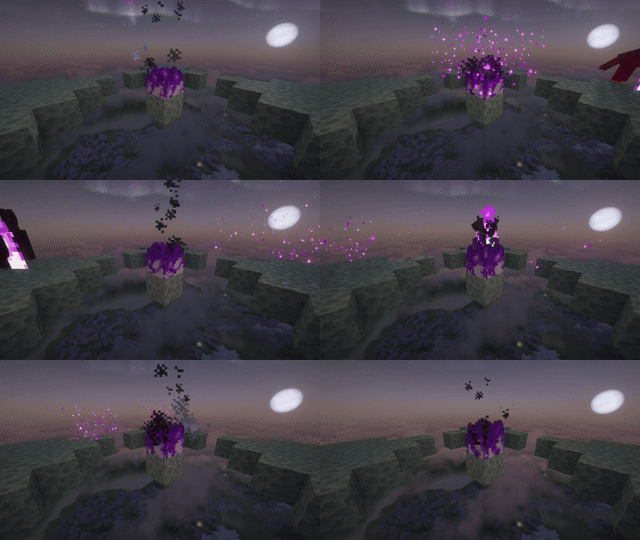
📚 New enchantments: Custom Fire Aspect & Custom Flame.
Similar to Fire Aspect and Flame enchantments, but applying your fire instead!
Enchantments are optional and can be configured via datapack. See Data Driven Enchantments to know more.
🤝 Compatibilities
Mods fully integrated with Prometheus:
| Mod | Loader |
|---|---|
| Soul Fire'd | All |
| Copper Fire | All |
| Torch hit! | All |
| Danger Close | All |
| Camp Fires Cook Mobs | All |
Want your mod listed here? Submit an issue here and provide a link to your mod!
🔗 Dependencies
| Mod | Loader | Requirement |
|---|---|---|
| Cobweb | All | Required |
📜 License and right of use
Feel free to use this mod for any modpack or video, just be sure to give credit and possibly link here.
This project is published under the Crystal Nest Community License v1.
❤️ Support us







Available Versions
How to Install Prometheus on Your Server
Order Server
Order a Minecraft Java server with at least 3 GB RAM (4 GB recommended).
Set fabric Loader
In the panel under "Egg", select the fabric loader and matching Minecraft version (26.1.2).
Install Mod
Open the mod browser in the dashboard and search for "Prometheus". Click "Install" – done! Alternatively, upload the .jar via SFTP to the /mods folder.
Compatibility
Mod Loaders
Minecraft Versions
26.1.2, 26.1.1, 26.1 (+7 more)
Server-side
✓ RequiredRecommended RAM
4 GB(min. 3 GB)Frequently Asked Questions
Prometheus server crashes on startup – what to do?
Most common cause: wrong fabric version or insufficient RAM. Check the server log (latest.log) for "OutOfMemoryError" or "Mixin" errors. With Mado Hosting: ensure at least 3 GB RAM is allocated and the loader matches the mod version (26.1.2). You can switch loaders with one click in the panel.
Is Prometheus compatible with fabric and neoforge?
Prometheus officially supports fabric, neoforge for Minecraft 26.1.2, 26.1.1, 26.1. The Mado dashboard automatically detects incompatible loader combinations.
Server lagging with Prometheus – how to optimize performance?
Recommended RAM: 4 GB (per 8 players). Use /spark profiler to check if Prometheus consumes the most tick time. Common fixes: reduce server view-distance to 8-10, install "performant" or "starlight" as supplementary mods on Forge. With Mado Hosting, your server runs on NVMe SSDs with dedicated CPU cores for minimal latency.
Similar Mods




Rent Modded Server
Install Prometheus with just one click on your server.