
Propane
A simple, light-weight optimization mod for Minecraft Java.
Screenshots
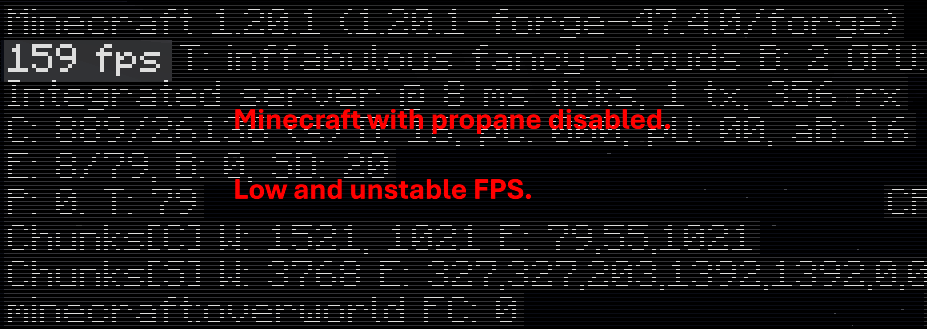
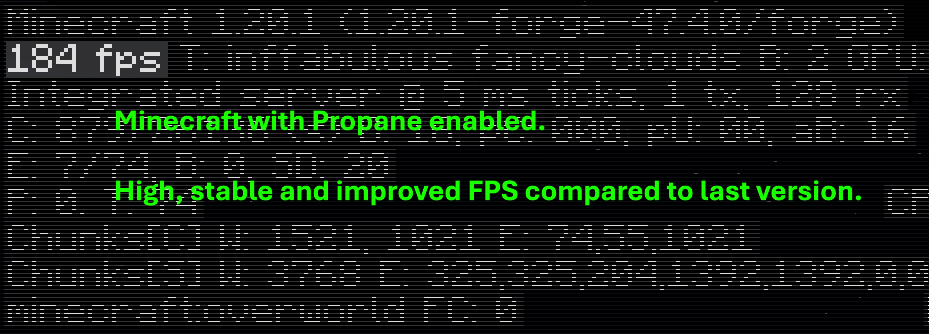
About this Mod

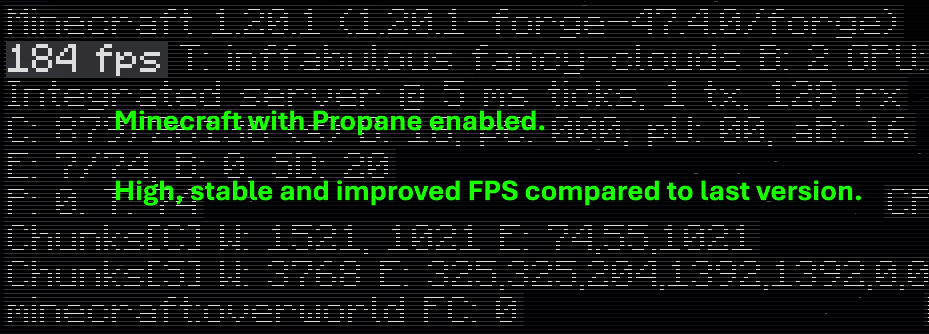
🧪 What is Propane?
Propane is a performance-focused Minecraft optimization mod built to minimize CPU and memory overhead without altering visuals or breaking vanilla mechanics.
It's goal is to serve as a drop-in solution to improve frame stability, reduce latency in heavily changed environments, and help low-end systems run Minecraft smoother.
Unlike more aggressive mods that cut corners, Propane prioritizes accuracy and compatibility, ensuring a seamless gameplay experience.
🚀 Key Features
- Occlusion Culling Enhancements
Only processes what's visible — reduces CPU usage in large builds and underground bases.
- Lazy Tick System for Tile Entities
Dynamically delays updates for non-critical blocks (like hoppers, furnaces, etc.) without affecting behavior.
- Multithreaded Pathfinding
Offloads mob pathfinding to background threads for smoother mob AI in large worlds.
- Memory Leak Patches
Prevents common sources of memory bloat in vanilla and modificated environments.
- Minimal Visual Impact
Keeps Minecraft looking almost the same. Removed particles, clouds and lower chunk rendering in extreme cases.
🔄 Compatibility
Propane is built with Forge (Fabric version planned) and is built to be compatible alongside other server-side mods and some client-side mods.
🎯 Use Cases
- Heavily modded packs
- Survival servers suffering from TPS drops
- Low-end PCs that struggle with chunk ticking or entity lag
- Players who want better performance without visual compromise
💬 Why the name?
Because Propane is a fuel, and it boosts your game! (and because naming performance mods chemicals is very popular)
Available Versions
How to Install Propane on Your Server
Order Server
Order a Minecraft Java server with at least 3 GB RAM (4 GB recommended).
Set forge Loader
In the panel under "Egg", select the forge loader and matching Minecraft version (1.20.1).
Install Mod
Open the mod browser in the dashboard and search for "Propane". Click "Install" – done! Alternatively, upload the .jar via SFTP to the /mods folder.
Compatibility
Mod Loaders
Minecraft Versions
1.20.1
Server-side
✗ UnsupportedRecommended RAM
4 GB(min. 3 GB)Frequently Asked Questions
Propane server crashes on startup – what to do?
Most common cause: wrong forge version or insufficient RAM. Check the server log (latest.log) for "OutOfMemoryError" or "Mixin" errors. With Mado Hosting: ensure at least 3 GB RAM is allocated and the loader matches the mod version (1.20.1). You can switch loaders with one click in the panel.
Is Propane compatible with forge?
Propane officially supports forge for Minecraft 1.20.1. The Mado dashboard automatically detects incompatible loader combinations.
Server lagging with Propane – how to optimize performance?
Recommended RAM: 4 GB (per 8 players). Use /spark profiler to check if Propane consumes the most tick time. Common fixes: reduce server view-distance to 8-10, install "performant" or "starlight" as supplementary mods on Forge. With Mado Hosting, your server runs on NVMe SSDs with dedicated CPU cores for minimal latency.
Similar Mods


Rent Modded Server
Install Propane with just one click on your server.