
Psionicolor
An addon for Psi that adds more colorizers and other color related things
Screenshots

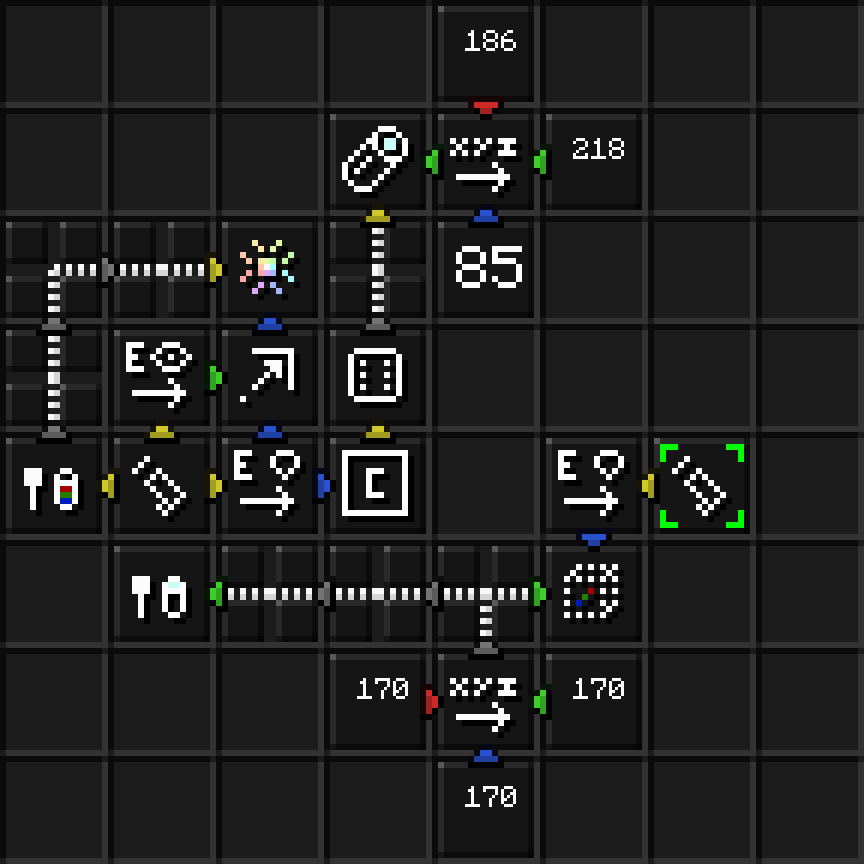

About this Mod
This is an addon for Psi, it adds more colorizers since the selection of colorizers is too limited in vanilla psi in my opinion.
Colorizers added:
- Neon versions of the 16 dye colorizers that are more vibrant and flicker occasionally
- Clock colorizer, changes color with the time of day
- Rockin colorizer, named and themed after the "psi rockin" attack from earthbound
- Random colorizer, changes to random colors
- Grape flavored colorizer, alternates between shades of purple
- Lemon-lime flavored colorizer, alternates between yellow and green
- Fiery colorizer, alternates between yellow and orange
- Configurable colorizer, can be changed to any color with a spell
Hybrid colorizers:
- Hybrid suspension colorizer, alternates between the two colorizers you put into it
- Indicating suspension colorizer, fades to the secondary color as you lose psi
- Triggered suspension colorizer, changes to the secondary color when you cast and fades back
Spell pieces added:
- Selector: nearby colorizers, returns a list of dropped colorizer items near a position
- Operator: entity colorizer, gets the colorizer in the cad of an entity
- Trick: conjure colored block, conjures a block with the specified color
- Trick: conjure colored light, conjures a light with the specified color
- Trick: fill colorizer, fills a configurable colorizer with a color
- Trick: fill caster colorizer, fills a configurable colorizer in the caster's cad with a color
Feel free to suggest colorizers for me to add.
Available Versions
How to Install Psionicolor on Your Server
Order Server
Order a Minecraft Java server with at least 3 GB RAM (4 GB recommended).
Set forge Loader
In the panel under "Egg", select the forge loader and matching Minecraft version (1.18.2).
Install Mod
Open the mod browser in the dashboard and search for "Psionicolor". Click "Install" – done! Alternatively, upload the .jar via SFTP to the /mods folder.
Compatibility
Mod Loaders
Minecraft Versions
1.18.2, 1.16.5
Server-side
✓ RequiredRecommended RAM
4 GB(min. 3 GB)Frequently Asked Questions
Psionicolor server crashes on startup – what to do?
Most common cause: wrong forge version or insufficient RAM. Check the server log (latest.log) for "OutOfMemoryError" or "Mixin" errors. With Mado Hosting: ensure at least 3 GB RAM is allocated and the loader matches the mod version (1.18.2). You can switch loaders with one click in the panel.
Is Psionicolor compatible with forge?
Psionicolor officially supports forge for Minecraft 1.18.2, 1.16.5. The Mado dashboard automatically detects incompatible loader combinations.
Server lagging with Psionicolor – how to optimize performance?
Recommended RAM: 4 GB (per 8 players). Use /spark profiler to check if Psionicolor consumes the most tick time. Common fixes: reduce server view-distance to 8-10, install "performant" or "starlight" as supplementary mods on Forge. With Mado Hosting, your server runs on NVMe SSDs with dedicated CPU cores for minimal latency.
Similar Mods

![[ETF] Entity Texture Features](https://cdn.modrinth.com/data/BVzZfTc1/af683d206d50b05258d865b0d6e4aa2f2cee12f2_96.webp)
![[EMF] Entity Model Features](https://cdn.modrinth.com/data/4I1XuqiY/6e5bbd0d06b1741bfdab6c0cfab6de8fdaf0064c_96.webp)



Rent Modded Server
Install Psionicolor with just one click on your server.