Pure Quartz Tools
A unique take on quartz armor and tools that might just fit your vibe.
Screenshots

About this Mod


📘 About this mod:
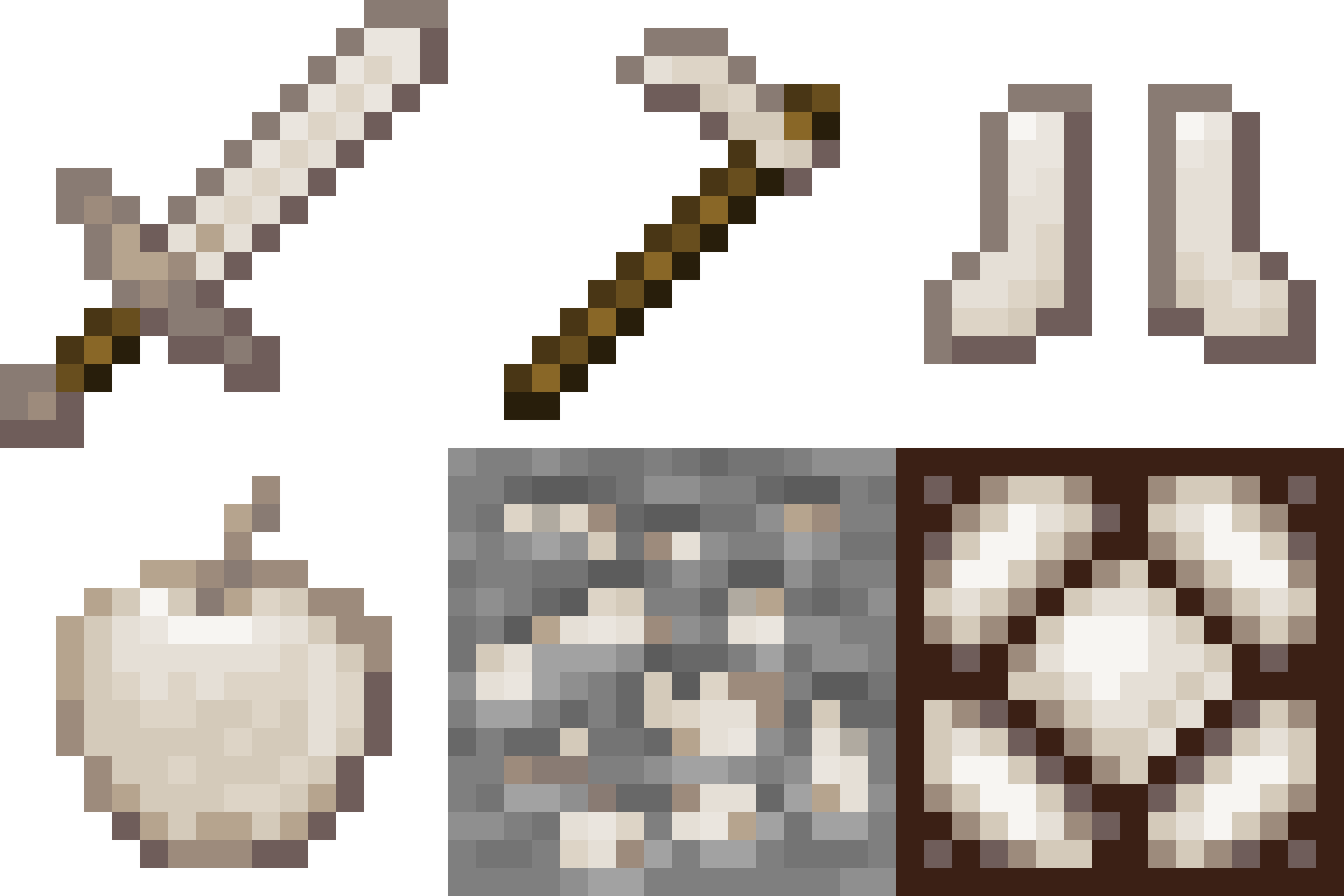
Pure Quartz Tools is yet another quartz tools and armor mod that strives to fit the Vanilla style as closely as possible. All colors have been derived from the Vanilla blocks, and the item statistics were thoughtfully curated to be interesting and useful while not overlapping other materials.
This mod is intended to be used alongside my other mods, which I'm calling "micro-mods". I aim to combat bloated, overproduced mods with my simplistic, segmented micro-mods. Curate your own features without editing confusing config files and disabling recipes. Check my profile to find more mods, and complete your pack!
📖 What's inside:
v1.0.0 - Initial release!

✋ FAQ:
Q: Will you backport to any older versions?
A: No. I prefer to keep my attention on the latest versions.
Q: What's the difference between this and every other quartz items mod?
A: Glad you asked. My implementations may be more suitable to some styles. I follow a very vanilla friendly style, leaning towards underpowered. No hammers, treeaxes, excavators, or paxels. Straight forward, while feeling like a natural Minecraft update.
Q: This mod feels a bit overpowered/underpowered. Is there a config?
A: There is no config at this time. You can disable the crafting recipe for items/blocks using a datapack. If you have comments about this mod, please join the Discord and share your thoughts.
Check out Pure Bones, a Bare Bones style texture pack for this mod!
Leave a comment!
Thanks for downloading!
😅💗



Available Versions
How to Install Pure Quartz Tools on Your Server
Order Server
Order a Minecraft Java server with at least 3 GB RAM (4 GB recommended).
Set fabric Loader
In the panel under "Egg", select the fabric loader and matching Minecraft version (1.21.1).
Install Mod
Open the mod browser in the dashboard and search for "Pure Quartz Tools". Click "Install" – done! Alternatively, upload the .jar via SFTP to the /mods folder.
Compatibility
Mod Loaders
Minecraft Versions
1.21.1, 1.21
Server-side
✓ RequiredRecommended RAM
4 GB(min. 3 GB)Frequently Asked Questions
Pure Quartz Tools server crashes on startup – what to do?
Most common cause: wrong fabric version or insufficient RAM. Check the server log (latest.log) for "OutOfMemoryError" or "Mixin" errors. With Mado Hosting: ensure at least 3 GB RAM is allocated and the loader matches the mod version (1.21.1). You can switch loaders with one click in the panel.
Is Pure Quartz Tools compatible with fabric and quilt?
Pure Quartz Tools officially supports fabric, quilt for Minecraft 1.21.1, 1.21. The Mado dashboard automatically detects incompatible loader combinations.
Server lagging with Pure Quartz Tools – how to optimize performance?
Recommended RAM: 4 GB (per 8 players). Use /spark profiler to check if Pure Quartz Tools consumes the most tick time. Common fixes: reduce server view-distance to 8-10, install "performant" or "starlight" as supplementary mods on Forge. With Mado Hosting, your server runs on NVMe SSDs with dedicated CPU cores for minimal latency.
Similar Mods

![[ETF] Entity Texture Features](https://cdn.modrinth.com/data/BVzZfTc1/af683d206d50b05258d865b0d6e4aa2f2cee12f2_96.webp)
![[EMF] Entity Model Features](https://cdn.modrinth.com/data/4I1XuqiY/6e5bbd0d06b1741bfdab6c0cfab6de8fdaf0064c_96.webp)



Rent Modded Server
Install Pure Quartz Tools with just one click on your server.