
PureVanilla
The official mod for the PureVanilla server. Easily connect to the server using the best possible ping.
Screenshots
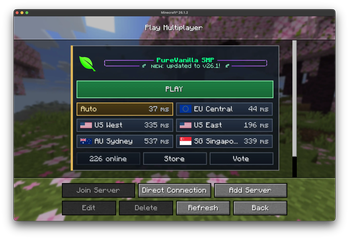
About this Mod
PureVanilla Server List
PureVanilla Server List is a small client-side Fabric mod that makes joining PureVanilla easier from Minecraft's multiplayer screen.
Instead of manually adding server addresses, the mod adds a PureVanilla panel directly inside the multiplayer server list. From there, you can see the server message, check regional pings, and join through the fastest available route.
What It Does
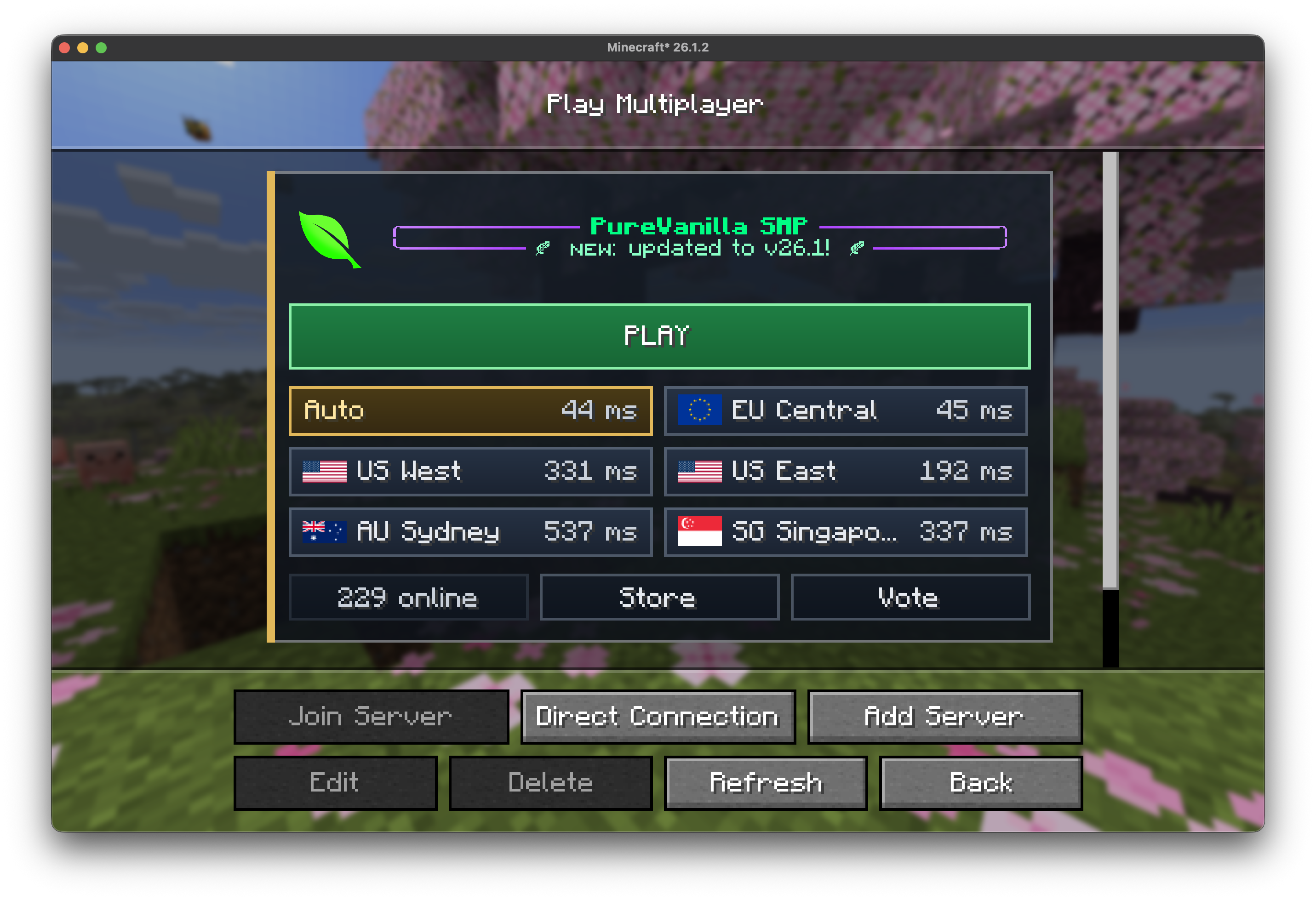
- Adds a PureVanilla featured server panel to the multiplayer server list.
- Shows the current PureVanilla MOTD and online player count.
- Pings available regions and highlights the best one for you.
- Lets you join with one
PLAYbutton, using the lowest-ping region when available. - Shows region names, flags, and ping times without exposing raw server addresses.
- Includes quick links for the PureVanilla Store and Vote pages.
- Shows a Status Page button if the main server status cannot be reached.
What It Does Not Do
- It does not change gameplay.
- It does not give any in-game advantage.
- It does not join servers automatically.
- It does not replace Minecraft's normal multiplayer screen.
Requirements
- Minecraft
26.1.2 - Fabric Loader
0.19.2or newer - Java
25or newer
This is a client-side mod. You only need to install it on your own Minecraft client.
How To Use It
- Install Fabric Loader for the supported Minecraft version.
- Put the mod jar in your Minecraft
modsfolder. - Start Minecraft with the Fabric profile.
- Open
Multiplayer. - Use the PureVanilla panel at the top of the server list.
Joining PureVanilla
- Click
PLAYto join using the best detected route. - Click a region button if you want to choose a specific region manually.
- If PureVanilla cannot be reached, click
Status Pageto check for outages or maintenance.
Links
- Website: https://purevanilla.co/
- Store: https://purevanilla.co/shop
- Vote: https://purevanilla.co/vote
- Status: https://status.purevanilla.co/
Available Versions
How to Install PureVanilla on Your Server
Order Server
Order a Minecraft Java server with at least 3 GB RAM (4 GB recommended).
Set fabric Loader
In the panel under "Egg", select the fabric loader and matching Minecraft version (26.1.2).
Install Mod
Open the mod browser in the dashboard and search for "PureVanilla". Click "Install" – done! Alternatively, upload the .jar via SFTP to the /mods folder.
Compatibility
Mod Loaders
Minecraft Versions
26.1.2
Server-side
✗ UnsupportedRecommended RAM
4 GB(min. 3 GB)Frequently Asked Questions
PureVanilla server crashes on startup – what to do?
Most common cause: wrong fabric version or insufficient RAM. Check the server log (latest.log) for "OutOfMemoryError" or "Mixin" errors. With Mado Hosting: ensure at least 3 GB RAM is allocated and the loader matches the mod version (26.1.2). You can switch loaders with one click in the panel.
Is PureVanilla compatible with fabric?
PureVanilla officially supports fabric for Minecraft 26.1.2. The Mado dashboard automatically detects incompatible loader combinations.
Server lagging with PureVanilla – how to optimize performance?
Recommended RAM: 4 GB (per 8 players). Use /spark profiler to check if PureVanilla consumes the most tick time. Common fixes: reduce server view-distance to 8-10, install "performant" or "starlight" as supplementary mods on Forge. With Mado Hosting, your server runs on NVMe SSDs with dedicated CPU cores for minimal latency.
Similar Mods




![[ETF] Entity Texture Features](https://cdn.modrinth.com/data/BVzZfTc1/af683d206d50b05258d865b0d6e4aa2f2cee12f2_96.webp)
![[EMF] Entity Model Features](https://cdn.modrinth.com/data/4I1XuqiY/6e5bbd0d06b1741bfdab6c0cfab6de8fdaf0064c_96.webp)
Rent Modded Server
Install PureVanilla with just one click on your server.