
Put A Plug In it! (PAPI)
A small mod that fixes Memory Leak issues, optimizes Memory Usage, and increases version/loader support for features of other Memory Leak Fix/Memory Optimization mods
About this Mod
Put A Plug In it! (PAPI) initially solved a Memory Leak I found with Sophisitacted Core while playing the "NightfallCraft - The Casket of Reveries" Modpack by P1nero
Sophisticated Core natively fixed the Memory Leak in their 1.20.1+ Forge & NeoForge versions, but the pre-1.20.1 and Fabric versions of the mod still have the glitch, which PAPI can be used to fix.
PAPI now also aims to find and solve as many Memory Leaks as possible, and integrate features and compatability for and from other mods, to make an all-in-one Memory Leak Fix and Memory Optimization mod, and to increase version and loader support for features of other Memory Leak Fix and Memory Optimization Mods.
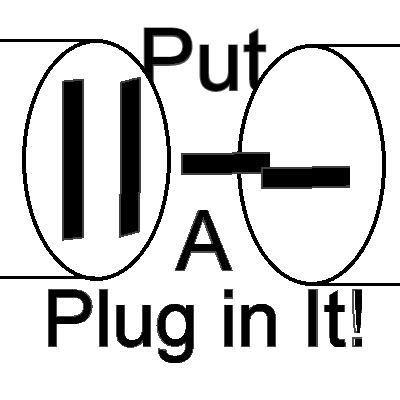
Icon and Name by lyftos, inspired by Plug & Play by Morio von Rickenbach, and Michael Frei (Playables)
Core Features
- Sophisticated Core ItemStackKey leak mitigation
- Prevent known crashes between RaphiMC's ImmediatelyFast and FX (FX_PR0CESS)'s Memory Leak Fix (MemoryLeakFix)
- Prevent Screen-Freeze Glitch caused by RaphiMC's ImmediatelyFast on Intel IGP's and GPU's
Features Derrived or Adapted From Other Mods
FX (FX_PR0CESS)'s Memory Leak Fix (MemoryLeakFix)
- Biome Temperature cache sharing
- Entity brain-memory cleanup trio
- TagKey weak intern pool
- Drowned navigation cleanup
- Crosshair target / hit result reset
- Huge screenshot buffer free-on-failure
I intend to add more Memory Leak fixes in the future so if you know of any mods or modpacks that you suspect of having Memory Leak issues, let me know in the comments!
Available Versions
How to Install Put A Plug In it! (PAPI) on Your Server
Order Server
Order a Minecraft Java server with at least 3 GB RAM (4 GB recommended).
Set fabric Loader
In the panel under "Egg", select the fabric loader and matching Minecraft version (1.21.11).
Install Mod
Open the mod browser in the dashboard and search for "Put A Plug In it! (PAPI)". Click "Install" – done! Alternatively, upload the .jar via SFTP to the /mods folder.
Compatibility
Mod Loaders
Minecraft Versions
1.21.11, 1.21.10, 1.21.9 (+21 more)
Server-side
~ OptionalRecommended RAM
4 GB(min. 3 GB)Frequently Asked Questions
Put A Plug In it! (PAPI) server crashes on startup – what to do?
Most common cause: wrong fabric version or insufficient RAM. Check the server log (latest.log) for "OutOfMemoryError" or "Mixin" errors. With Mado Hosting: ensure at least 3 GB RAM is allocated and the loader matches the mod version (1.21.11). You can switch loaders with one click in the panel.
Is Put A Plug In it! (PAPI) compatible with fabric and forge and neoforge?
Put A Plug In it! (PAPI) officially supports fabric, forge, neoforge for Minecraft 1.21.11, 1.21.10, 1.21.9. Note: Forge and Fabric mods are NOT cross-compatible – pick one loader and stick with it. The Mado dashboard automatically detects incompatible loader combinations.
Server lagging with Put A Plug In it! (PAPI) – how to optimize performance?
Recommended RAM: 4 GB (per 8 players). Use /spark profiler to check if Put A Plug In it! (PAPI) consumes the most tick time. Common fixes: reduce server view-distance to 8-10, install "performant" or "starlight" as supplementary mods on Forge. With Mado Hosting, your server runs on NVMe SSDs with dedicated CPU cores for minimal latency.
Similar Mods


Rent Modded Server
Install Put A Plug In it! (PAPI) with just one click on your server.