
Pylons
Just another magic block mod
Screenshots
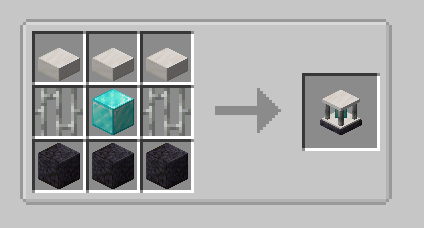
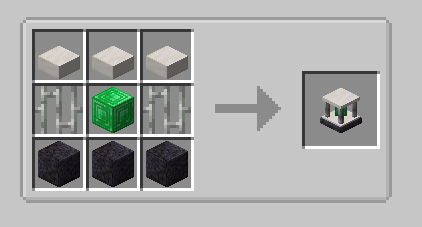
About this Mod
Currently adds the following blocks.
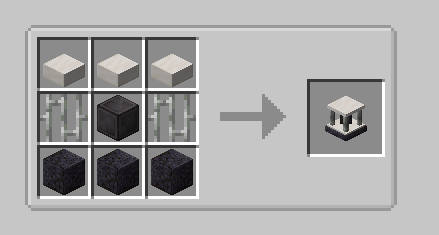
Expulsion Pylon:
Intended for use on servers, this block allows you to expel other players from the chunk it's placed in.
You can whitelist players with a Player Filter - OPs are always whitelisted.
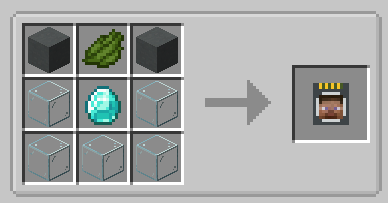
Infusion Pylon:
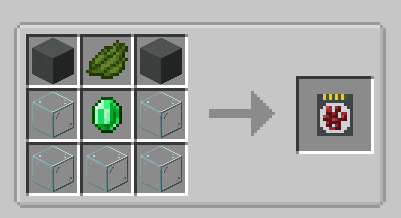
Allows you to apply effects to yourself from any distance (may require chunkloading) with activated Potion Filters.
Potion Filters can be activated by applying an effect to yourself (from a potion, for example) and then right-clicking the Potion Filter.
The minimum effect duration that can be extracted is 60 seconds by default.
This will extract all remaining duration from the player and apply it to the Filter.
To fully activate it, you will need a total of 1 hour of duration, the equivalent of 7.5 vanilla extended potions.
If you have multiple cards containing the same effect, you can combine them. Place one card in each hand, and right click.
The duration from the off hand card will be added to the card in your main hand.
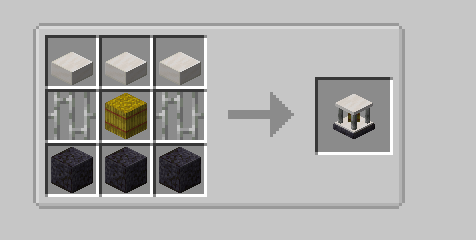
Harvester Pylon:
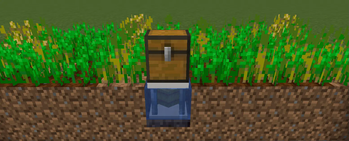
Harvests crops in a configurable radius (from 3x3 to 9x9) around the pylon and outputs to an inventory above.
Place the pylon inside the water block of the farm:
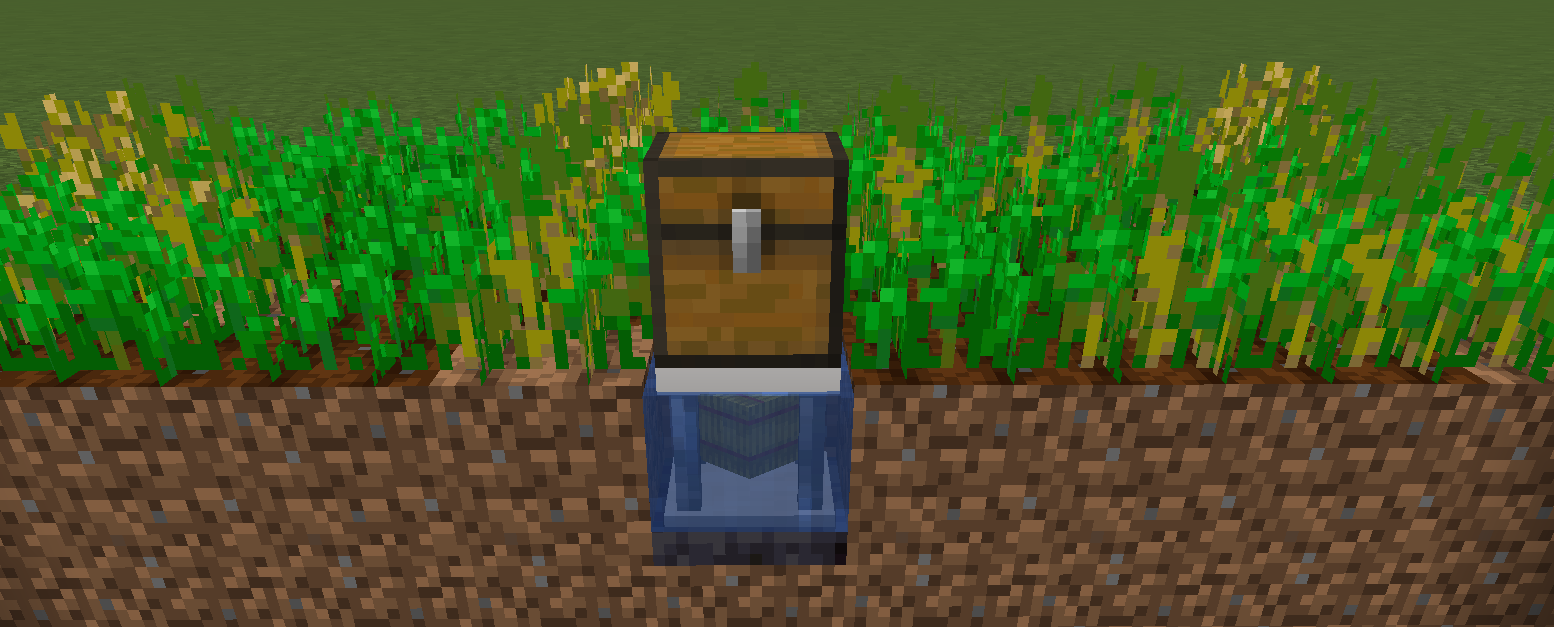
By default, the pylon requires a hoe in the pylon inventory, and will consume 1 durability per crop harvest. There is a config option to disable this.
Unbreakable hoes, such as Mystical Agriculture's Supremium Hoe, can be used.
Interdiction Pylon
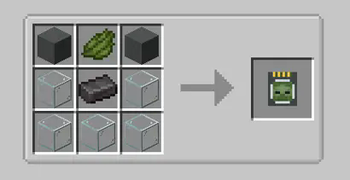
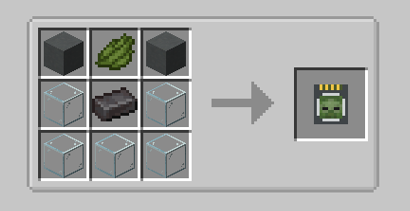
Prevents all spawns of specified mobs within the selected chunk range (1x1 to 5x5).
Right click on a mob with a Mob Filter, then add the filter to the pylon to block that mob.
Available Versions
How to Install Pylons on Your Server
Order Server
Order a Minecraft Java server with at least 3 GB RAM (4 GB recommended).
Set forge Loader
In the panel under "Egg", select the forge loader and matching Minecraft version (26.1.2).
Install Mod
Open the mod browser in the dashboard and search for "Pylons". Click "Install" – done! Alternatively, upload the .jar via SFTP to the /mods folder.
Compatibility
Mod Loaders
Minecraft Versions
26.1.2, 26.1.1, 26.1 (+6 more)
Server-side
✓ RequiredRecommended RAM
4 GB(min. 3 GB)Frequently Asked Questions
Pylons server crashes on startup – what to do?
Most common cause: wrong forge version or insufficient RAM. Check the server log (latest.log) for "OutOfMemoryError" or "Mixin" errors. With Mado Hosting: ensure at least 3 GB RAM is allocated and the loader matches the mod version (26.1.2). You can switch loaders with one click in the panel.
Is Pylons compatible with forge and neoforge?
Pylons officially supports forge, neoforge for Minecraft 26.1.2, 26.1.1, 26.1. The Mado dashboard automatically detects incompatible loader combinations.
Server lagging with Pylons – how to optimize performance?
Recommended RAM: 4 GB (per 8 players). Use /spark profiler to check if Pylons consumes the most tick time. Common fixes: reduce server view-distance to 8-10, install "performant" or "starlight" as supplementary mods on Forge. With Mado Hosting, your server runs on NVMe SSDs with dedicated CPU cores for minimal latency.
Similar Mods





Rent Modded Server
Install Pylons with just one click on your server.