
Mekanism: QIO Autocrafter
Adds a Mekanism-integrated autocrafting machine that uses the QIO system as its only inventory, allowing fully automated crafting directly from your stored resources.
Screenshots
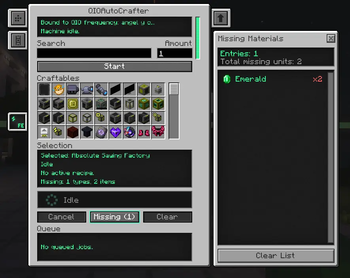
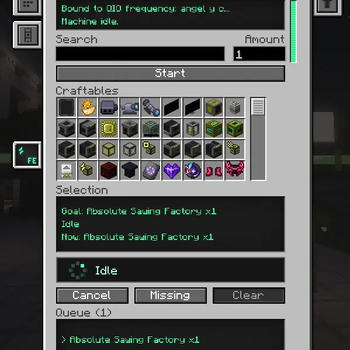
About this Mod
WORK-IN PROGRESS
QIO AutoCrafter
Autocrafting for Mekanism's QIO system — no cables, no interfaces, no pattern chests.
QIO AutoCrafter adds a single machine that plans and executes crafting recipes directly
against a QIO frequency. Ask it for an item, and it figures out the whole recipe tree on
its own: which intermediates to craft, how many of each, and whether your stored materials
are enough — then crafts everything virtually, straight from and into your QIO storage.
Features
- Recursive auto-crafting — request a deep Mekanism item (induction cells, control
circuits, energy cubes...) and the machine resolves the full recipe chain automatically.
No patterns to encode, ever. - QIO-native — materials are taken from the bound QIO frequency and results go back
into it. The machine itself stores nothing but energy. - Smart planning — runs asynchronously off the server thread, prefers materials you
already have, understands tag variants (any log → planks), and reports exactly which
base materials you're missing and how many. - Missing Materials panel — live side panel listing every missing item with its icon,
the amount needed and how much is already available, color-coded red/orange/green as you
restock. - Job queue — queue up to 24 requests; completed jobs clean themselves up, failed ones
tell you why, and cancelling returns every reserved material to the QIO. - Safe by design — materials are reserved before crafting and rolled back on any
failure. Chunk unloads and server restarts mid-craft don't dupe or void items. - Multiplayer ready — respects Mekanism frequency security (Public / Trusted /
Private): nobody can drain a private frequency through your machine. - Upgrades — supports Speed and Energy upgrades.
Interface
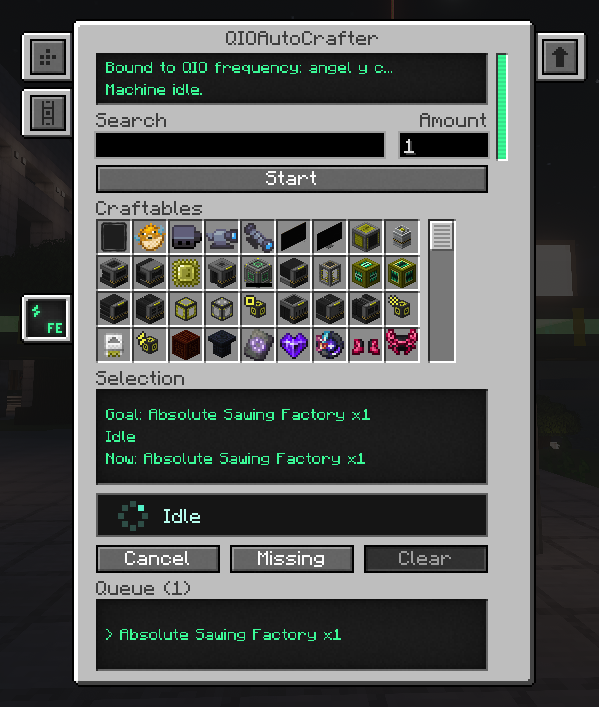
Search any craftable item, set the amount (up to 9,999,999), press Start and watch the
queue. The activity bar shows what the machine is doing at all times.
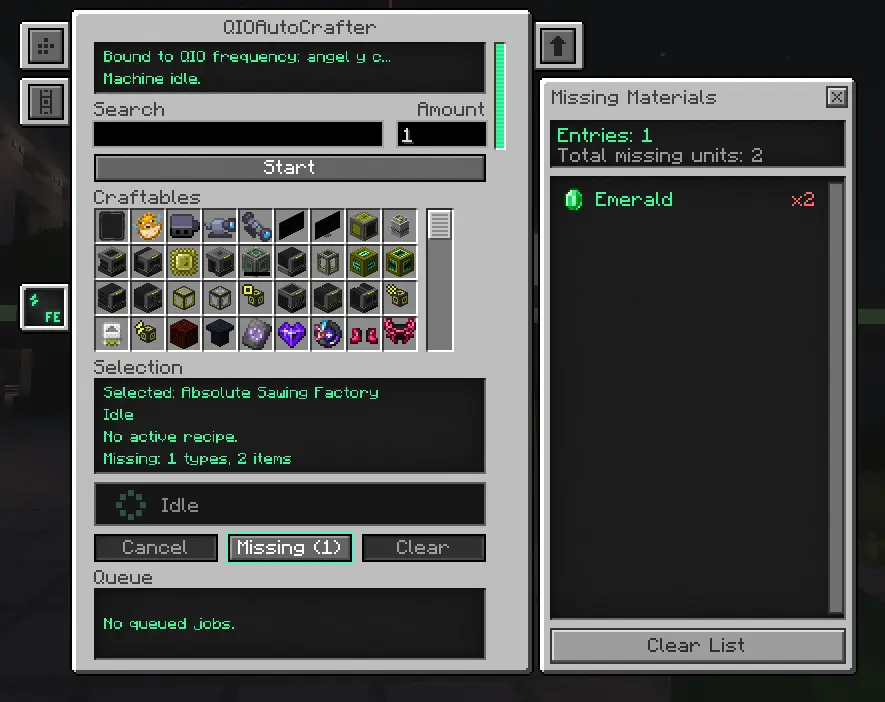
The Missing button opens the side panel: every missing material with live availability
from your QIO, updating as you restock.
🔧 Getting started
- Craft the machine (endgame recipe — see below).
- Bind a frequency: right-click the machine with a Portable QIO Dashboard that has
your frequency selected. - Power it (any Forge Energy / Mekanism cable works).
- Right-click to open the GUI, search an item, set the amount and press Start.
Crafting recipe
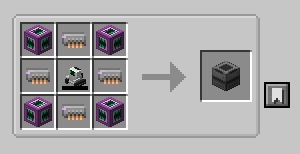
| Ultimate Induction Provider | Supermassive QIO Drive | Ultimate Induction Provider |
| Supermassive QIO Drive | Robit | Supermassive QIO Drive |
| Ultimate Induction Provider | Supermassive QIO Drive | Ultimate Induction Provider |
It's meant to be a late-game reward — by the time you can afford four Supermassive QIO
Drives, you really don't want to hand-craft induction matrices anymore.
Requirements
| Minecraft | 1.20.1 (Forge 47.4+) |
| Required | Mekanism 10.4.16+ |
| Sides | Client and server (same version on both) |
Works great alongside Mekanism Generators / Tools / Extras.
⚠️ Good to know ⚠️
- If a recipe tree is too deep for the planning budget, the job fails with a clear message;
queue a simpler intermediate first and retry. - Frequency binding currently requires the Portable QIO Dashboard (no in-GUI frequency
selector yet).
Found a bug? Report it on the issue tracker with your latest.log.
Available Versions
How to Install Mekanism: QIO Autocrafter on Your Server
Order Server
Order a Minecraft Java server with at least 4 GB RAM (6 GB recommended).
Set forge Loader
In the panel under "Egg", select the forge loader and matching Minecraft version (1.20.6).
Install Mod
Open the mod browser in the dashboard and search for "Mekanism: QIO Autocrafter". Click "Install" – done! Alternatively, upload the .jar via SFTP to the /mods folder.
Compatibility
Mod Loaders
Minecraft Versions
1.20.6, 1.20.5, 1.20.4 (+3 more)
Server-side
✓ RequiredRecommended RAM
6 GB(min. 4 GB)Frequently Asked Questions
Mekanism: QIO Autocrafter server crashes on startup – what to do?
Most common cause: wrong forge version or insufficient RAM. Check the server log (latest.log) for "OutOfMemoryError" or "Mixin" errors. With Mado Hosting: ensure at least 4 GB RAM is allocated and the loader matches the mod version (1.20.6). You can switch loaders with one click in the panel.
Is Mekanism: QIO Autocrafter compatible with forge?
Mekanism: QIO Autocrafter officially supports forge for Minecraft 1.20.6, 1.20.5, 1.20.4. The Mado dashboard automatically detects incompatible loader combinations.
Server lagging with Mekanism: QIO Autocrafter – how to optimize performance?
Recommended RAM: 6 GB (per 5 players). Use /spark profiler to check if Mekanism: QIO Autocrafter consumes the most tick time. Common fixes: reduce server view-distance to 8-10, install "performant" or "starlight" as supplementary mods on Forge. With Mado Hosting, your server runs on NVMe SSDs with dedicated CPU cores for minimal latency.
Similar Mods




Rent Modded Server
Install Mekanism: QIO Autocrafter with just one click on your server.