Quad Hotbar
Modified double hotbar mod that expands the HUD for more than 2 rows of hotbar.Currently supports Minecraft 1.21.9–1.21.11
Screenshots
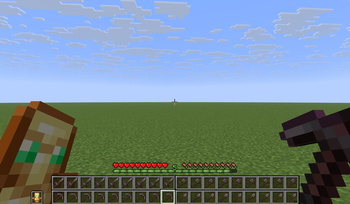
About this Mod
Quad Hotbar
Modified double hotbar mod that expands the HUD for more than 2 rows of hotbar.
Currently supports Minecraft 1.21.9–1.21.11
Quad Hotbar is a fork of the Double Hotbar mod, inspired by Multi Hotbar, Hot Baaaar, and Hysk LongHotbar.
It retains all original Double Hotbar features while adding a new 2×2 quad hotbar layout – essentially two double hotbars side by side, giving you 18 visible inventory slots at the bottom of the screen.
Important
This mod does not actually expand your hotbar or inventory capacity. It only makes extra inventory rows visible and easier to manage.
It is a client‑side only mod; no server installation is required.
Features
- Quad Hotbar Layout – Four inventory rows are shown in two columns (left/right).
- Smart Scrolling – Mouse wheel scrolls through all 18 bottom slots. Moving from left (slots 0–8) to right (slots 9–17) automatically swaps your real hotbar with the bottom inventory row.
- Keybinds
- Number keys
1–9select the left bottom row;Ctrl+1–9select the right bottom row. - Double‑tap a number (or
Ctrl+ double‑tap) swaps that single slot with the corresponding slot above. - The swap key (default
R) exchanges entire rows.
- Number keys
- All original Double Hotbar features – hold‑to‑swap, double‑tap window, sound effects, etc. remain fully functional.
Layout
Top left: inventory[18..26] | Top right: inventory[9..17]
(Bottom left: hotbar (0..8) | Bottom right: inventory[27..35]) or (Bottom left: inventory[27..35] | Bottom right: hotbar (0..8))
The active row (where the selection highlight appears) switches dynamically between left and right as you scroll or use number keys. When crossing the border, the entire real hotbar is swapped with the bottom inventory row automatically.
Default Controls
| Action | Key |
|---|---|
| Swap active row with upper row | Short press R(configurable) |
| Swap single selected slot | Long press R (configurable) |
| Select left bottom slot 1–9 | 1 – 9 |
| Select right bottom slot 1–9 | Ctrl(configurable) + 1 – 9 |
| Double‑tap swap (left) | Double‑tap 1 – 9 |
| Double‑tap swap (right) | Ctrl(configurable) + double‑tap 1 – 9 |
| Scroll through all 18 bottom slots | Mouse wheel |
| Modifier key (configurable) | Default Ctrl |
| Swap only real hotbar row | Ctrl(configurable) + short R(configurable) |
| Swap bottom‑most inventory rows | Ctrl(configurable) + long R(configurable) |
You can change all keybindings in the Options → Controls menu. The modifier key used together with 1–9 and R is its own separate binding (Quad Hotbar Modifier Key).
Installation
- Install Fabric Loader for Minecraft 1.21.9–1.21.11.
- Install Fabric API and Cloth Config API.
- Place the Quad Hotbar
.jarfile into yourmodsfolder. - Launch the game. If you have Mod Menu, you can access the configuration screen directly in-game.
Configuration
The mod uses Cloth Config to provide an in‑game config screen (Mod Menu recommended) which has all configurables settings from original Double Hotbar mod. You can also manually edit config/double_hotbar.json(It shares the same config file with the original double hotbar mode).
Key options:
quadHotbar– Enable/disable the 2×2 quad layout.inventoryRow– Which inventory row to show in double‑bar mode.shift– Vertical position of the extra hotbars.renderCrop– Crop height of the secondary hotbar background.holdToSwap/holdToSwapBar– Control theRkey behaviour.allowDoubleTap/doubleTapWindow– Enable and configure double‑tap swapping.wooshVolume– Volume of the swap sound.reverseBars– Swap main hotbar and extra row positions.useSwapForHotbar– UseSWAPinstead ofPICKUPfor certain exchange.
Available Versions
How to Install Quad Hotbar on Your Server
Order Server
Order a Minecraft Java server with at least 3 GB RAM (4 GB recommended).
Set fabric Loader
In the panel under "Egg", select the fabric loader and matching Minecraft version (1.21.11).
Install Mod
Open the mod browser in the dashboard and search for "Quad Hotbar". Click "Install" – done! Alternatively, upload the .jar via SFTP to the /mods folder.
Compatibility
Mod Loaders
Minecraft Versions
1.21.11, 1.21.10, 1.21.9
Server-side
✗ UnsupportedRecommended RAM
4 GB(min. 3 GB)Frequently Asked Questions
Quad Hotbar server crashes on startup – what to do?
Most common cause: wrong fabric version or insufficient RAM. Check the server log (latest.log) for "OutOfMemoryError" or "Mixin" errors. With Mado Hosting: ensure at least 3 GB RAM is allocated and the loader matches the mod version (1.21.11). You can switch loaders with one click in the panel.
Is Quad Hotbar compatible with fabric?
Quad Hotbar officially supports fabric for Minecraft 1.21.11, 1.21.10, 1.21.9. The Mado dashboard automatically detects incompatible loader combinations.
Server lagging with Quad Hotbar – how to optimize performance?
Recommended RAM: 4 GB (per 8 players). Use /spark profiler to check if Quad Hotbar consumes the most tick time. Common fixes: reduce server view-distance to 8-10, install "performant" or "starlight" as supplementary mods on Forge. With Mado Hosting, your server runs on NVMe SSDs with dedicated CPU cores for minimal latency.
Similar Mods




![[ETF] Entity Texture Features](https://cdn.modrinth.com/data/BVzZfTc1/af683d206d50b05258d865b0d6e4aa2f2cee12f2_96.webp)
![[EMF] Entity Model Features](https://cdn.modrinth.com/data/4I1XuqiY/6e5bbd0d06b1741bfdab6c0cfab6de8fdaf0064c_96.webp)
Rent Modded Server
Install Quad Hotbar with just one click on your server.