
Quality Commands
Data driven blocks, items, and other crimes against minecraft!
Screenshots
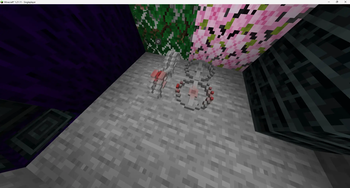
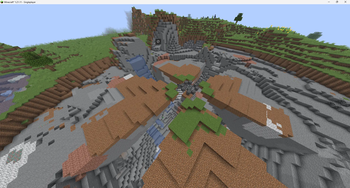
About this Mod
LATEST STABLE VERSION IS 1.7.9. Unstable versions are likely to break, or crash unexpectedly, or have weird behavior.
Credits to other games:
Hytale: \hytale command contains pieces of logic taken from the game Hytale. If you like it, buy the game! If you are a modder, Hytale's modding system is much easier than Minecrafts; everything is data-driven.
Version 1.7.0
At this point, I've added so much stuff, there is NO point in putting it all on this page. I made some generators at the following links for custom:
Data driven blocks: Block Generator
Data driven items: Item Generator
Data driven potion effects: Entity Effect Generator
Supplementary values for certain kinds of block: Block Set Type
In versions past 1.21.10, the when using a color, you must specify it as "##rrggbbaa"
PLEASE NOTE: For block models to load, the user must use a resource reload ([F3+t]) every time they join a world with custom blocks. Vanilla block models still load as usual.
Velocity commands are currently broken; will fix ASAP! Fixed, now syncs motion to client properly (Hotfix 1.7.1)
Latest version has the following commands:
\tpRel
Teleports target from [from] to [to] with same offset. Useful for making seamless transitions. Does not affect velocity and so can be used for a seamless transition. Does not work on Valkyrien Skies ships as of latest version, but that is planned for the future. If rot is present, rotates position, facing direction, and velocity around the target location by rot. This value is in degrees.
\function_silent <args>
Uses the same arguments as the vanilla \function command, but does not give command feedback. For making text buttons better. Deprecated.
\heal <target> <amount>
The command minecraft should have but doesn't. Heals target by amount health.
\air <target> add|remove|set <amount>
Sets targets remaining air.
\entityify <pos> [<removeBlock>]
Summons a falling block entity with no gravity and same blockstate as block pos at pos. If removeBlock exists and is true, removes the block as well.
\for <varname> <start> <end> <increment> <command>
for(int varname=start;varname<end;varname+=increment) run command
runs command with all instances of $(varname) replaced with the value in that loop. Example:
\for i 0 10 1 tell @a Loop Iteration $(i)
would tell all players
Loop Iteration 0
Loop Iteration 1
Loop Iteration 2
Loop Iteration 3
Loop Iteration 4
Loop Iteration 5
Loop Iteration 6
Loop Iteration 7
Loop Iteration 8
Loop Iteration 9
\for loops can be nested!
\with <varname>
                value <value> <command>
                uuid <target> <command>
                data entity|block|storage <selector> <path> <command>
                attribute <entity> <attribute> <command>
replace all instances of @(varname) with whatever data you get. For value subcommand, value is what @(varname) is replaced with. For uuid, it replaces @(varname) with the string representation of adds typechars to end of replacementno longer adds typechars! attribute just gets entity attributes. Example usage: getting entity max health
random int|float <min> <max> <command>
sets @(varname) to a random integer or float between min and max(inclusive).
calculate <math> <command>
sets @(varname) to whatever value is calculated by
calculateint <math> <command>
sets @(varname) to whatever value is calculated by
Modifies the vanilla \execute command:
Addes submerged
\execute if|unless submerged <entity> ...
Function tags:
quality_commands:on_before_player_leave
Runs as a player right before that player leaves the game.
quality_commands:on_before_player_join
Runs as said player right before they finish joining the game.
Contains an old version of Identity2 for further messing around. Will be patched soon, but will NOT contain the parts of Identity2 that actually make it change gameplay.
Contains the following blocks:
quality_commands:barier
An invisible barrier that cannot be interacted with. Has block outline and can be interacted with only when holding the block. For making boundaries (so that players don't go where they aren't supposed to go) but can't see the boundary. Works slightly better than barriers. Designed for situations where players shouldn't go to a location, but should still be able to interact with the objects there.
Reccomended to be used with Function Macro Backport for 1.20.1.
At this point, none of this mod works entirely serverside.
If any issues with the mod not working or any suggestions for new ideas come up, post them here.
Go here for a list of my mods(and mods i reccomend), or just to post your ideas for things for me to make!
No AI was used in the creation of this project, the description, or the icon. All were made by an actual human who actually knows what he is doing, instead of a mindless system that spouts gibberish lies, and doesn't know how to optimize.
Available Versions
How to Install Quality Commands on Your Server
Order Server
Order a Minecraft Java server with at least 3 GB RAM (4 GB recommended).
Set fabric Loader
In the panel under "Egg", select the fabric loader and matching Minecraft version (26.1.2).
Install Mod
Open the mod browser in the dashboard and search for "Quality Commands". Click "Install" – done! Alternatively, upload the .jar via SFTP to the /mods folder.
Compatibility
Mod Loaders
Minecraft Versions
26.1.2, 1.21.11, 1.21.10 (+7 more)
Server-side
✓ RequiredRecommended RAM
4 GB(min. 3 GB)Frequently Asked Questions
Quality Commands server crashes on startup – what to do?
Most common cause: wrong fabric version or insufficient RAM. Check the server log (latest.log) for "OutOfMemoryError" or "Mixin" errors. With Mado Hosting: ensure at least 3 GB RAM is allocated and the loader matches the mod version (26.1.2). You can switch loaders with one click in the panel.
Is Quality Commands compatible with fabric?
Quality Commands officially supports fabric for Minecraft 26.1.2, 1.21.11, 1.21.10. The Mado dashboard automatically detects incompatible loader combinations.
Server lagging with Quality Commands – how to optimize performance?
Recommended RAM: 4 GB (per 8 players). Use /spark profiler to check if Quality Commands consumes the most tick time. Common fixes: reduce server view-distance to 8-10, install "performant" or "starlight" as supplementary mods on Forge. With Mado Hosting, your server runs on NVMe SSDs with dedicated CPU cores for minimal latency.
Similar Mods




![[ETF] Entity Texture Features](https://cdn.modrinth.com/data/BVzZfTc1/af683d206d50b05258d865b0d6e4aa2f2cee12f2_96.webp)
![[EMF] Entity Model Features](https://cdn.modrinth.com/data/4I1XuqiY/6e5bbd0d06b1741bfdab6c0cfab6de8fdaf0064c_96.webp)
Rent Modded Server
Install Quality Commands with just one click on your server.