
QuestBridge
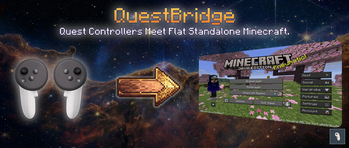
This mod lets you play 2D Java Minecraft on the Meta Quest using its native controllers (Not VR).
Screenshots
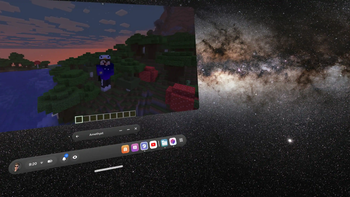
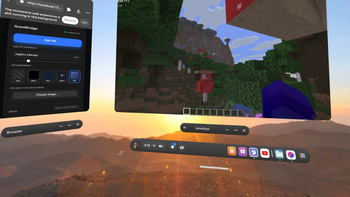
About this Mod
QuestBridge



QuestBridge is a Minecraft client-side Fabric mod that bridges Meta Quest 3 controllers directly to Minecraft Java Edition running natively on the headset. It hosts a local WebXR webpage that captures controller inputs and sends them to the running game instance via a low-latency WebSocket server, enabling a console-like immersive experience entirely standalone without a PC.
📖 Looking for the Full Installation Guide?
For the complete step-by-step setup, custom Amethyst controller layouts (to play ESC/T in-game), and advanced troubleshooting, please read our Full Installation Guide on GitHub!
Demo video:
Features
- Standalone VR Support
- Immersive Environments
- Integrated Controller Haptics ⭐
- Persistent Settings
Requirements
Ensure all of the following requirements are met before starting:
- Meta Quest 3 (Tested) | Quest 3S & 2 (Supported).
- Developer Mode Enabled on the headset. Refer to the Official Meta Developer Guide for setup steps.
- "Seamless Multitasking" enabled on the headset
- Amethyst-Android launcher installed.
- Controlify and Fabric API installed in your mods folder.
How to use
- Launch Minecraft: Open Amethyst and boot the game using your configured Fabric profile.
- Launch Quest Browser: Open the native Meta Quest Browser and navigate to:
Troubleshooting
| Issue | Potential Cause | Resolution |
|---|---|---|
| Inputs not registering | Seamless Multitasking is disabled | Ensure Seamless Multitasking is turned ON in the Quest Experimental settings. |
| Controllers disconnected | Focus shift | Confirm that you are not pointing the controllers directly at the Minecraft panel. |
| Page not loading | Server port conflict or mod not running | Verify Minecraft has fully loaded Amethyst and ensure the browser is pointed to http://localhost:7373. |
| Passthrough mode is black | Permission block or session type issue | Ensure you selected the Pass card before pressing Enter VR so that the system correctly initializes an immersive-ar session. |
| Haptics missing | Intensity set to 0% | Adjust the Haptic Intensity slider to a value greater than 0% on the Web UI. |
License
This project is licensed under the MIT License - see the LICENSE file for details.
Available Versions
How to Install QuestBridge on Your Server
Order Server
Order a Minecraft Java server with at least 3 GB RAM (4 GB recommended).
Set fabric Loader
In the panel under "Egg", select the fabric loader and matching Minecraft version (26.1.2).
Install Mod
Open the mod browser in the dashboard and search for "QuestBridge". Click "Install" – done! Alternatively, upload the .jar via SFTP to the /mods folder.
Compatibility
Mod Loaders
Minecraft Versions
26.1.2
Server-side
✗ UnsupportedRecommended RAM
4 GB(min. 3 GB)Frequently Asked Questions
QuestBridge server crashes on startup – what to do?
Most common cause: wrong fabric version or insufficient RAM. Check the server log (latest.log) for "OutOfMemoryError" or "Mixin" errors. With Mado Hosting: ensure at least 3 GB RAM is allocated and the loader matches the mod version (26.1.2). You can switch loaders with one click in the panel.
Is QuestBridge compatible with fabric?
QuestBridge officially supports fabric for Minecraft 26.1.2. The Mado dashboard automatically detects incompatible loader combinations.
Server lagging with QuestBridge – how to optimize performance?
Recommended RAM: 4 GB (per 8 players). Use /spark profiler to check if QuestBridge consumes the most tick time. Common fixes: reduce server view-distance to 8-10, install "performant" or "starlight" as supplementary mods on Forge. With Mado Hosting, your server runs on NVMe SSDs with dedicated CPU cores for minimal latency.
Similar Mods




![[ETF] Entity Texture Features](https://cdn.modrinth.com/data/BVzZfTc1/af683d206d50b05258d865b0d6e4aa2f2cee12f2_96.webp)
![[EMF] Entity Model Features](https://cdn.modrinth.com/data/4I1XuqiY/6e5bbd0d06b1741bfdab6c0cfab6de8fdaf0064c_96.webp)
Rent Modded Server
Install QuestBridge with just one click on your server.