Quick Skin
Sick of wasting time with Minecraft’s slow launcher just to change your skin? Quick Skin lets you swap skins instantly even on “offline” servers and gives you access to every official Minecraft cape.
Screenshots

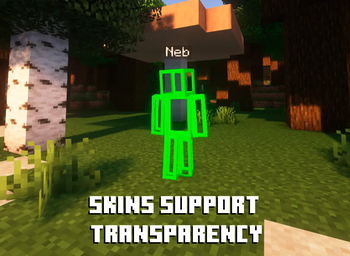
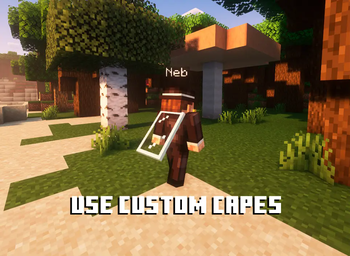
About this Mod
✨ Quick Skin: Your Look, Your Way! ✨
The Problem This Mod Solves
The default Minecraft skin system is rigid. Changing your look requires leaving the game, you're stuck with standard resolutions, and cool customizations like animated capes are impossible. QuickSkin completely overhauls this experience, giving you total control over your appearance directly in-game with powerful features for both single-player and multiplayer.
🎨 Core Features
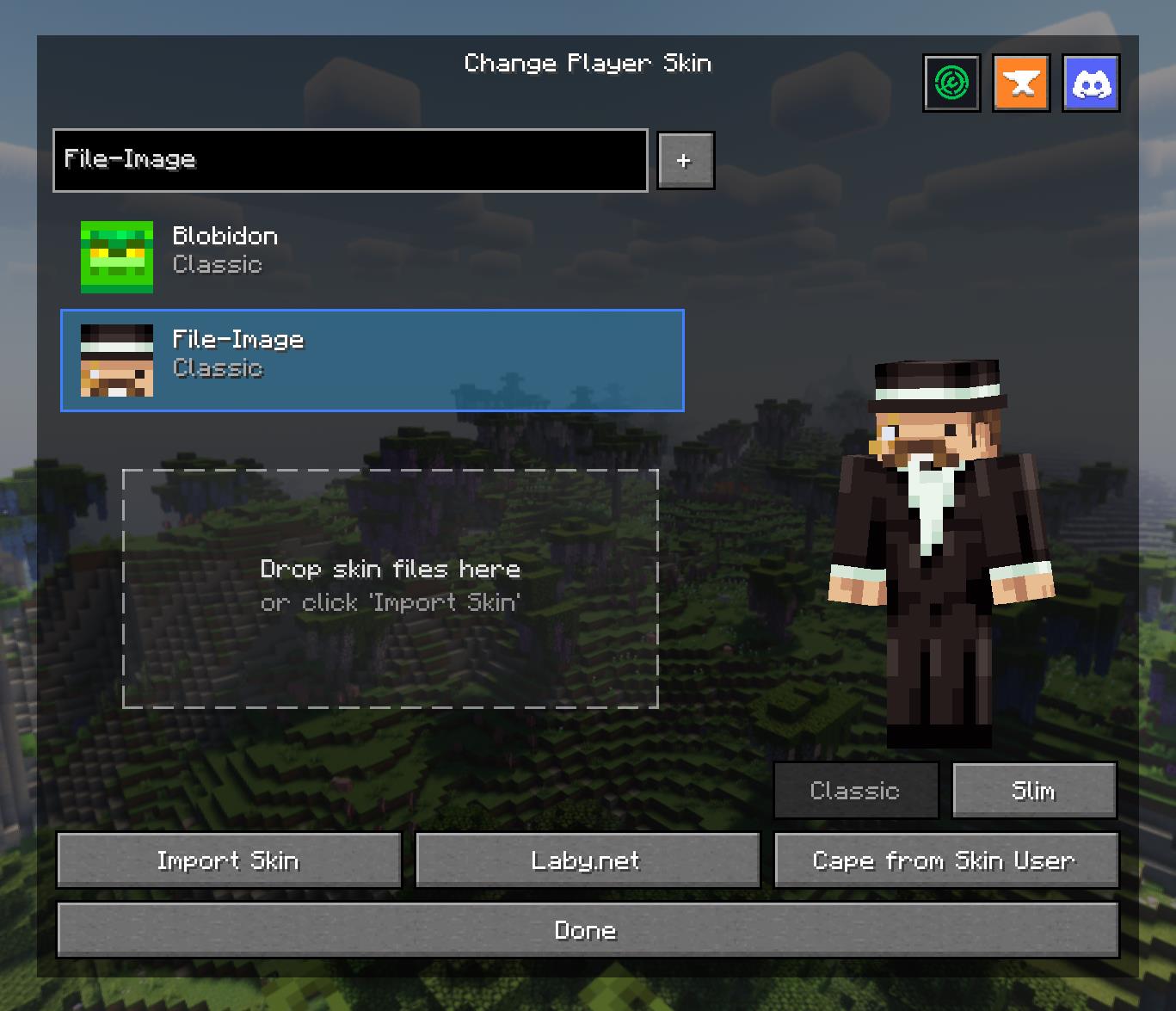
The Ultimate Skin Management GUI
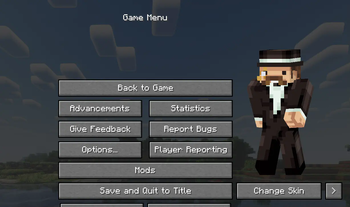
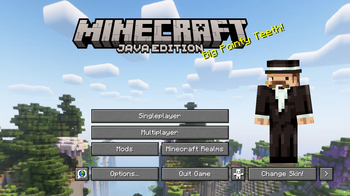
Access a powerful and intuitive menu from the Title or Pause screen to manage your entire look.
- Skin Library: Save skins from other players by username or import your own local files.
- Model Swapping: Instantly switch between Classic and Slim player models.
- Drag & Drop: Simply drag skin files onto the menu to import them into your local library.
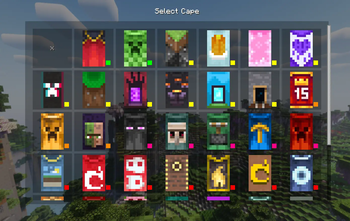
- Cape Selector: Choose from a library of built-in capes or your own imported animated/static capes.
High-Definition Skin Engine
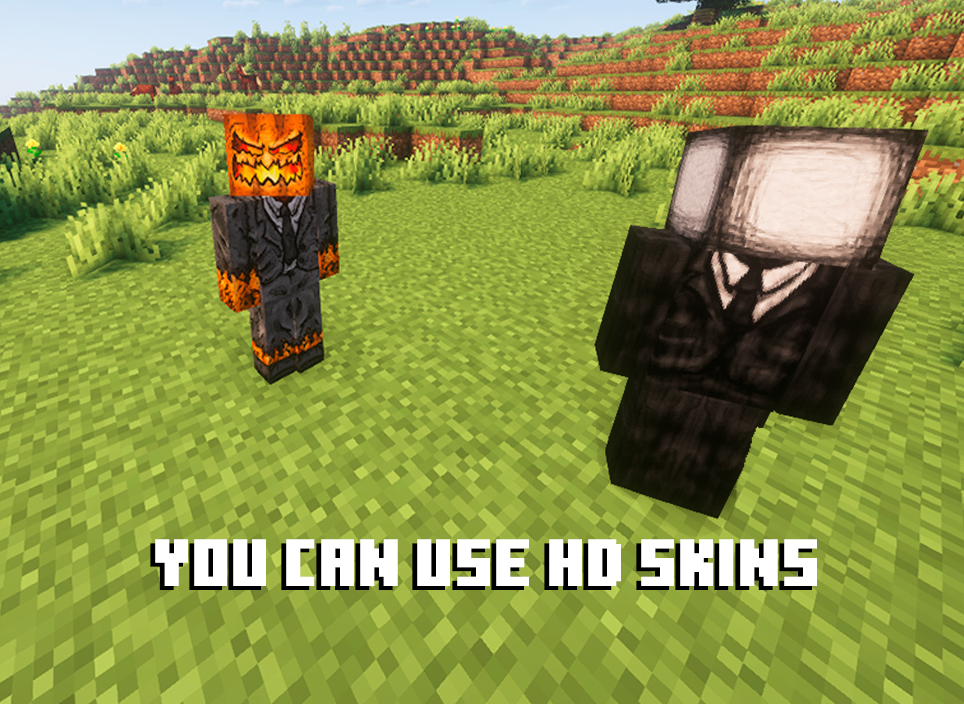
Break free from 64x64 limitations! QuickSkin's HD Texture Processor allows you to use high-resolution skins.
- Automatic Normalization: The mod intelligently handles different skin formats, converting legacy skins (64x32) to the modern format on import.
- Performance Scaling: HD skins are automatically downsampled for previews and thumbnails to ensure smooth UI performance, with quality settings available in the config.
- Full Resolution In-Game: Enjoy your detailed HD skins in all their glory in the world.
Animated Cape Engine
Equip dynamic, eye-catching animated capes using standard GIF files.
- GIF Processing: The mod automatically processes GIFs into an efficient texture atlas for smooth in-game animation.
- Performance First: Control the maximum FPS, memory usage, and concurrent animations to keep your game running smoothly.
- Speed Control: Adjust the playback speed of your animated cape in the Cape Selection menu to get the perfect effect.

🔧 Technical Details
- Dependencies:
- **Architectury API
- Multiplayer: Full client-server support. The mod syncs skin changes and automatically transfers local texture files to other clients as needed.
- Data Storage:
- Local skins/capes are stored in
.minecraft/quickskin/uploads/. - A cache for processed textures, profiles, and UV data is stored in
.minecraft/quickskin_cache/.
- Local skins/capes are stored in
🔮 The Result
QuickSkin transforms character customization from a chore into a core part of your gameplay. It empowers you with a suite of professional-grade tools wrapped in a simple, user-friendly interface. Express yourself with HD skins, stand out with animated capes, and share your unique style seamlessly with friends in any multiplayer world.
If you find any conflicts, please report them!
❤ Discord ➜ https://discord.gg/EeQgres2Fz
Available Versions
How to Install Quick Skin on Your Server
Order Server
Order a Minecraft Java server with at least 3 GB RAM (4 GB recommended).
Set fabric Loader
In the panel under "Egg", select the fabric loader and matching Minecraft version (1.21.11).
Install Mod
Open the mod browser in the dashboard and search for "Quick Skin". Click "Install" – done! Alternatively, upload the .jar via SFTP to the /mods folder.
Compatibility
Mod Loaders
Minecraft Versions
1.21.11, 1.21.10, 1.21.9 (+7 more)
Server-side
~ OptionalRecommended RAM
4 GB(min. 3 GB)Frequently Asked Questions
Quick Skin server crashes on startup – what to do?
Most common cause: wrong fabric version or insufficient RAM. Check the server log (latest.log) for "OutOfMemoryError" or "Mixin" errors. With Mado Hosting: ensure at least 3 GB RAM is allocated and the loader matches the mod version (1.21.11). You can switch loaders with one click in the panel.
Is Quick Skin compatible with fabric and forge and neoforge?
Quick Skin officially supports fabric, forge, neoforge for Minecraft 1.21.11, 1.21.10, 1.21.9. Note: Forge and Fabric mods are NOT cross-compatible – pick one loader and stick with it. The Mado dashboard automatically detects incompatible loader combinations.
Server lagging with Quick Skin – how to optimize performance?
Recommended RAM: 4 GB (per 8 players). Use /spark profiler to check if Quick Skin consumes the most tick time. Common fixes: reduce server view-distance to 8-10, install "performant" or "starlight" as supplementary mods on Forge. With Mado Hosting, your server runs on NVMe SSDs with dedicated CPU cores for minimal latency.
Similar Mods




![[ETF] Entity Texture Features](https://cdn.modrinth.com/data/BVzZfTc1/af683d206d50b05258d865b0d6e4aa2f2cee12f2_96.webp)
![[EMF] Entity Model Features](https://cdn.modrinth.com/data/4I1XuqiY/6e5bbd0d06b1741bfdab6c0cfab6de8fdaf0064c_96.webp)
Rent Modded Server
Install Quick Skin with just one click on your server.