
Rabbit Pathfinding Fixed
Fixes rabbit pathfinding efficiently
Screenshots
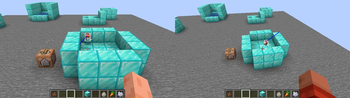
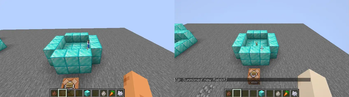
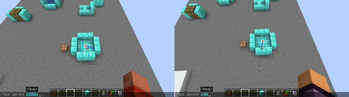
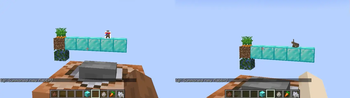
About this Mod
Fixes rabbit pathfinding efficiently.
As of 1.21.1 there are multiple problems with rabbit pathfinding:
Basic pathfinding
- The calculation of the jump height/velocity is incorrect and poorly implemented.
This results in too small jumps for climbing over a block. - Rabbits "stall" (no horizontal movement) during jumps - due to this they just jump upwards in the same place when trying to climb a block.
This behavior is caused byRabbitMoveControlwhich only sets the (horizontal) speed correctly during movement but not while jumping. - Rabbits are stuck / try to wander around forever.
- The root cause is that
EntityNavigationsets its timeouts based on movement speed.
If the movement speed is 0 (this is the case when a rabbit/mob is "stuck"), the timeout is also 0... and if the timeout is 0 it's ignored and therefore it's executed forever (or until interrupted by something external like another goal). - Rabbits only have a single goal when idle:
WanderAround(Far). Most other entities also useLookAroundGoal.
Thus the above mentioned infinite navigation is never stopped in favor of executing another goal like in most other mobs. RabbitMoveControl#tickconstantly updates the rabbits speed (RabbitEntity#setSpeed).
While doing this it also indirectly executesmoveControl#moveTothus the rabbit always tries to reach it's last target even when it shouldn't do that.
- The root cause is that
As of
1.21.4/24w46aMC-150224 was fixed, correcting the jump height (1) and fixing the stall (2).
However all other parts - including optimizations and sanity checks in above mentioned fixes - are still missing.
Eating carrot crops
- Rabbits can't reach the crops and always stop one block short of them.
This is due to selecting the incorrect distance from the crop block (it's1but should be0). - Rabbits eat the crop instantly even while still jumping and being in the air.
- The goal/behavior is immediately aborted (after a few ticks - when a target crop block was selected) due to incorrect implementation of
shouldContinueandisTargetPosmethods.
Other fixes
- The client-side rotation of Adults rabbit's head is most of the time slightly upwards - MC-306682 affects 26.1 or later
Detailed video comparisons are also available.
Available Versions
How to Install Rabbit Pathfinding Fixed on Your Server
Order Server
Order a Minecraft Java server with at least 3 GB RAM (4 GB recommended).
Set fabric Loader
In the panel under "Egg", select the fabric loader and matching Minecraft version (26.1.2).
Install Mod
Open the mod browser in the dashboard and search for "Rabbit Pathfinding Fixed". Click "Install" – done! Alternatively, upload the .jar via SFTP to the /mods folder.
Compatibility
Mod Loaders
Minecraft Versions
26.1.2, 26.1.1, 26.1 (+57 more)
Server-side
✓ RequiredRecommended RAM
4 GB(min. 3 GB)Frequently Asked Questions
Rabbit Pathfinding Fixed server crashes on startup – what to do?
Most common cause: wrong fabric version or insufficient RAM. Check the server log (latest.log) for "OutOfMemoryError" or "Mixin" errors. With Mado Hosting: ensure at least 3 GB RAM is allocated and the loader matches the mod version (26.1.2). You can switch loaders with one click in the panel.
Is Rabbit Pathfinding Fixed compatible with fabric?
Rabbit Pathfinding Fixed officially supports fabric for Minecraft 26.1.2, 26.1.1, 26.1. The Mado dashboard automatically detects incompatible loader combinations.
Server lagging with Rabbit Pathfinding Fixed – how to optimize performance?
Recommended RAM: 4 GB (per 8 players). Use /spark profiler to check if Rabbit Pathfinding Fixed consumes the most tick time. Common fixes: reduce server view-distance to 8-10, install "performant" or "starlight" as supplementary mods on Forge. With Mado Hosting, your server runs on NVMe SSDs with dedicated CPU cores for minimal latency.
Similar Mods




Rent Modded Server
Install Rabbit Pathfinding Fixed with just one click on your server.