
Radio
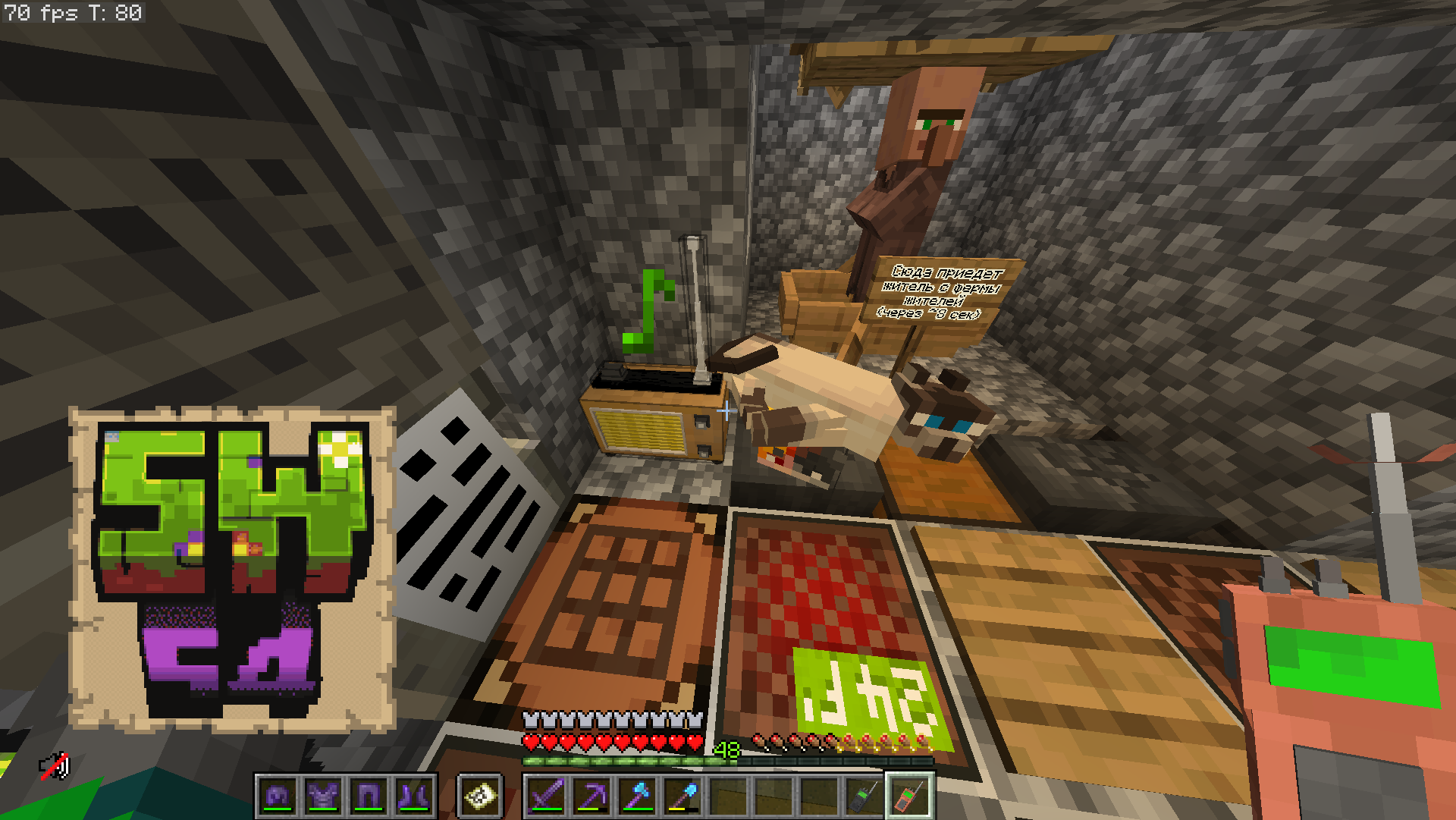
The mod adds Radio!
Screenshots
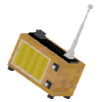
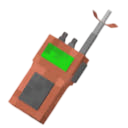
About this Mod
Radio 


A Minecraft Fabric mod that adds functional radio transmitters, receivers, and a portable radio for wireless audio broadcasting via Simple Voice Chat.
Features
- Radio Transmitter — broadcast microphone audio or jukebox music wirelessly over configurable frequencies
- Radio Receiver — receive radio transmissions and play them out loud
- Portable Radio — handheld receiver that plays audio directly to you
- FM Frequency System — 88.0–108.0 MHz with signal quality based on frequency alignment, distance, and signal strength
- Antenna Requirement — transmitters need lightning rods stacked above them; more antennas = better range and signal
- Noise & Interference — static noise when out of range, interference from competing transmitters on nearby frequencies, smooth transitions
- Jukebox Broadcast — captures audio from nearby jukeboxes and transmits it through the radio
- Audio Player Support — optional AudioPlayer mod integration for custom music discs
- Dual Audio Sources — microphone and disc inputs with independent volume controls
- Capture Radius — configure how far the transmitter listens for nearby players (microphone) and jukeboxes (discs)
- Note Particles — receivers show note particles when playing a clean signal
- VU Meter — visual audio level indicators in the GUI
- Separate Volume Categories — independent volume sliders for radio and portable radio in Simple Voice Chat
Blocks & Items
| Block / Item | Description |
|---|---|
| Radio Transmitter |
Block that broadcasts audio wirelessly |
| Radio Receiver |
Block that receives and plays audio out loud |
| Portable Radio |
Handheld item that receives audio directly to the player |
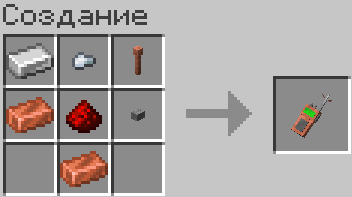
Crafting
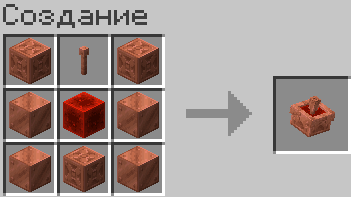
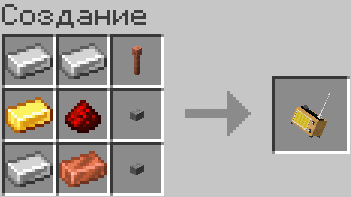
Usage
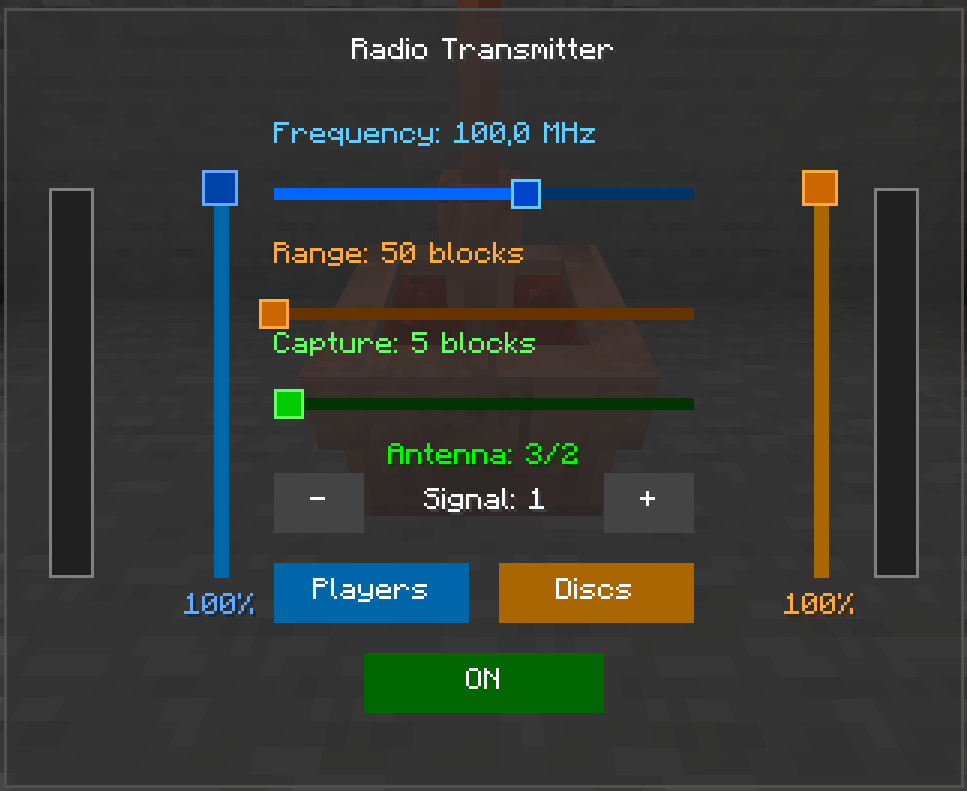
Radio Transmitter
- Craft and place a Radio Transmitter
- Stack lightning rods above it (continuous column) — more rods = better signal
- Right-click to open the GUI
- Set frequency (88.0–108.0 MHz), range (50–5000), signal strength (1+)
- Toggle microphone and/or disc mode with independent volume sliders
- Set capture radius (3–50 blocks) — how far it listens for players/jukeboxes
- Speak nearby (within capture radius) while the transmitter is powered to broadcast
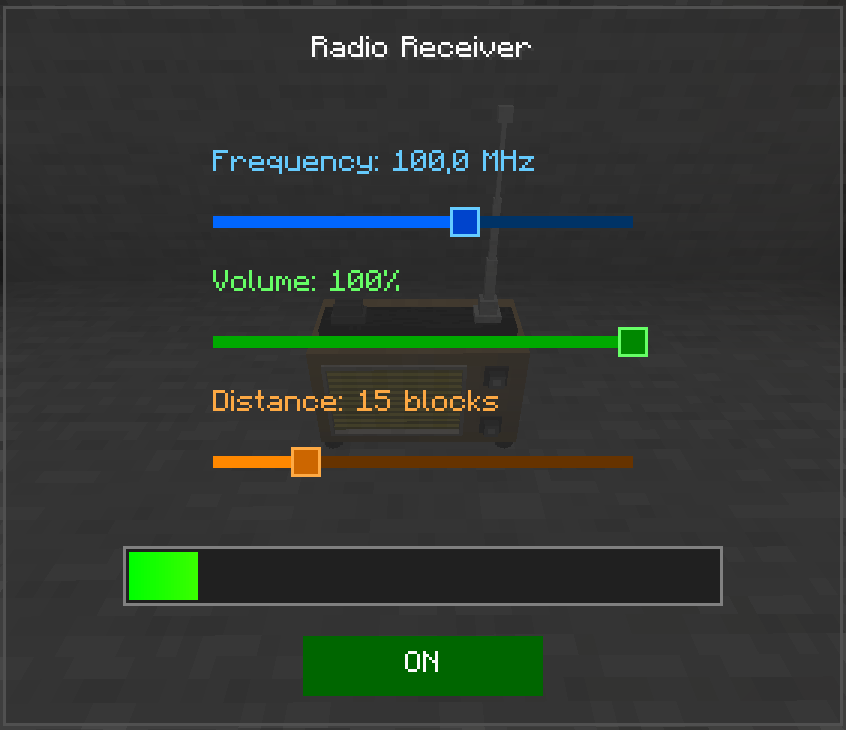
Radio Receiver
- Craft and place a Radio Receiver nearby
- Right-click to open the GUI
- Set frequency to match a transmitter, adjust volume and distance (5–50 blocks)
- Powered receivers automatically play any signal on their frequency within range
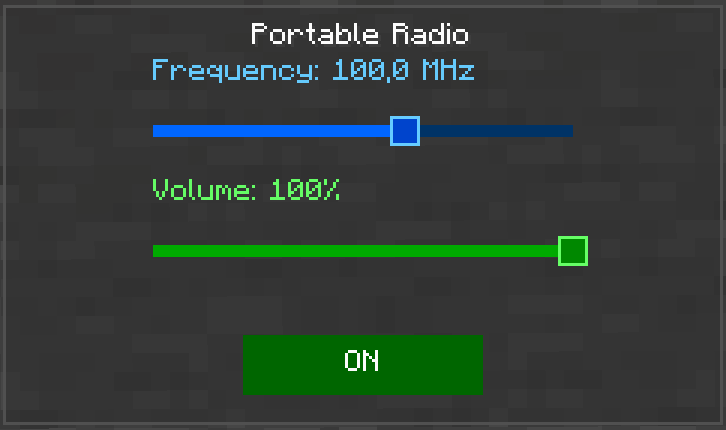
Portable Radio
- Craft a Portable Radio
- Right-click to toggle power ON/OFF
- Shift + right-click to open the GUI and set frequency and volume
- Keep it in your inventory (any slot) — it will automatically connect when powered
Frequencies & Signal
- Range: 88.0 – 108.0 MHz (FM broadcast band)
- Matching transmitters and receivers on the same frequency = clean signal
- Nearby frequencies produce interference noise proportional to the difference
- Signal quality depends on: frequency match, distance, transmitter signal strength, and competing transmitters
Requirements
- Minecraft 1.21.11
- Fabric Loader ≥0.18.5
- Fabric API
- Simple Voice Chat
- Super GUI Lib
- AudioPlayer
Available Versions
How to Install Radio on Your Server
Order Server
Order a Minecraft Java server with at least 3 GB RAM (4 GB recommended).
Set fabric Loader
In the panel under "Egg", select the fabric loader and matching Minecraft version (1.21.11).
Install Mod
Open the mod browser in the dashboard and search for "Radio". Click "Install" – done! Alternatively, upload the .jar via SFTP to the /mods folder.
Compatibility
Mod Loaders
Minecraft Versions
1.21.11
Server-side
✓ RequiredRecommended RAM
4 GB(min. 3 GB)Frequently Asked Questions
Radio server crashes on startup – what to do?
Most common cause: wrong fabric version or insufficient RAM. Check the server log (latest.log) for "OutOfMemoryError" or "Mixin" errors. With Mado Hosting: ensure at least 3 GB RAM is allocated and the loader matches the mod version (1.21.11). You can switch loaders with one click in the panel.
Is Radio compatible with fabric?
Radio officially supports fabric for Minecraft 1.21.11. The Mado dashboard automatically detects incompatible loader combinations.
Server lagging with Radio – how to optimize performance?
Recommended RAM: 4 GB (per 8 players). Use /spark profiler to check if Radio consumes the most tick time. Common fixes: reduce server view-distance to 8-10, install "performant" or "starlight" as supplementary mods on Forge. With Mado Hosting, your server runs on NVMe SSDs with dedicated CPU cores for minimal latency.
Similar Mods




Rent Modded Server
Install Radio with just one click on your server.