
Radium
A Minecraft mod designed to improve frame rates and reduce micro-stutter
Screenshots
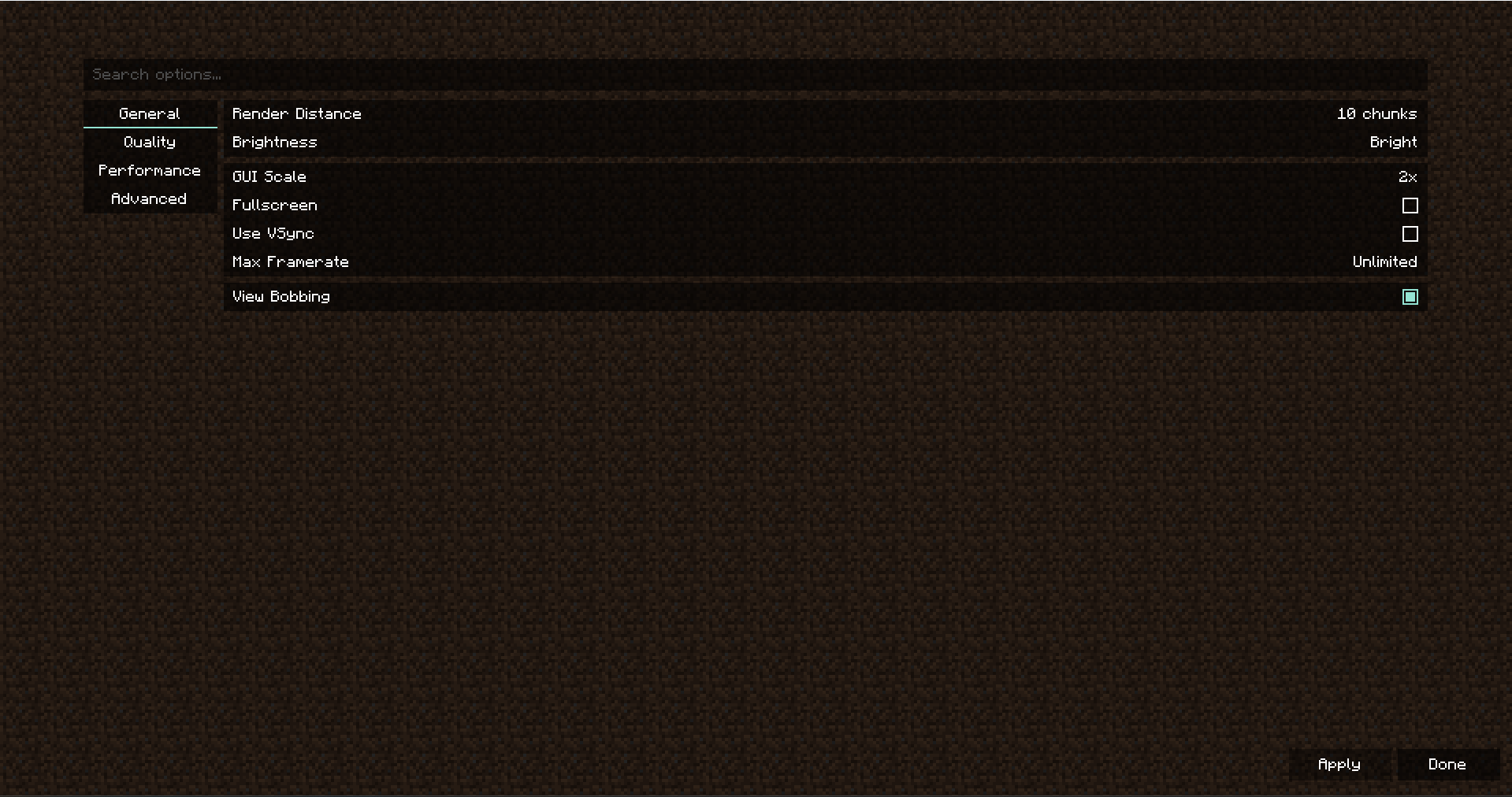
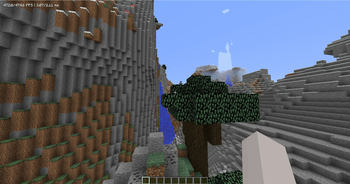
About this Mod

Radium
Radium is a fork of Sodium, a rendering optimization mod for the Minecraft client which focuses on reducing microstutter and improving frame rates, made to have compatibility with 1.8.9
Radium is a powerful rendering engine and optimization mod for the Minecraft client which improves frame rates and reduces
micro-stutter, while fixing many graphical issues in Minecraft.
Sodium is the result of thousands of hours of development, and is made possible thanks to players like you. If you
would like to show a token of your appreciation for CaffeineMC's work, and help support the development of Sodium in the process,
then consider donating to CaffeineMC.

Distribution Restriction: Anyone affiliated with InPvP LLC, a Delaware Limited Liability Company, Moonsworth LLC, a Delaware Limited Liability Company, may not distribute, sublicense, mirror, republish, bundle, or otherwise redistribute this Software in any form without the prior written permission of Sona Softworks, LLC.
📥 Downloads
Nightly builds (for developers)
We also provide bleeding-edge builds ("nightlies") which are useful for testing the very latest changes before they're
packaged into a release. These builds are only provided for other mod developers and users with expert skills, and do
not come with any support or warranty. It is often the case they have issues and lack compatibility with other mods.
The latest nightly build for each current branch of development can be downloaded below.
- Minecraft 1.8.9 (latest): Download nightly or View all builds
🔮 Forge Support
Currently, Radium does not support Forge, and it is likely that will remain the case for some time. Legacy Fabric is a much more lightweight and performant mod loader, and we recommend you use it.
To get the latest updates on this matter, please join our official Discord server.
🙇 Getting Help
For technical support (including help with mod installation problems and game crashes), please use our
official Discord server. Do NOT ask for support in the CaffeineMC discord server.
📬 Reporting Issues
If you do not need technical support and would like to report an issue (bug, crash, etc.) or otherwise request changes
(for mod compatibility, new features, etc.), then we encourage you to open an issue on the
project issue tracker.
Please note that while the issue tracker is open to feature requests, development is primarily focused on
improving compatibility, performance, and finishing any unimplemented features necessary for parity with
the vanilla renderer.
Please do not report issues in the sodium repository
💬 Join the Community
We have an official Discord community for all of our projects. By joining, you can:
- Get installation help and technical support for all of our mods
- Get the latest updates about development and community events
- Talk with and collaborate with the rest of our team
- ... and just hang out with the rest of our community.
✅ Hardware Compatibility
We only provide official support for graphics cards which have up-to-date drivers that are compatible with OpenGL 4.5
or newer. Most graphics cards released in the past 12 years will meet these requirements, including the following:
- AMD Radeon HD 7000 Series (GCN 1) or newer
- NVIDIA GeForce 400 Series (Fermi) or newer
- Intel HD Graphics 500 Series (Skylake) or newer
Nearly all graphics cards that are already compatible with Minecraft (which requires OpenGL 3.3) should also work
with Sodium. But our team cannot ensure compatibility or provide support for older graphics cards, and they may
not work with future versions of Sodium.
OpenGL Compatibility Layers
Devices which need to use OpenGL translation layers (such as GL4ES, ANGLE, etc) are not supported and will very likely
not work with Radium. These translation layers do not implement required functionality and they suffer from underlying
driver bugs which cannot be worked around.
🛠️ Building from sources
Radium uses the Gradle build tool and can be built with the gradle build command. The build
artifacts (production binaries and their source bundles) can be found in the build/mods directory.
The Gradle wrapper is provided for ease of use and will automatically download and install the
appropriate version of Gradle for the project build. To use the Gradle wrapper, substitute gradle in build commands
with ./gradlew.bat (Windows) or ./gradlew (macOS and Linux).
Build Requirements
- OpenJDK 17
- We recommend using the Eclipse Temurin distribution as it's regularly tested by our developers and known
to be of high quality.
- We recommend using the Eclipse Temurin distribution as it's regularly tested by our developers and known
- Gradle 8.10.x
- Typically, newer versions of Gradle will work without issues, but the build script is only tested against the
version used by the wrapper script.
- Typically, newer versions of Gradle will work without issues, but the build script is only tested against the
📜 License
Except where otherwise stated, the contents of this repository are provided under the Polyform Shield 1.0.0 license by Lunasa
The Sodium source code, licensed under Polyform Shield 1.0.0, is provided by JellySquid.
Available Versions
How to Install Radium on Your Server
Order Server
Order a Minecraft Java server with at least 3 GB RAM (4 GB recommended).
Set fabric Loader
In the panel under "Egg", select the fabric loader and matching Minecraft version (1.8.9).
Install Mod
Open the mod browser in the dashboard and search for "Radium". Click "Install" – done! Alternatively, upload the .jar via SFTP to the /mods folder.
Compatibility
Mod Loaders
Minecraft Versions
1.8.9
Server-side
✗ UnsupportedRecommended RAM
4 GB(min. 3 GB)Frequently Asked Questions
Radium server crashes on startup – what to do?
Most common cause: wrong fabric version or insufficient RAM. Check the server log (latest.log) for "OutOfMemoryError" or "Mixin" errors. With Mado Hosting: ensure at least 3 GB RAM is allocated and the loader matches the mod version (1.8.9). You can switch loaders with one click in the panel.
Is Radium compatible with fabric and legacy-fabric and ornithe?
Radium officially supports fabric, legacy-fabric, ornithe for Minecraft 1.8.9. The Mado dashboard automatically detects incompatible loader combinations.
Server lagging with Radium – how to optimize performance?
Recommended RAM: 4 GB (per 8 players). Use /spark profiler to check if Radium consumes the most tick time. Common fixes: reduce server view-distance to 8-10, install "performant" or "starlight" as supplementary mods on Forge. With Mado Hosting, your server runs on NVMe SSDs with dedicated CPU cores for minimal latency.
Similar Mods


Rent Modded Server
Install Radium with just one click on your server.