
Rail Recipe Rebalance
Improve rail recipes to make minecart transportation more worthwhile!
Screenshots
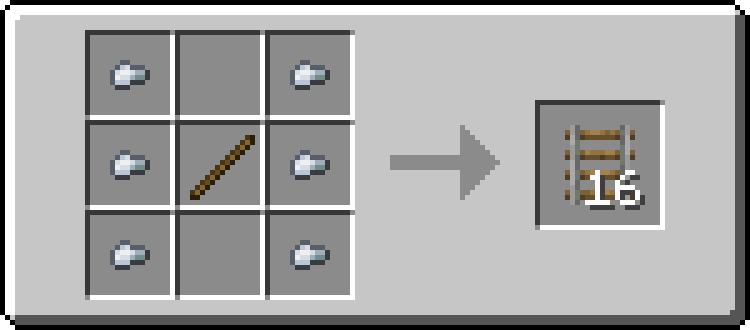
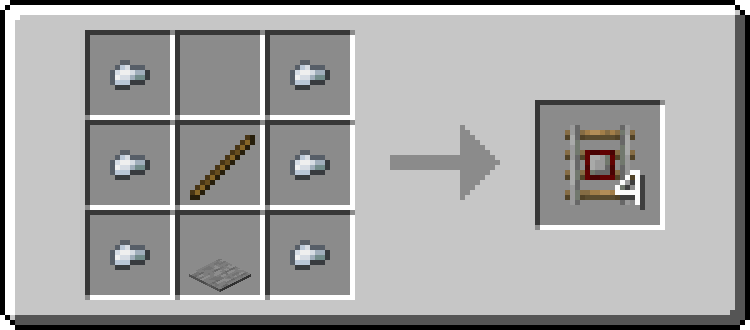
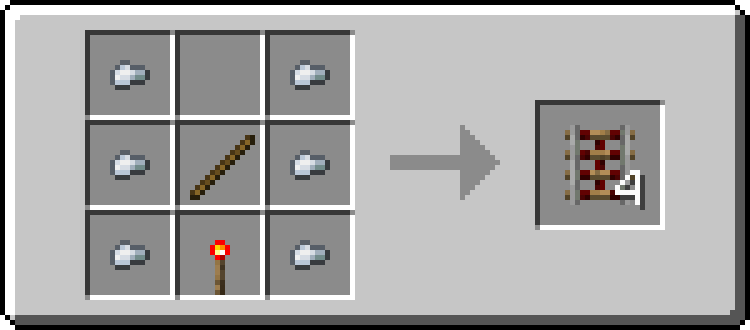
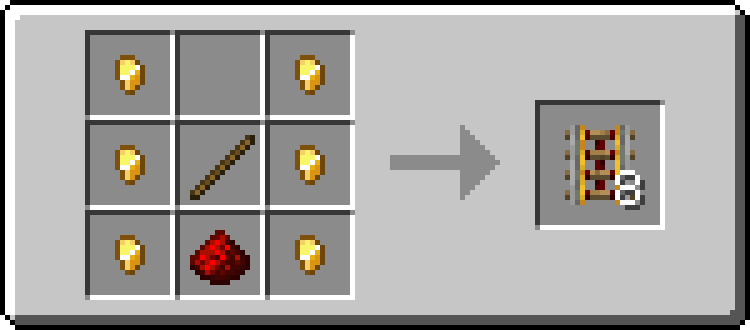
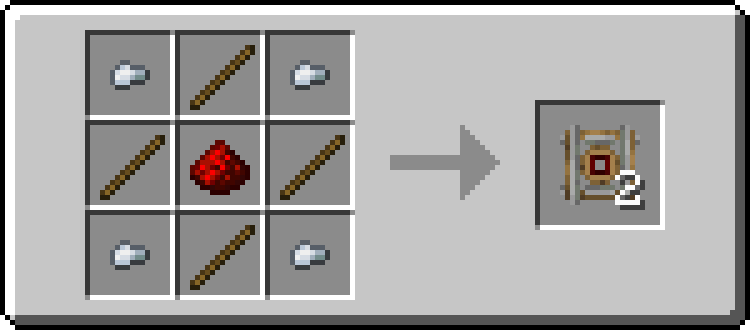
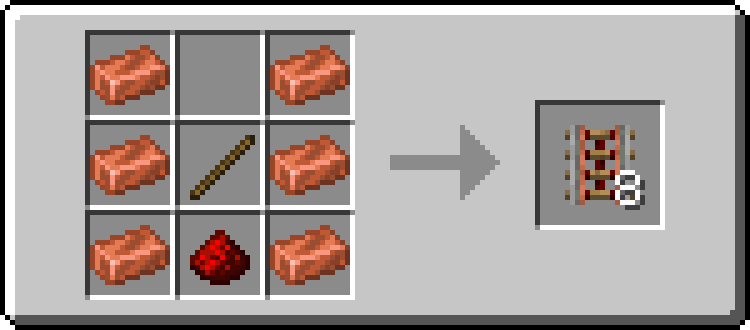
About this Mod

Are you for re-ail?
You know what really steams my engine? Rails. Specifically, how expensive they are.
Rails are not a bad method of transportation, especially early-game. They're pretty fast, and can even be automated using redstone, making them an immersive choice!
There's just one problem: accessibility. During the period of a world that they would be useful (pre-elytra), most people don't have a surplus of ingots to spend on tracks. I mean, just for regular, unpowered rails, it costs roughly 1 ingot for 3 blocks of track.

That's what this recipe change aims to fix. By making rails more affordable, it's now a more realistic goal to make a train between your friend's base!
Available wherever the tracks take you!
Rail Recipe Rebalance is available all the way from version 1.15 to 26.1, and will continue to be updated for newer versions! You can install it as a datapack, or as a mod for your favorite modloader!
Additionally, RRR aims to add compatibility with mods, and currently adds new recipes for the following mods:
If you would like to request a mod to be supported, DM me at palm1!
Try these couplings!
Rails get even better with these amazing projects, and they are highly recommended for use with this pack!
Server
- Linkart - Link your minecarts together!
- Fast Minecart - Double the speed of minecarts!
Client and Server
- Copper Rails - Adds two new rail types in the vanilla style!
- Create - Allows you to couple minecarts, control rail speed, and create custom multi-block trains!
You May Also Like
Available Versions
How to Install Rail Recipe Rebalance on Your Server
Order Server
Order a Minecraft Java server with at least 3 GB RAM (4 GB recommended).
Set datapack Loader
In the panel under "Egg", select the datapack loader and matching Minecraft version (26.1.2).
Install Mod
Open the mod browser in the dashboard and search for "Rail Recipe Rebalance". Click "Install" – done! Alternatively, upload the .jar via SFTP to the /mods folder.
Compatibility
Mod Loaders
Minecraft Versions
26.1.2, 26.1.1, 26.1 (+360 more)
Server-side
✓ RequiredRecommended RAM
4 GB(min. 3 GB)Frequently Asked Questions
Rail Recipe Rebalance server crashes on startup – what to do?
Most common cause: wrong datapack version or insufficient RAM. Check the server log (latest.log) for "OutOfMemoryError" or "Mixin" errors. With Mado Hosting: ensure at least 3 GB RAM is allocated and the loader matches the mod version (26.1.2). You can switch loaders with one click in the panel.
Is Rail Recipe Rebalance compatible with datapack and fabric and forge and neoforge and quilt?
Rail Recipe Rebalance officially supports datapack, fabric, forge, neoforge, quilt for Minecraft 26.1.2, 26.1.1, 26.1. Note: Forge and Fabric mods are NOT cross-compatible – pick one loader and stick with it. The Mado dashboard automatically detects incompatible loader combinations.
Server lagging with Rail Recipe Rebalance – how to optimize performance?
Recommended RAM: 4 GB (per 8 players). Use /spark profiler to check if Rail Recipe Rebalance consumes the most tick time. Common fixes: reduce server view-distance to 8-10, install "performant" or "starlight" as supplementary mods on Forge. With Mado Hosting, your server runs on NVMe SSDs with dedicated CPU cores for minimal latency.
Similar Mods




Rent Modded Server
Install Rail Recipe Rebalance with just one click on your server.