
Railways Additions
Additional Create train tools: Cruise Control, Dynamic headlights, and more!
Screenshots
About this Mod


Railways Additions adds many exciting new features depending on other mods you install with it. The only mod required is Create, and certain features will unlock depending on the mods you have installed with it.
1. Cruise Control and Cruise Control Remote

The Cruise Control attaches to your train controls, lets you set a speed, and start/stop your train so you don't have to drive. You can link the Cruise Control Remove to the Cruise Control, which will let you start/stop your train remotely, and has a setting to stop if you fall off the train. This feature only requires Create to be installed, nothing else.
2. Railways Untold Utilities
If you play with Railways Untold this mod adds some new blocks. The Safety Zoner allows you to select an area to prevent railways from entering that zone. This is good if you need to block of an area of your world. The Track Generator block when placed in the world creates new infinite track, good for worlds you may have started before Railways Untold was installed. The Track Location Connector lets you connect one location to another with rails, by placing the start block then choosing an end location.
The Farebox and Coin
Modpack authors can tag the coin with an event (a structure Railways Untold places along the track line) and using the coin will guarantee that event will appear next, regardless of its rarity.
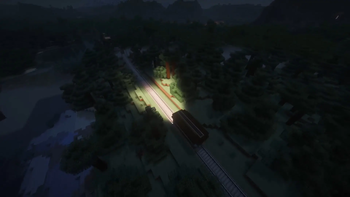
3. Dynamic Headlights
If you have the LambDynamicLighting mod installed, you get access to new lights that can be attached to trains (or anything). The lights will follow the train as it moves. There is also a Hand Lamp players can hold. These lights are only available for Neoforge 1.21.1
4. Xaeros Worldmap map enhancements
If you have Xaero's Worldmap installed I've fixed the train track lines so they no longer blink or disappear at certain zoom levels. I've also increased the zoom out distance so you can zoom out farther.
Credits:
This mod is a collaboration between myself and Hollen (who created the farebox, lights, and cruise control models) with the following additional contributors:
Ace: recipes for Cruise Control and Remote
Sir Jumpy: Texture for Remote
Available Versions
How to Install Railways Additions on Your Server
Order Server
Order a Minecraft Java server with at least 3 GB RAM (4 GB recommended).
Set fabric Loader
In the panel under "Egg", select the fabric loader and matching Minecraft version (1.21.1).
Install Mod
Open the mod browser in the dashboard and search for "Railways Additions". Click "Install" – done! Alternatively, upload the .jar via SFTP to the /mods folder.
Compatibility
Mod Loaders
Minecraft Versions
1.21.1, 1.20.1
Server-side
✓ RequiredRecommended RAM
4 GB(min. 3 GB)Frequently Asked Questions
Railways Additions server crashes on startup – what to do?
Most common cause: wrong fabric version or insufficient RAM. Check the server log (latest.log) for "OutOfMemoryError" or "Mixin" errors. With Mado Hosting: ensure at least 3 GB RAM is allocated and the loader matches the mod version (1.21.1). You can switch loaders with one click in the panel.
Is Railways Additions compatible with fabric and forge and neoforge?
Railways Additions officially supports fabric, forge, neoforge for Minecraft 1.21.1, 1.20.1. Note: Forge and Fabric mods are NOT cross-compatible – pick one loader and stick with it. The Mado dashboard automatically detects incompatible loader combinations.
Server lagging with Railways Additions – how to optimize performance?
Recommended RAM: 4 GB (per 8 players). Use /spark profiler to check if Railways Additions consumes the most tick time. Common fixes: reduce server view-distance to 8-10, install "performant" or "starlight" as supplementary mods on Forge. With Mado Hosting, your server runs on NVMe SSDs with dedicated CPU cores for minimal latency.
Similar Mods




Rent Modded Server
Install Railways Additions with just one click on your server.