
Project Rankine
A customizable technology-based progression mod about material acquisition, alloys, and geology
Screenshots
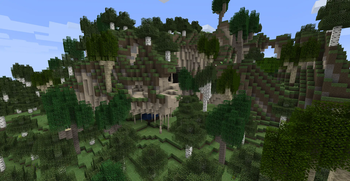
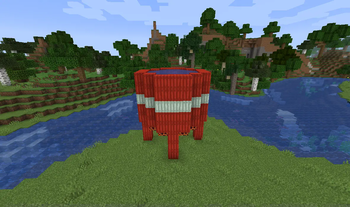
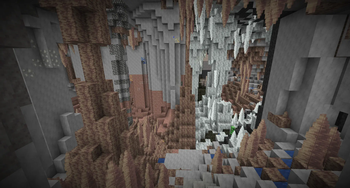
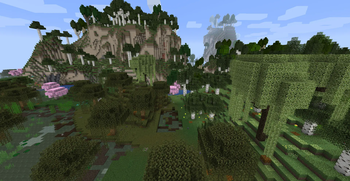
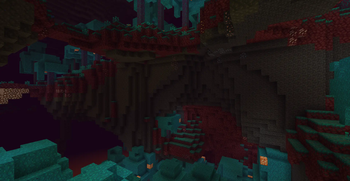
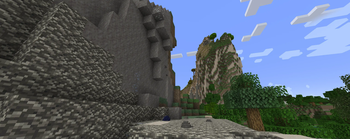
About this Mod
"The standard game with a splash of realism and a hint of creativity."
Project Rankine is about a mod about material acquisition and usage.
It takes inspiration from real world counterparts to bring 50+ stones, 100+ minerals and blocks, and the entire periodic table into the game. Not for just items, but processes too, such as ore refining, tree tapping and atmospheric distillation. It affects all stages of the game, but primarily alters progression through the early and mid sections. While all vanilla features still exist, there are a few unconventional methods to get to them as you explore the new terrain generation, complex alloy system and stat based tools, and other survival based processes. Even though some aspects of the mod may seem challenging, we encourage you to uncover your own methods of playing and "break" progression through creative (not creative mode) means.
It can be a great companion for other mods that want to outsource where their materials come from. Or use it as a way to spice up some recipes in your modpack. We are always looking to increase compatibility and the shared experience for all players and developers.
None the less, Project Rankine is sure to bring unique, creative and interesting gameplay to your modded environment.
Project Rankine also supports JEI and Patchouli for in-game documentation.
Available Versions
How to Install Project Rankine on Your Server
Order Server
Order a Minecraft Java server with at least 4 GB RAM (6 GB recommended).
Set forge Loader
In the panel under "Egg", select the forge loader and matching Minecraft version (1.18.2).
Install Mod
Open the mod browser in the dashboard and search for "Project Rankine". Click "Install" – done! Alternatively, upload the .jar via SFTP to the /mods folder.
Compatibility
Mod Loaders
Minecraft Versions
1.18.2, 1.16.5
Server-side
✓ RequiredRecommended RAM
6 GB(min. 4 GB)Frequently Asked Questions
Project Rankine server crashes on startup – what to do?
Most common cause: wrong forge version or insufficient RAM. Check the server log (latest.log) for "OutOfMemoryError" or "Mixin" errors. With Mado Hosting: ensure at least 4 GB RAM is allocated and the loader matches the mod version (1.18.2). You can switch loaders with one click in the panel.
Is Project Rankine compatible with forge?
Project Rankine officially supports forge for Minecraft 1.18.2, 1.16.5. The Mado dashboard automatically detects incompatible loader combinations.
Server lagging with Project Rankine – how to optimize performance?
Recommended RAM: 6 GB (per 5 players). Use /spark profiler to check if Project Rankine consumes the most tick time. Common fixes: reduce server view-distance to 8-10, install "performant" or "starlight" as supplementary mods on Forge. With Mado Hosting, your server runs on NVMe SSDs with dedicated CPU cores for minimal latency.
Similar Mods




Rent Modded Server
Install Project Rankine with just one click on your server.