
ReachHUD
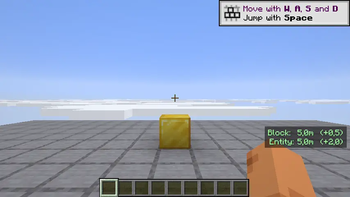
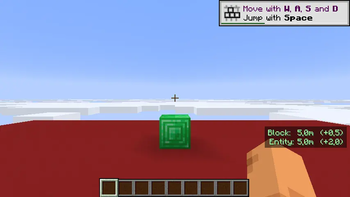
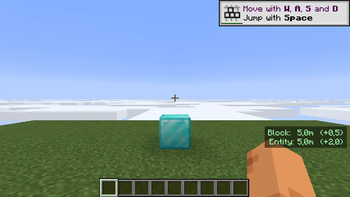
Live HUD of your block- and entity-interaction reach in metres. Press K to toggle.
Screenshots
About this Mod
ReachHUD is a tiny client-side overlay that reads the two attributes that actually control how far you can reach — player.block_interaction_range and player.entity_interaction_range — and prints them, live, in the corner of your screen.
What it does
- Two small lines in the bottom-right of the HUD:
Block: 4.5m— how far you can break or place blocks.Entity: 3.0m— how far you can hit mobs and players.
- Each line shows the delta vs. the vanilla survival baseline in parentheses, e.g.
Block: 5.0m (+0.5)in creative, orBlock: 8.5m (+4.0)if you have an attribute modifier from gear/effects. - Colour-coded: green when you have a bonus, red when reduced, white when standard.
- Numbers update every frame, so anything that changes your reach is reflected instantly.
Why
- PvP. Crystal-clear feedback on the reach you are actually working with.
- Precise building. Block reach in creative is 5.0 m by default; ReachHUD shows the real number so you don't overshoot.
- Sanity-check modifiers. Any datapack, server plugin, or mod that touches reach attributes shows up here immediately.
Controls
- K — toggle the HUD on/off (default: ON).
Notes
- Pure client-side. Works on any Fabric server, vanilla-compatible.
- No config file. No HUD when chat/inventory/pause is open, and respects
F1. - Requires Fabric API. One JAR covers 1.21.8, 1.21.9, 1.21.10, and 1.21.11.
Available Versions
How to Install ReachHUD on Your Server
Order Server
Order a Minecraft Java server with at least 3 GB RAM (4 GB recommended).
Set fabric Loader
In the panel under "Egg", select the fabric loader and matching Minecraft version (1.21.11).
Install Mod
Open the mod browser in the dashboard and search for "ReachHUD". Click "Install" – done! Alternatively, upload the .jar via SFTP to the /mods folder.
Compatibility
Mod Loaders
Minecraft Versions
1.21.11, 1.21.10, 1.21.9 (+1 more)
Server-side
✗ UnsupportedRecommended RAM
4 GB(min. 3 GB)Frequently Asked Questions
ReachHUD server crashes on startup – what to do?
Most common cause: wrong fabric version or insufficient RAM. Check the server log (latest.log) for "OutOfMemoryError" or "Mixin" errors. With Mado Hosting: ensure at least 3 GB RAM is allocated and the loader matches the mod version (1.21.11). You can switch loaders with one click in the panel.
Is ReachHUD compatible with fabric?
ReachHUD officially supports fabric for Minecraft 1.21.11, 1.21.10, 1.21.9. The Mado dashboard automatically detects incompatible loader combinations.
Server lagging with ReachHUD – how to optimize performance?
Recommended RAM: 4 GB (per 8 players). Use /spark profiler to check if ReachHUD consumes the most tick time. Common fixes: reduce server view-distance to 8-10, install "performant" or "starlight" as supplementary mods on Forge. With Mado Hosting, your server runs on NVMe SSDs with dedicated CPU cores for minimal latency.
Similar Mods




![[ETF] Entity Texture Features](https://cdn.modrinth.com/data/BVzZfTc1/af683d206d50b05258d865b0d6e4aa2f2cee12f2_96.webp)
![[EMF] Entity Model Features](https://cdn.modrinth.com/data/4I1XuqiY/6e5bbd0d06b1741bfdab6c0cfab6de8fdaf0064c_96.webp)
Rent Modded Server
Install ReachHUD with just one click on your server.