
RE:aura
Walk on stairs, charge your aura, and unlock particles and music at 100%.
Screenshots
About this Mod
ENG
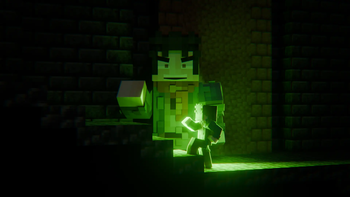
This mod brings Natsuki Subaru's aura from "RE - Starting Life in Another World" into Minecraft.
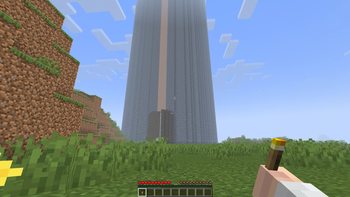
After creating a new world, you can find a new structure near spawn (approximately within 200 blocks): a massive tower.
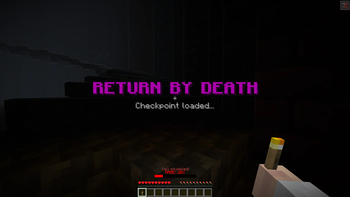
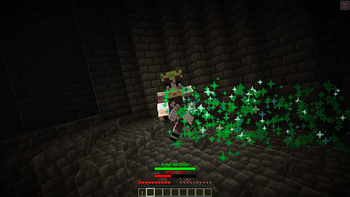
When you enter the tower, the "Return by Death" ability will be activated. In addition, aura particles will appear around the player and music will begin to play.
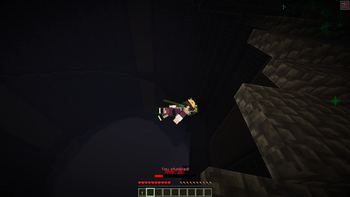
The tower is over 370 blocks tall, making it a prominent landmark in the world.
English and Russian language support.
RU
Этот мод добавляет в Minecraft ауру Нацуки Субару из аниме и ранобэ «RE - Starting Life in Another World».
После создания мира неподалёку от точки спавна (примерно в радиусе 200 блоков) можно найти новую структуру — высокую башню.
Когда вы войдёте в башню, активируется способность «Возвращение после смерти». Кроме того, вокруг игрока появятся частицы ауры и будет воспроизводиться музыка.
Высота башни превышает 370 блоков, что делает её заметным ориентиром в мире.
Поддержка русского и английского языков.
Available Versions
How to Install RE:aura on Your Server
Order Server
Order a Minecraft Java server with at least 3 GB RAM (4 GB recommended).
Set neoforge Loader
In the panel under "Egg", select the neoforge loader and matching Minecraft version (1.21.1).
Install Mod
Open the mod browser in the dashboard and search for "RE:aura". Click "Install" – done! Alternatively, upload the .jar via SFTP to the /mods folder.
Compatibility
Mod Loaders
Minecraft Versions
1.21.1
Server-side
✓ RequiredRecommended RAM
4 GB(min. 3 GB)Frequently Asked Questions
RE:aura server crashes on startup – what to do?
Most common cause: wrong neoforge version or insufficient RAM. Check the server log (latest.log) for "OutOfMemoryError" or "Mixin" errors. With Mado Hosting: ensure at least 3 GB RAM is allocated and the loader matches the mod version (1.21.1). You can switch loaders with one click in the panel.
Is RE:aura compatible with neoforge?
RE:aura officially supports neoforge for Minecraft 1.21.1. The Mado dashboard automatically detects incompatible loader combinations.
Server lagging with RE:aura – how to optimize performance?
Recommended RAM: 4 GB (per 8 players). Use /spark profiler to check if RE:aura consumes the most tick time. Common fixes: reduce server view-distance to 8-10, install "performant" or "starlight" as supplementary mods on Forge. With Mado Hosting, your server runs on NVMe SSDs with dedicated CPU cores for minimal latency.
Similar Mods






Rent Modded Server
Install RE:aura with just one click on your server.