
Red Dwarf Universe
Set Blocks to build your own Red Dwarf Scenes/Sets
Screenshots

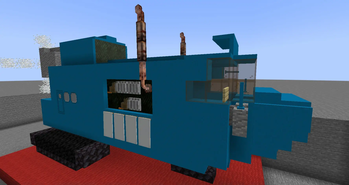
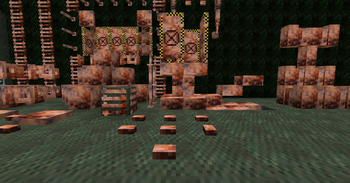
About this Mod
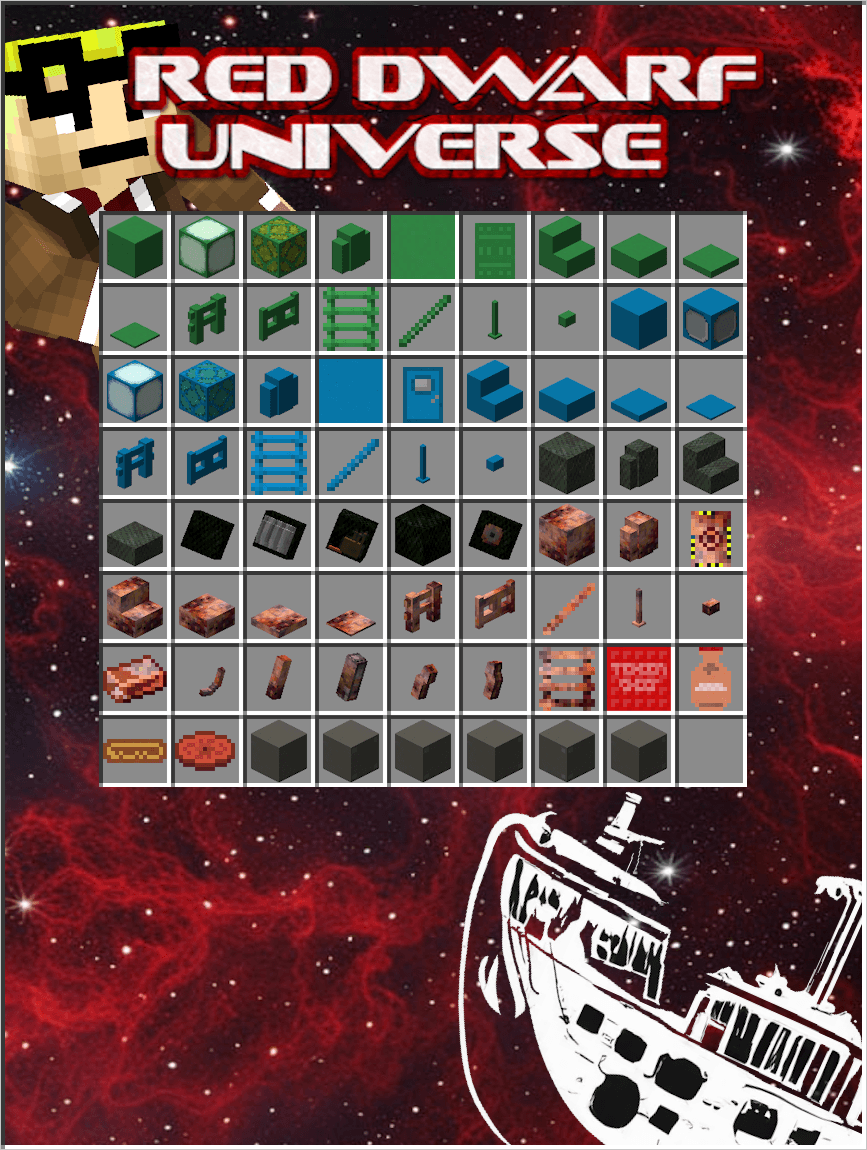





The Minecraft mod that transports you into the wacky world of Red Dwarf, the beloved UK sitcom by BBC. Step into the shoes of your favorite characters - whether you're the laid-back Lister, the uptight Rimmer, the flamboyant Cat, or the ever-helpful Kryten. Unleash your creativity and build elaborate sets, construct sprawling spaceships, and role-play iconic scenes from the show like never before. Explore the cosmos, encounter quirky aliens, and engage in hilarious misadventures - all while having the power to shape your own destiny. So, what are you waiting for? Dive into the Red Dwarf Universe, have a blast, and if things get too crazy, just remember - smeg off and enjoy the ride!

We hope to provide you set props and blocks so you can create your iconic scenes within the RDU we give you the blocks so you are able to create the scenes with your own flair.

Do we have recipes? well yes, please use a recipe viewing mod like JEI, this will make it much easier and faster to see any recipes as we are still working on this mod and recipes might change over time or we just don't have time to document ever recipe for use, this way you still get the recipes you need and we can keep making the sets you enjoy.
I will add recipes to the image section in the future.

View
Interior: Began
- Recipes included:Began
Exterior Type: Began
- Recipes included:Began
Exterior Deco: Began
- Recipes included: Began
Props: Began
- Recipes included:Began
View
Interior: Began - Recipes included:BeganExterior Type: Green Completed - Starbug Outer {Block/Item} Name EG Starbug Outer Green Stairs
- Recipes included: Completed (Use JEI)
- Version: From 0.0.0.1
Exterior Deco: Began
- Recipes included: Began
Props: Began
- Recipes included:Began
[Blue Midget]:
View
Interior: Began - Recipes included: BeganExterior
- Block Types: Blue Completed - Blue Midget Outer {Block/Item} Name EG Blue Midget Outer Blue Stairs
- Recipes included: Completed (Use JEI)
- Version: From 0.0.0.2
Exterior Deco: Some Completed - Exhaust Bay, Exhaust Bay Deco, Exhaust Pipes
- Recipes included: Some Completed (Use JEI)
- Version: From 0.0.0.3
Props: Began
- Recipes included: Began
View
- Block Types: Rusty Iron Blocks - Completed[1] - Item Type:
- Tension Sheet - Stackable item works like a Milk Bucket removes all effects[2]
- Milk Shake and Toffee Crispy Bar items with recipes added[3]
- Theme by Animegod500Rebirth with advancement and recipe.[4]
- Version: [1]From 0.0.0.4, [2]From 0.0.0.5, [3]From 0.0.0.6, [4]From 0.0.0.7

View
Coming soon.
This mod is still early stages, even though it's set to release we will be pushing updates with the new blocks and props over time, with the change of ownership things might need tweaking so please bare with us.

Red Dwarf Universe is a fan-created Minecraft mod inspired by the UK sitcom Red Dwarf by BBC. We have developed this mod as an expression of our love and admiration for the original show. All textures, models, and content are our own creations, and no copyrighted material from BBC has been used. We do not claim ownership of any rights to the Red Dwarf name or characters. This mod is unofficial and not affiliated with BBC. Enjoy the nostalgia and have a fantastic time exploring the Red Dwarf Universe! Happy gaming!
Available Versions
How to Install Red Dwarf Universe on Your Server
Order Server
Order a Minecraft Java server with at least 3 GB RAM (4 GB recommended).
Set neoforge Loader
In the panel under "Egg", select the neoforge loader and matching Minecraft version (1.21.1).
Install Mod
Open the mod browser in the dashboard and search for "Red Dwarf Universe". Click "Install" – done! Alternatively, upload the .jar via SFTP to the /mods folder.
Compatibility
Mod Loaders
Minecraft Versions
1.21.1
Server-side
✓ RequiredRecommended RAM
4 GB(min. 3 GB)Frequently Asked Questions
Red Dwarf Universe server crashes on startup – what to do?
Most common cause: wrong neoforge version or insufficient RAM. Check the server log (latest.log) for "OutOfMemoryError" or "Mixin" errors. With Mado Hosting: ensure at least 3 GB RAM is allocated and the loader matches the mod version (1.21.1). You can switch loaders with one click in the panel.
Is Red Dwarf Universe compatible with neoforge?
Red Dwarf Universe officially supports neoforge for Minecraft 1.21.1. The Mado dashboard automatically detects incompatible loader combinations.
Server lagging with Red Dwarf Universe – how to optimize performance?
Recommended RAM: 4 GB (per 8 players). Use /spark profiler to check if Red Dwarf Universe consumes the most tick time. Common fixes: reduce server view-distance to 8-10, install "performant" or "starlight" as supplementary mods on Forge. With Mado Hosting, your server runs on NVMe SSDs with dedicated CPU cores for minimal latency.
Similar Mods

![[ETF] Entity Texture Features](https://cdn.modrinth.com/data/BVzZfTc1/af683d206d50b05258d865b0d6e4aa2f2cee12f2_96.webp)
![[EMF] Entity Model Features](https://cdn.modrinth.com/data/4I1XuqiY/6e5bbd0d06b1741bfdab6c0cfab6de8fdaf0064c_96.webp)



Rent Modded Server
Install Red Dwarf Universe with just one click on your server.