
Redstone Additions
Adds breeders, block breaker, conveyors, block placers, and more !!! Vanilla friendly
Screenshots
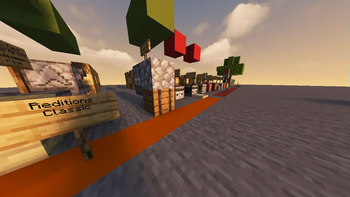
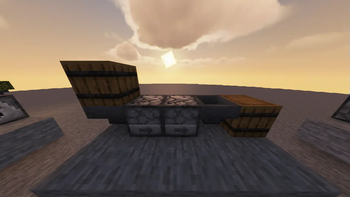
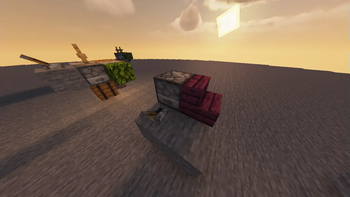
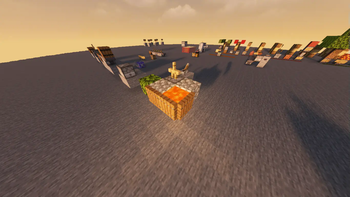
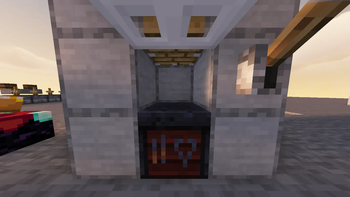
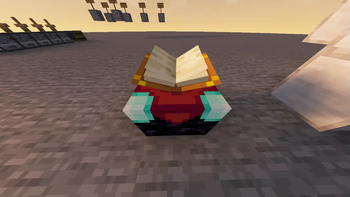
About this Mod
⚠️THIS DATAPACK HAS BEEN REWRITTEN AT https://modrinth.com/datapack/redstone-additions
DO NOT USE THIS VERSION. REWRITE IS MUCH BETTER.
⚡ Redstone Additions - Automate Minecraft! ⚡
Welcome to the ultimate redstone enhancement datapack for Minecraft 1.21.4! Get ready to revolutionize your redstone builds with powerful new components and mechanics.
Transform your redstone contraptions from simple circuits into incredible automated machinery. Whether you're a technical player or just getting started with redstone, this datapack opens up exciting new possibilities!
✨ Quick Preview
Take a look at what awaits you:

🔧 Amazing New Components
🏗️ Block Placer
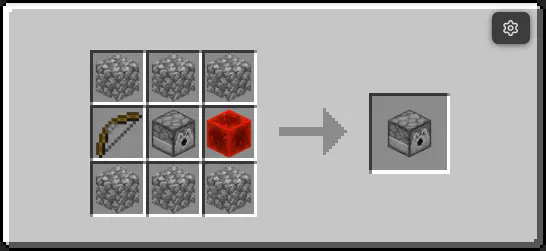

⚒️ Block Breaker
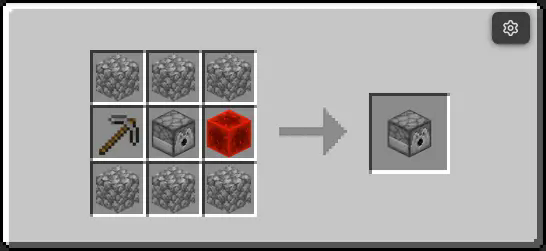

➡️ Conveyor
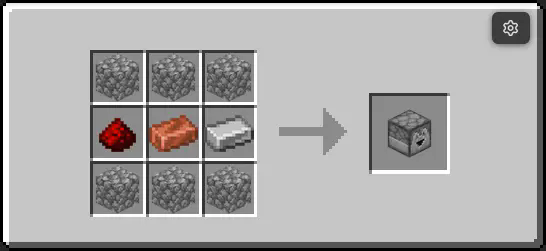

🌋 Lava Reactor

🐄 Breeder
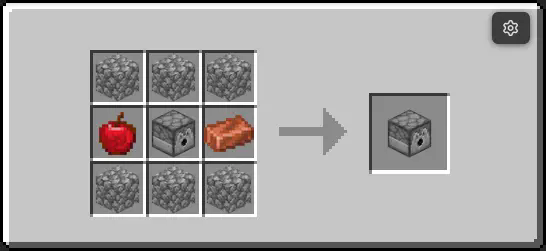
~~~~

Recipes 📙
To craft the items there are three branches :
Vanilla
Using the crafting table
(Recipes are up above)
Enchantment 📖
Using an enchanting table
Throw certain items over an enchantment table (You find them)
Spoiler
Lava or Smooth Stone, they have small chances of transforming into coresPressing 🗜️
Using a press AKA extended piston+smithing table
Throw certain combinations of items onto the press and run it
Spoiler
Material Core + Reactor Core ==> Material ReactorTest the blocks quickly in creative by running :
/function redstone_additions:items/give_all
Details
I am looking for youtubers / editors to present this datapack, if you are one, consider making a video, i WILL pin it here
PS: The armor stands you see are invisible with devmode=False, when I made the datapack I made sure to disable it, so don't worry, they will be invisible
A Minecraft datapack that enhances redstone functionality for version 1.21.4.




Read the docs !
Features
- Enhanced redstone mechanics
- New redstone components
- Performance optimizations
Downoalds
Installation
- Download the latest release
- Place the datapack in your world's
datapacksfolder - Reload your world
Available Versions
How to Install Redstone Additions on Your Server
Order Server
Order a Minecraft Java server with at least 3 GB RAM (4 GB recommended).
Set datapack Loader
In the panel under "Egg", select the datapack loader and matching Minecraft version (1.21.9).
Install Mod
Open the mod browser in the dashboard and search for "Redstone Additions". Click "Install" – done! Alternatively, upload the .jar via SFTP to the /mods folder.
Compatibility
Mod Loaders
Minecraft Versions
1.21.9, 1.21.8, 1.21.7 (+4 more)
Server-side
✓ RequiredRecommended RAM
4 GB(min. 3 GB)Frequently Asked Questions
Redstone Additions server crashes on startup – what to do?
Most common cause: wrong datapack version or insufficient RAM. Check the server log (latest.log) for "OutOfMemoryError" or "Mixin" errors. With Mado Hosting: ensure at least 3 GB RAM is allocated and the loader matches the mod version (1.21.9). You can switch loaders with one click in the panel.
Is Redstone Additions compatible with datapack and fabric and forge and neoforge and quilt?
Redstone Additions officially supports datapack, fabric, forge, neoforge, quilt for Minecraft 1.21.9, 1.21.8, 1.21.7. Note: Forge and Fabric mods are NOT cross-compatible – pick one loader and stick with it. The Mado dashboard automatically detects incompatible loader combinations.
Server lagging with Redstone Additions – how to optimize performance?
Recommended RAM: 4 GB (per 8 players). Use /spark profiler to check if Redstone Additions consumes the most tick time. Common fixes: reduce server view-distance to 8-10, install "performant" or "starlight" as supplementary mods on Forge. With Mado Hosting, your server runs on NVMe SSDs with dedicated CPU cores for minimal latency.
Similar Mods




Rent Modded Server
Install Redstone Additions with just one click on your server.