
Redstone Power Enhanced
Redstone Power Enhanced is a mod that aims to enhance the creative experience in minecraft with new redstone blocks.
Screenshots
About this Mod
Redstone Power Enhanced aims to add redstone blocks that will enhance your creative expirience
in minecraft.
You can find these blocks and items in the mod:
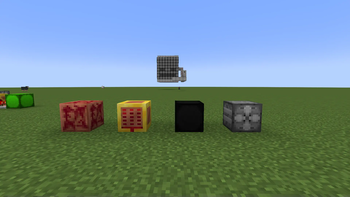
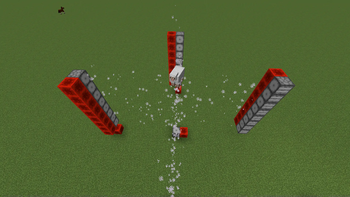
Fan block is used to push entities in a specific direction when powered. It pushes entities up to 7 blocks from itself in the direction that it is looking. It works on all entities, including: players, items and mobs. It can be placed in all 6 cardinal directions. This block can be very useful in mob farms or fun contraptions involving entities.
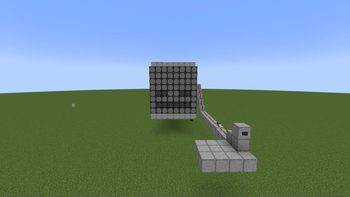
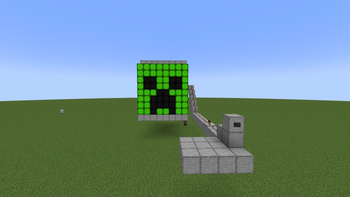
Color Display block displays a different color depending on the redstone power level it receives. It can display up to 16 different colors
Redstone Power Storage block can store power levels that it receives by right clicking on it. It can store up to 15 power levels at once. This includes no power at all. It will display and cycle the stored power levels when it receives a new signal.
Copper Wrench item can be used to rotate certain blocks. In order to rotate clickable blocks or blocks with UI you need to shift-right click.
Clocker block can be used as a clock in redstone. It sends a pulse to other blocks with different intervals which is based on the redstone power level it receives. The smaller redstone power level it receives the quicker it will pulsate.
Available Versions
How to Install Redstone Power Enhanced on Your Server
Order Server
Order a Minecraft Java server with at least 3 GB RAM (4 GB recommended).
Set fabric Loader
In the panel under "Egg", select the fabric loader and matching Minecraft version (1.21.11).
Install Mod
Open the mod browser in the dashboard and search for "Redstone Power Enhanced". Click "Install" – done! Alternatively, upload the .jar via SFTP to the /mods folder.
Compatibility
Mod Loaders
Minecraft Versions
1.21.11, 1.21.10, 1.21.8 (+7 more)
Server-side
✓ RequiredRecommended RAM
4 GB(min. 3 GB)Frequently Asked Questions
Redstone Power Enhanced server crashes on startup – what to do?
Most common cause: wrong fabric version or insufficient RAM. Check the server log (latest.log) for "OutOfMemoryError" or "Mixin" errors. With Mado Hosting: ensure at least 3 GB RAM is allocated and the loader matches the mod version (1.21.11). You can switch loaders with one click in the panel.
Is Redstone Power Enhanced compatible with fabric?
Redstone Power Enhanced officially supports fabric for Minecraft 1.21.11, 1.21.10, 1.21.8. The Mado dashboard automatically detects incompatible loader combinations.
Server lagging with Redstone Power Enhanced – how to optimize performance?
Recommended RAM: 4 GB (per 8 players). Use /spark profiler to check if Redstone Power Enhanced consumes the most tick time. Common fixes: reduce server view-distance to 8-10, install "performant" or "starlight" as supplementary mods on Forge. With Mado Hosting, your server runs on NVMe SSDs with dedicated CPU cores for minimal latency.
Similar Mods




Rent Modded Server
Install Redstone Power Enhanced with just one click on your server.