
Reinforced furnaces
this mod adds new furnace blocks which can smelt multiple slots and also faster smelting
Screenshots
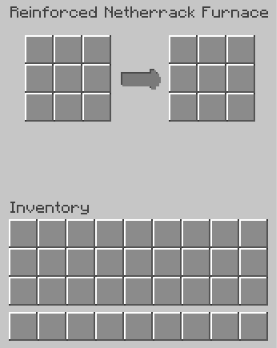
About this Mod
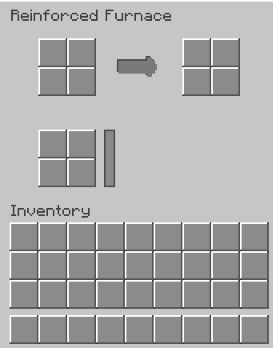
 Reinforced Furnaces adds upgraded furnaces that are designed to feel like a natural extension of vanilla Minecraft — just faster, cleaner, and much less annoying to use.
Tired of constantly refilling coal?
Tired of building giant fuel farms just to smelt a few stacks of ore?
This mod removes the boring part and keeps the satisfying part.
To fuel the netherrack furnaces try to use flint and steel on the front face or let the lava flow beneath it.
Reinforced Furnaces introduces fuel-free furnaces with a custom vanilla-style GUI, improved smelting workflow, and a cleaner overall experience. Just place the furnace, throw your items in, and let it cook automatically.
The mod is made to stay simple and lightweight instead of becoming another overcomplicated tech mod. Everything is designed to match Minecraft’s style while still feeling like a real upgrade.
Features:
- Fuel-free furnace system
- Custom furnace GUI
- Vanilla-inspired design
- Faster and smoother smelting
- Simple and lightweight gameplay
- Fits naturally into survival worlds
- Built for Fabric
Planned features:
- Multiple reinforced furnace tiers
- Faster processing upgrades
- Better textures and animations
- Custom blocks and materials
- More automation features later on
Whether you're building a giant survival base or just tired of babysitting furnaces, Reinforced Furnaces makes smelting feel modern without losing the vanilla feel.
to activate fuel free furnace use flint and steel on furnace or just let lava flow beneath it
Available Versions
How to Install Reinforced furnaces on Your Server
Order Server
Order a Minecraft Java server with at least 3 GB RAM (4 GB recommended).
Set fabric Loader
In the panel under "Egg", select the fabric loader and matching Minecraft version (26.1.2).
Install Mod
Open the mod browser in the dashboard and search for "Reinforced furnaces". Click "Install" – done! Alternatively, upload the .jar via SFTP to the /mods folder.
Compatibility
Mod Loaders
Minecraft Versions
26.1.2
Server-side
✓ RequiredRecommended RAM
4 GB(min. 3 GB)Frequently Asked Questions
Reinforced furnaces server crashes on startup – what to do?
Most common cause: wrong fabric version or insufficient RAM. Check the server log (latest.log) for "OutOfMemoryError" or "Mixin" errors. With Mado Hosting: ensure at least 3 GB RAM is allocated and the loader matches the mod version (26.1.2). You can switch loaders with one click in the panel.
Is Reinforced furnaces compatible with fabric?
Reinforced furnaces officially supports fabric for Minecraft 26.1.2. The Mado dashboard automatically detects incompatible loader combinations.
Server lagging with Reinforced furnaces – how to optimize performance?
Recommended RAM: 4 GB (per 8 players). Use /spark profiler to check if Reinforced furnaces consumes the most tick time. Common fixes: reduce server view-distance to 8-10, install "performant" or "starlight" as supplementary mods on Forge. With Mado Hosting, your server runs on NVMe SSDs with dedicated CPU cores for minimal latency.
Similar Mods

![[ETF] Entity Texture Features](https://cdn.modrinth.com/data/BVzZfTc1/af683d206d50b05258d865b0d6e4aa2f2cee12f2_96.webp)
![[EMF] Entity Model Features](https://cdn.modrinth.com/data/4I1XuqiY/6e5bbd0d06b1741bfdab6c0cfab6de8fdaf0064c_96.webp)



Rent Modded Server
Install Reinforced furnaces with just one click on your server.