
Render Detector
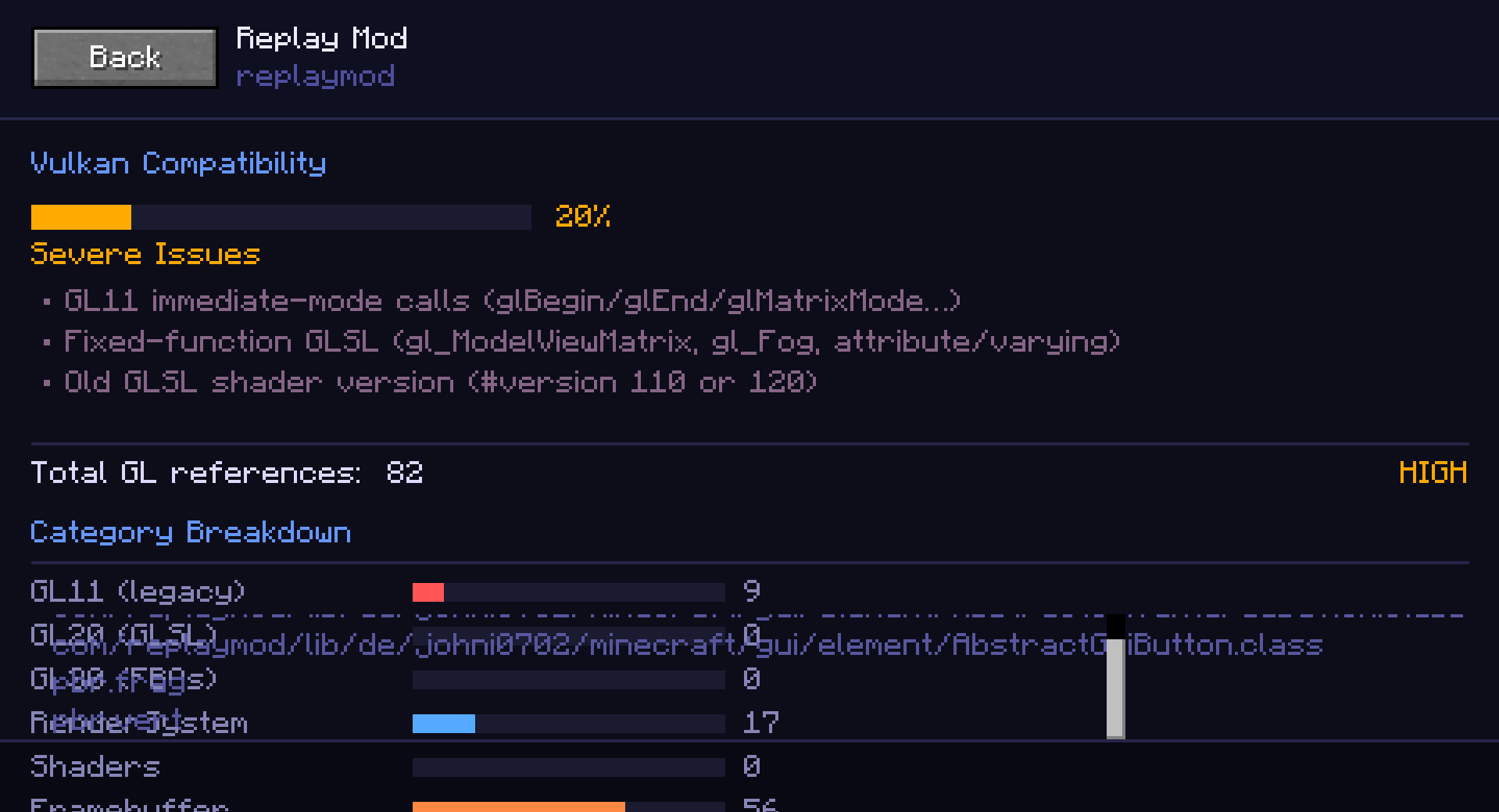
A diagnostic tool that scans installed mods and reports where legacy rendering patterns appear. It is useful since Minecraft has the option to use Vulkan since version 26.2 Snapshot 3.
Screenshots

About this Mod
Render Detector
A useful diagnostic and analysis tool.
It helps modders understand where their code relies on older GL features so they can make informed decisions about maintenance or refactoring.

What Render Detector does:
- Scans and inspects every mod
- Displays results in a clean GUI for quick visual checks
- Can generate a text report for further review
- The text report can be shown in 3 file formats: txt, json and csv
- You can copy an extremely short 1 line report to clipboard!
How to use?
Simply use this mod with other mods you want to test, and in Minecraft, type the command /renderdetector, and a sleek GUI will open will all of the information you need.
Why does this matter?
Minecraft's rendering system has evolved over time, and many mods still use an older rendering methods in certain parts of code. Render Detector helps modders understand where legacy rendering code appears, and locate these certain parts of code.
Heads up: RD isn’t perfect. Some mods won’t scan correctly, some results may be off, and certain things can’t be detected yet. It’s a helper tool and isn't perfect.
How detection works
- RD does not run or load other mods’ code. It only:
- Reads mod JAR files from the loaded mod list
- Scans different files for different patterns
Results are based on static pattern matching inside files, not execution or network. Data is always kept local.
This tool is meant for everyone — modders, pack creators, and curious players — which is why Render Detector is licensed under Apache 2.0, keeping it open, flexible, and easy to include in any project.
Available Versions
How to Install Render Detector on Your Server
Order Server
Order a Minecraft Java server with at least 3 GB RAM (4 GB recommended).
Set fabric Loader
In the panel under "Egg", select the fabric loader and matching Minecraft version (1.20.1).
Install Mod
Open the mod browser in the dashboard and search for "Render Detector". Click "Install" – done! Alternatively, upload the .jar via SFTP to the /mods folder.
Compatibility
Mod Loaders
Minecraft Versions
1.20.1
Server-side
✗ UnsupportedRecommended RAM
4 GB(min. 3 GB)Frequently Asked Questions
Render Detector server crashes on startup – what to do?
Most common cause: wrong fabric version or insufficient RAM. Check the server log (latest.log) for "OutOfMemoryError" or "Mixin" errors. With Mado Hosting: ensure at least 3 GB RAM is allocated and the loader matches the mod version (1.20.1). You can switch loaders with one click in the panel.
Is Render Detector compatible with fabric?
Render Detector officially supports fabric for Minecraft 1.20.1. The Mado dashboard automatically detects incompatible loader combinations.
Server lagging with Render Detector – how to optimize performance?
Recommended RAM: 4 GB (per 8 players). Use /spark profiler to check if Render Detector consumes the most tick time. Common fixes: reduce server view-distance to 8-10, install "performant" or "starlight" as supplementary mods on Forge. With Mado Hosting, your server runs on NVMe SSDs with dedicated CPU cores for minimal latency.
Similar Mods




![[ETF] Entity Texture Features](https://cdn.modrinth.com/data/BVzZfTc1/af683d206d50b05258d865b0d6e4aa2f2cee12f2_96.webp)
![[EMF] Entity Model Features](https://cdn.modrinth.com/data/4I1XuqiY/6e5bbd0d06b1741bfdab6c0cfab6de8fdaf0064c_96.webp)
Rent Modded Server
Install Render Detector with just one click on your server.