
RME's Campfire Leather
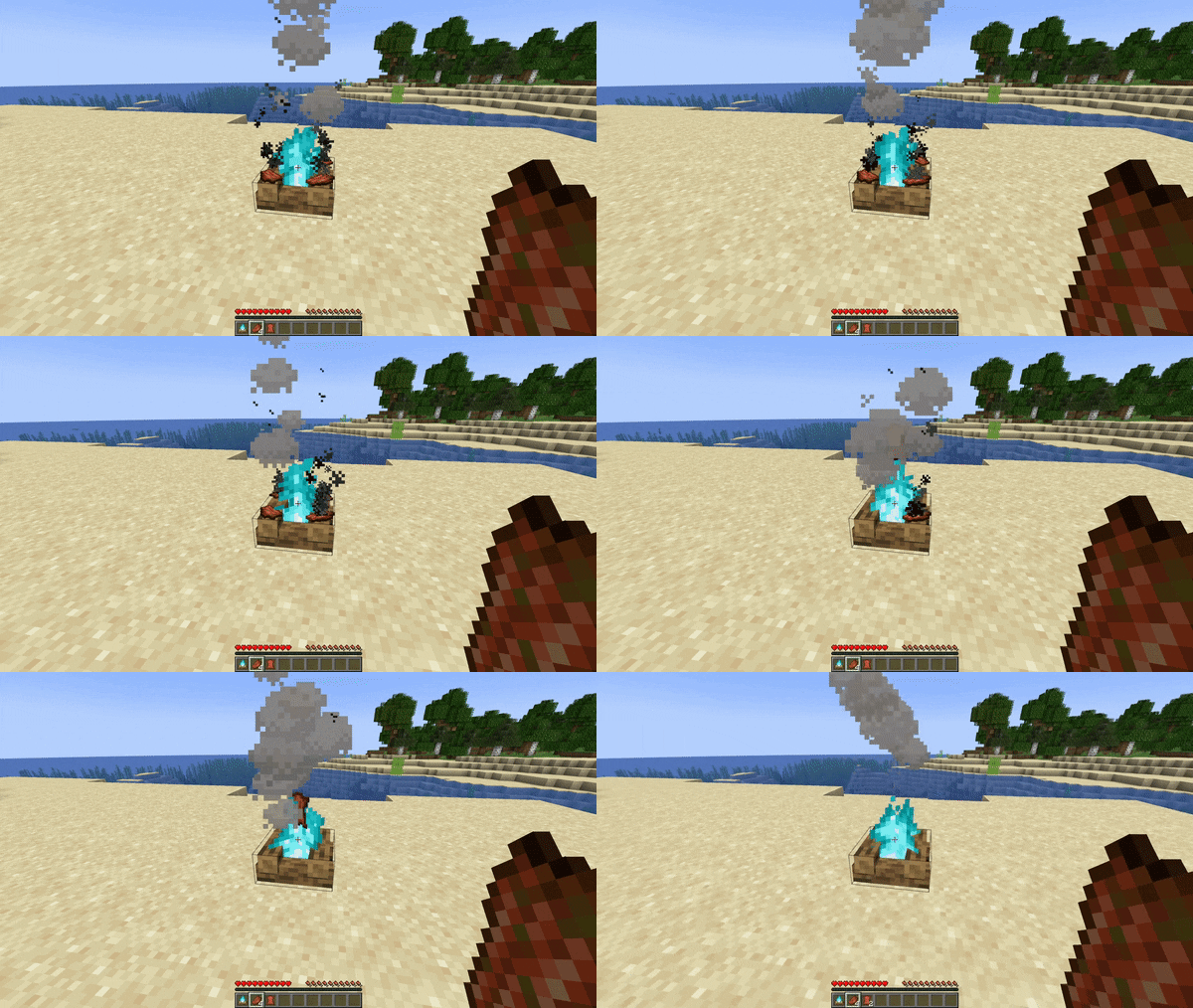
Rotten Flesh to Leather, in a more balanced way! Cook the flesh on a (soul) campfire!
Screenshots
About this Mod
Cook Rotten Flesh into Leather in a more balanced way than a simple 1:1 conversion!



Why?
Although Rotten Flesh to Leather conversion datapacks and mods are quite common, I felt like with the amount of Rotten Flesh you generally get in survival a simple 1 to 1 conversion is quite unbalanced. I like that it gives Rotten Flesh more of a use, but it makes Leather too easy to get in my opinion. Hence this pack.
How does it work?
By default this datapack allows you to cook Rotten Flesh on a Soul Campfire just like regular raw meat and get Leather in return! With the default settings a regular campfire won't accept the rotten flesh as I wanted a bit more balancing than just a raw (no pun intended) chance, since it forces the player to at least venture into the Nether to get some soul sand.
You can change whether a campfire cooks rotten flesh or not by using /function #rme:campfire_leather/toggle_campfire and /function #rme:campfire_leather/toggle_soul_campfire respectively. Adjust it to your needs!
The Rotten Flesh has a 20% chance of being converted to Leather, if it doesn't it just burns up. Because of this Rotten Flesh has more uses, especially early to mid game, and you can also easily dispose of your Rotten Flesh while getting some leather in return!
Available Versions
How to Install RME's Campfire Leather on Your Server
Order Server
Order a Minecraft Java server with at least 3 GB RAM (4 GB recommended).
Set datapack Loader
In the panel under "Egg", select the datapack loader and matching Minecraft version (26.1.2).
Install Mod
Open the mod browser in the dashboard and search for "RME's Campfire Leather". Click "Install" – done! Alternatively, upload the .jar via SFTP to the /mods folder.
Compatibility
Mod Loaders
Minecraft Versions
26.1.2, 26.1.1, 26.1 (+24 more)
Server-side
✓ RequiredRecommended RAM
4 GB(min. 3 GB)Frequently Asked Questions
RME's Campfire Leather server crashes on startup – what to do?
Most common cause: wrong datapack version or insufficient RAM. Check the server log (latest.log) for "OutOfMemoryError" or "Mixin" errors. With Mado Hosting: ensure at least 3 GB RAM is allocated and the loader matches the mod version (26.1.2). You can switch loaders with one click in the panel.
Is RME's Campfire Leather compatible with datapack and fabric and forge and neoforge and quilt?
RME's Campfire Leather officially supports datapack, fabric, forge, neoforge, quilt for Minecraft 26.1.2, 26.1.1, 26.1. Note: Forge and Fabric mods are NOT cross-compatible – pick one loader and stick with it. The Mado dashboard automatically detects incompatible loader combinations.
Server lagging with RME's Campfire Leather – how to optimize performance?
Recommended RAM: 4 GB (per 8 players). Use /spark profiler to check if RME's Campfire Leather consumes the most tick time. Common fixes: reduce server view-distance to 8-10, install "performant" or "starlight" as supplementary mods on Forge. With Mado Hosting, your server runs on NVMe SSDs with dedicated CPU cores for minimal latency.
Similar Mods




Rent Modded Server
Install RME's Campfire Leather with just one click on your server.