
Rubies
This Forge mod adds all kinds of ruby items from ruby armor to ruby swords!
Screenshots

About this Mod
Ruby Mod for Minecraft (Forge 1.20.1)
The Ruby Mod introduces Rubies, rare and valuable gems found around the Minecraft world. These gems are slightly rarer than diamonds but not nearly as rare as emeralds.
Crafting Ruby Armor and Tools
Once you discover rubies, you can craft a variety of tools and armor, all using conventional crafting recipes:
Ruby Tools: Sword, Pickaxe, Axe, Hoe, Shovel
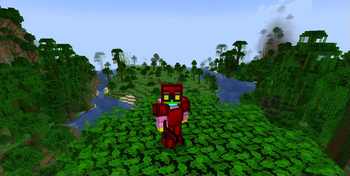
Ruby Armor: Helmet, Chestplate, Leggings, Boots
Ruby Advantages - Rubies offer several unique advantages over other materials:
Durability: Ruby items have a durability of 1024, which is two-thirds that of diamonds and four times that of iron, making them long-lasting and worth the effort in your adventures.
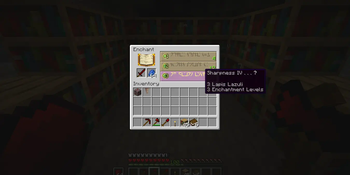
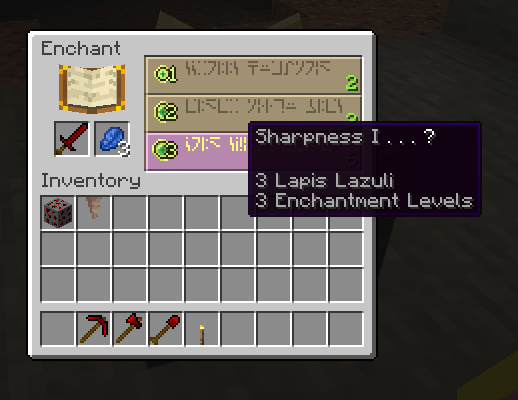
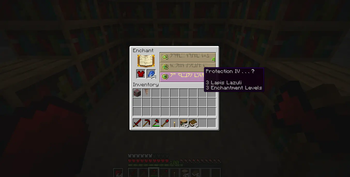
Enchantability: Ruby armor and tools have a higher enchantability compared to diamond or iron, though slightly less than gold. This offers a great balance between strength and enchantability. Higher enchantability means better chances of obtaining powerful enchantments like Unbreaking III, potentially making ruby armor almost as durable as netherite and highly effective in battles.
Conclusion
The Ruby Mod enhances Minecraft 1.20.1 gameplay by adding rubies and allowing the crafting of tools and armor that are visually stunning, highly enchantable, and durable. This mod will add more strategy and excitement to your mining and crafting experience.
Enjoy exploring the new possibilities with the Ruby Mod! If you need any more details or have specific questions, feel free to ask.
Available Versions
How to Install Rubies on Your Server
Order Server
Order a Minecraft Java server with at least 3 GB RAM (4 GB recommended).
Set forge Loader
In the panel under "Egg", select the forge loader and matching Minecraft version (1.20.1).
Install Mod
Open the mod browser in the dashboard and search for "Rubies". Click "Install" – done! Alternatively, upload the .jar via SFTP to the /mods folder.
Compatibility
Mod Loaders
Minecraft Versions
1.20.1
Server-side
✓ RequiredRecommended RAM
4 GB(min. 3 GB)Frequently Asked Questions
Rubies server crashes on startup – what to do?
Most common cause: wrong forge version or insufficient RAM. Check the server log (latest.log) for "OutOfMemoryError" or "Mixin" errors. With Mado Hosting: ensure at least 3 GB RAM is allocated and the loader matches the mod version (1.20.1). You can switch loaders with one click in the panel.
Is Rubies compatible with forge?
Rubies officially supports forge for Minecraft 1.20.1. The Mado dashboard automatically detects incompatible loader combinations.
Server lagging with Rubies – how to optimize performance?
Recommended RAM: 4 GB (per 8 players). Use /spark profiler to check if Rubies consumes the most tick time. Common fixes: reduce server view-distance to 8-10, install "performant" or "starlight" as supplementary mods on Forge. With Mado Hosting, your server runs on NVMe SSDs with dedicated CPU cores for minimal latency.
Similar Mods

![[ETF] Entity Texture Features](https://cdn.modrinth.com/data/BVzZfTc1/af683d206d50b05258d865b0d6e4aa2f2cee12f2_96.webp)
![[EMF] Entity Model Features](https://cdn.modrinth.com/data/4I1XuqiY/6e5bbd0d06b1741bfdab6c0cfab6de8fdaf0064c_96.webp)



Rent Modded Server
Install Rubies with just one click on your server.