
Sack O’ Critters
Capture baby mobs in a Burlap Sack and release them anywhere within your world!
Screenshots
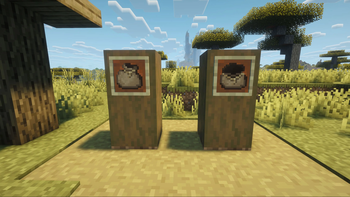
About this Mod
 Have you ever wanted to carry a cute little baby mob with you through your world to accompany you on your wild adventures? Because I know I sure have!
I'm excited to introduce Sack O' Critters, a tiny quality of life mod that currently adds one item: the Burlap Sack.
The Burlap Sack is used to catch baby mobs and carry them with you anywhere you'd like!
To get started you must start by arranging 5 string in a V-shape in a crafting table to recieve your Burlap Sack which stacks up to 16!
To use your new Burlap Sack, Walk up to a baby mob of your choice and right-click, whether it's a baby sheep, baby cow, baby chicken, or a baby mob from nearly any other mod just like that, you can carry a cute little critter in your inventory!
When you're ready to let your new friend out to play, walk over to any surface in your world and right-click and boom, you can run around with your new best friend!
Notes for the current version:
Tamed pets are protected, you can't catch a friend's wolf or cat or any other tamed pet, not even your own.
Filled sacks never despawn when dropped.
Available Versions
How to Install Sack O’ Critters on Your Server
Order Server
Order a Minecraft Java server with at least 3 GB RAM (4 GB recommended).
Set forge Loader
In the panel under "Egg", select the forge loader and matching Minecraft version (1.20.1).
Install Mod
Open the mod browser in the dashboard and search for "Sack O’ Critters". Click "Install" – done! Alternatively, upload the .jar via SFTP to the /mods folder.
Compatibility
Mod Loaders
Minecraft Versions
1.20.1
Server-side
✓ RequiredRecommended RAM
4 GB(min. 3 GB)Frequently Asked Questions
Sack O’ Critters server crashes on startup – what to do?
Most common cause: wrong forge version or insufficient RAM. Check the server log (latest.log) for "OutOfMemoryError" or "Mixin" errors. With Mado Hosting: ensure at least 3 GB RAM is allocated and the loader matches the mod version (1.20.1). You can switch loaders with one click in the panel.
Is Sack O’ Critters compatible with forge?
Sack O’ Critters officially supports forge for Minecraft 1.20.1. The Mado dashboard automatically detects incompatible loader combinations.
Server lagging with Sack O’ Critters – how to optimize performance?
Recommended RAM: 4 GB (per 8 players). Use /spark profiler to check if Sack O’ Critters consumes the most tick time. Common fixes: reduce server view-distance to 8-10, install "performant" or "starlight" as supplementary mods on Forge. With Mado Hosting, your server runs on NVMe SSDs with dedicated CPU cores for minimal latency.
Similar Mods
![[EMF] Entity Model Features](https://cdn.modrinth.com/data/4I1XuqiY/6e5bbd0d06b1741bfdab6c0cfab6de8fdaf0064c_96.webp)


Rent Modded Server
Install Sack O’ Critters with just one click on your server.
Details
- License
- Creative Commons Attribution Share Alike 4.0 International
- Server-side
- Required