
Sanctuary
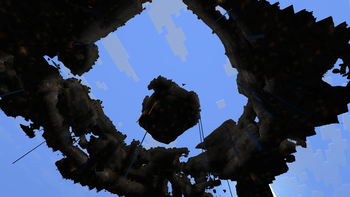
you begin on a lone monolith above an endless void
Screenshots


About this Mod
Sanctuary
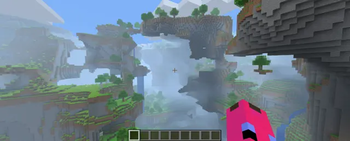
Sanctuary is a Fabric world preset for Minecraft 1.21.11 that transforms the Overworld into a floating-island world centered around a handcrafted survival spawn zone.
Start in a curated central sanctuary, then travel outward into a vast procedural skyworld of islands, ruins, caves, and distant horizons.
Features
- Floating-island Overworld preset
- Handcrafted central survival zone near spawn
- Custom island generation with multiple landform presets
- Curated biome area around origin
- Procedural floating islands farther from spawn
- World creation customization screen
- Friendly with many biome-expansion mods
- Vanilla survival focused
World Design
Sanctuary blends three generation layers:
Custom Central Island Generator
Builds the main spawn landmass.Sanctuary Biome Zone
A controlled region near spawn for a stronger early-game experience.Fallback Overworld Biome Source
Expands naturally into broader procedural floating islands in the distance.
Safe start, dangerous horizon.
Customization
When creating a world, Sanctuary includes configurable settings such as:
Shared Settings
- Main Island Preset
- Starting Biome
- Deepslate Core
- Vertical Profile
- Sanctuary Zone Scale
- Main Island Scale
- Archipelago Size
- Archipelago Spacing
- Sanctuary Gap
Main Island Presets
Monolith
A single massive central island.
Fractured Archipelago
Multiple broken islands clustered together.
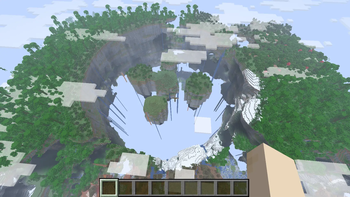
Hollow Crown
A ring-shaped formation with a hollow center.
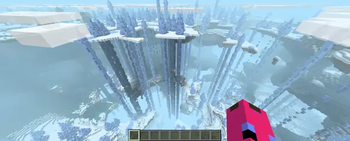
Spire Garden
A smaller hub surrounded by tall stone spires.
Biome Mod Compatibility
Sanctuary is designed to work better with biome mods than with total worldgen overhauls.
Usually Compatible
- Mods that add Overworld biomes
- Datapacks extending vanilla biome distribution
- Surface biome packs
These biomes may appear:
- outside the Sanctuary zone
- in the Starting Biome selector (if safe for spawn)
Less Ideal
- Mods replacing the full Overworld generator
- Separate custom world preset mods
- Heavy terrain overhaul mods
Requirements
- Minecraft
1.21.11 - Fabric Loader
0.19.1+ - Fabric API
- Java
21+
Installation
Install like a normal Fabric mod.
Place the .jar file into your mods folder.
Multiplayer
Install the mod:
- on the server
- on all clients
Notes
- Outer island transition is still being tuned
- Worldgen changes only affect newly generated chunks
- Ore distribution settings are planned for future updates
Current Version
0.3.0
Available Versions
How to Install Sanctuary on Your Server
Order Server
Order a Minecraft Java server with at least 4 GB RAM (6 GB recommended).
Set fabric Loader
In the panel under "Egg", select the fabric loader and matching Minecraft version (1.21.11).
Install Mod
Open the mod browser in the dashboard and search for "Sanctuary". Click "Install" – done! Alternatively, upload the .jar via SFTP to the /mods folder.
Compatibility
Mod Loaders
Minecraft Versions
1.21.11
Server-side
✓ RequiredRecommended RAM
6 GB(min. 4 GB)Frequently Asked Questions
Sanctuary server crashes on startup – what to do?
Most common cause: wrong fabric version or insufficient RAM. Check the server log (latest.log) for "OutOfMemoryError" or "Mixin" errors. With Mado Hosting: ensure at least 4 GB RAM is allocated and the loader matches the mod version (1.21.11). You can switch loaders with one click in the panel.
Is Sanctuary compatible with fabric?
Sanctuary officially supports fabric for Minecraft 1.21.11. The Mado dashboard automatically detects incompatible loader combinations.
Server lagging with Sanctuary – how to optimize performance?
Recommended RAM: 6 GB (per 5 players). Use /spark profiler to check if Sanctuary consumes the most tick time. Common fixes: reduce server view-distance to 8-10, install "performant" or "starlight" as supplementary mods on Forge. With Mado Hosting, your server runs on NVMe SSDs with dedicated CPU cores for minimal latency.
Similar Mods



Rent Modded Server
Install Sanctuary with just one click on your server.