
Scribble Book
A study journal that lets players document blocks by examining them in the world, gradually unlocking basic and in-depth knowledge entries at the cost of ink and paper.
Screenshots
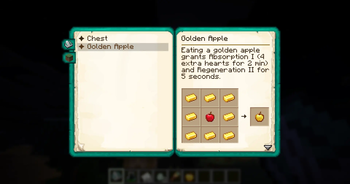
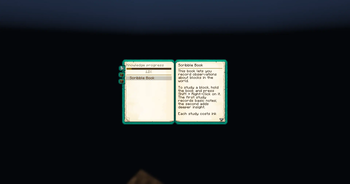
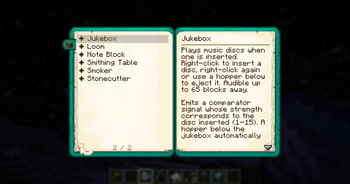
About this Mod
📖 Scribble Book
Scribble Book is a lightweight progression mod that turns knowledge into gameplay.
Craft your book, fill it with ink, and start exploring the world —
shift + right-click any block to study it and record your findings.
🔍 How it works
- 📘 First study — unlock a basic entry with a short description
- 🧠 Second study — reveal a deep entry with hidden or advanced details
- 🖋 Each study consumes ink and paper
- 🧪 Ink bottles deplete gradually and leave behind an empty bottle
This creates a natural progression system where understanding the world is something you earn, not something you start with.
🧱 Included by default (vanilla support)
Out of the box, Scribble Book supports a wide range of vanilla blocks:
Furnace, Blast Furnace, Smoker, Crafting Table, Anvil, Grindstone, Smithing Table, Enchanting Table, Brewing Stand, Loom, Cartography Table, Stonecutter, Chest, Hopper, Composter, Cauldron, Campfire, Beacon, Note Block, Jukebox
⚙️ For mod developers
Easily extend Scribble Book in your own mods:
Add custom entries via data packs
Full integration guide available on GitHub
- 💡 Additional features
- 🔒 The book is soulbound — it won’t drop on death
- 🧭 Encourages exploration and experimentation instead of external wikis
Available Versions
How to Install Scribble Book on Your Server
Order Server
Order a Minecraft Java server with at least 3 GB RAM (4 GB recommended).
Set fabric Loader
In the panel under "Egg", select the fabric loader and matching Minecraft version (26.1.2).
Install Mod
Open the mod browser in the dashboard and search for "Scribble Book". Click "Install" – done! Alternatively, upload the .jar via SFTP to the /mods folder.
Compatibility
Mod Loaders
Minecraft Versions
26.1.2, 26.1.1, 26.1 (+1 more)
Server-side
✓ RequiredRecommended RAM
4 GB(min. 3 GB)Frequently Asked Questions
Scribble Book server crashes on startup – what to do?
Most common cause: wrong fabric version or insufficient RAM. Check the server log (latest.log) for "OutOfMemoryError" or "Mixin" errors. With Mado Hosting: ensure at least 3 GB RAM is allocated and the loader matches the mod version (26.1.2). You can switch loaders with one click in the panel.
Is Scribble Book compatible with fabric and forge and neoforge?
Scribble Book officially supports fabric, forge, neoforge for Minecraft 26.1.2, 26.1.1, 26.1. Note: Forge and Fabric mods are NOT cross-compatible – pick one loader and stick with it. The Mado dashboard automatically detects incompatible loader combinations.
Server lagging with Scribble Book – how to optimize performance?
Recommended RAM: 4 GB (per 8 players). Use /spark profiler to check if Scribble Book consumes the most tick time. Common fixes: reduce server view-distance to 8-10, install "performant" or "starlight" as supplementary mods on Forge. With Mado Hosting, your server runs on NVMe SSDs with dedicated CPU cores for minimal latency.
Similar Mods




Rent Modded Server
Install Scribble Book with just one click on your server.