
Sculk Radio
Use the magic of Sculk to connect Note Blocks to Jukeboxes as speakers.
Screenshots
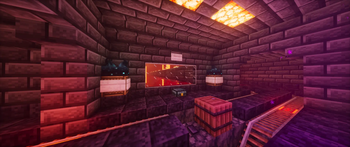
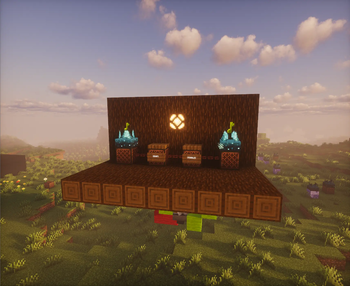

About this Mod
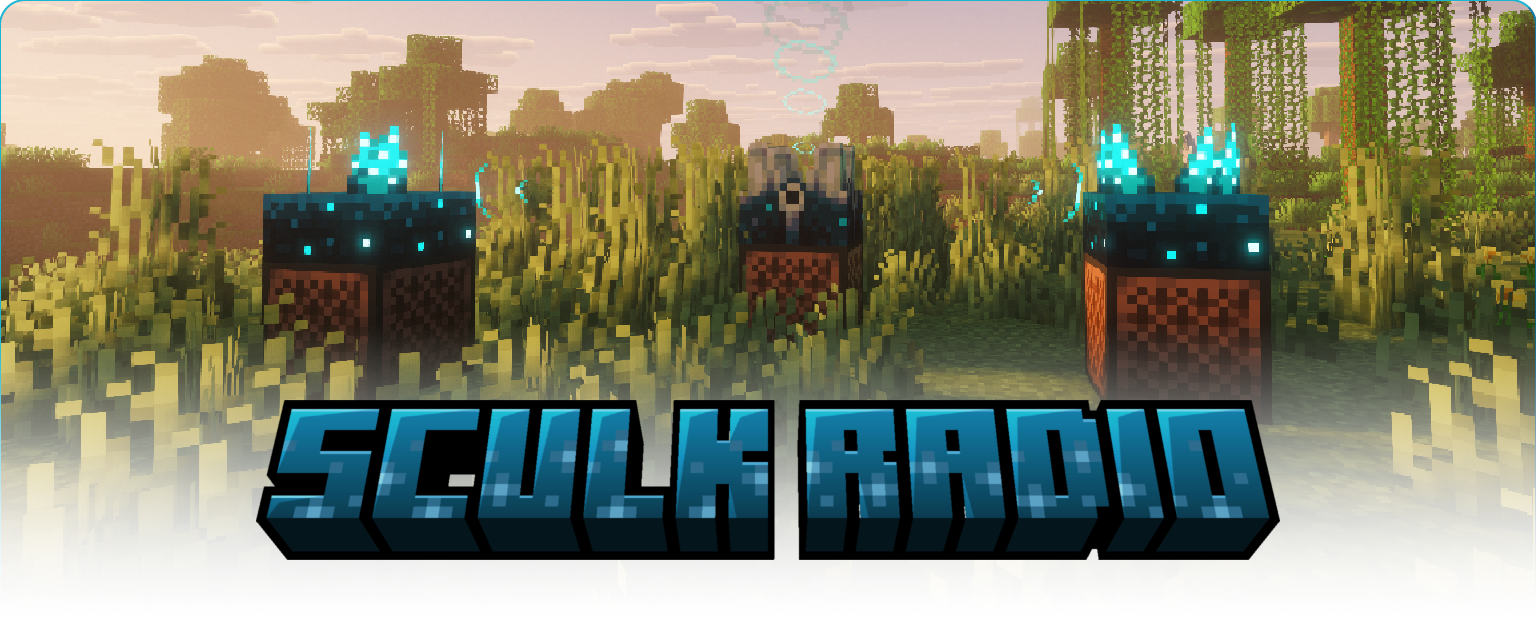
Custom discs
Sculk Radio has native support for AudioPlayer by henkelmax.
Custom music discs from this mod can be used on a radio and will act the same as vanilla discs.
How to use
To start of, place a shrieker on a jukebox, to turn it into a radio.
When a jukebox is used as a radio it will not give off any audio itself meaning it can be hidden within redstone contraptions.
To 'receive' the signal sent by a radio, you need a speaker.
A speaker is made by placing a sculk sensor on top of a note block.
The maximum distance a speaker can receive a signal from is 16 blocks.
To expand the range of a signal you can repeat it using a signal repeater.
A single repeater is made by placing a sculk sensor on top of a block of amethyst.
The maximum distance for receiving and repeating a signal is 16 blocks. Which means a single repeater can already double the range of a speaker.
Things to know
- Speakers and repeaters give of a redstone signal when playing/repeating audio. This means you can use them in redstone contraptions to trigger other things.
- The max signal 'depth' is 8, which means a signal can be repeated 8 times making for a total max range of 128 blocks.
- Radios and repeaters can each send to 8 receivers (speakers and/or repeaters).
- Audio coming out of a speaker has the same distance and volume as if it came out of a jukebox.
- Sculk blocks will not activate when they are part of a radio, speaker or repeater. Outside of these 'multiblocks' they have their vanilla behavior.
Experimental frequencies
The mod has an experimental feature that allows radios to send audio globally using frequencies.
This is disabled by default and can be enabled in the config file.
- To set a radio's frequency, point a redstone signal into its Shrieker.
- To set a speaker's frequency, it needs to have a Calibrated Sculk Sensor with a redstone signal pointed into its 'input'.
- Only one radio can be on a frequency at a time, but multiple speakers can be on the same frequency.
- If a radio is on a frequency, it will not connect to normal repeaters and speakers.
Configuration
On its own, the mod will not create a config file.
To change settings, you can install Fzzy Config.
To load changes to the config file, you can use the vanilla /reload command.
# Whether to enable the experimental version of global frequencies.
enableExperimentalFrequencies = true
Other Mod compatibilities
Mods that add new music discs and resource packs that change vanilla discs should also work natively. But be sure to create an issue on the Github if there are incompatibilities.
If you're a mod developer, and you want to use Sculk Radio for your own projects, you can use the API provided by the mod.
Maven
<repository>
  <id>modrinth-repo</id>
  <url>https://api.modrinth.com/maven/</url>
</repository>

<dependency>
  <groupId>maven.modrinth</groupId>
  <artifactId>sculk-radio</artifactId>
  <version>0.4.0+26.1.2</version>
  <scope>provided</scope>
</dependency>
Gradle
repositories {
    exclusiveContent {
        forRepository { maven { url = "https://api.modrinth.com/maven" } }
        filter { includeGroup "maven.modrinth" }
    }
}

dependencies {
    compileOnly 'maven.modrinth:sculk-radio:0.4.0+26.1.2'
}
You can call the API like this:
import nl.gjorgdy.sculk_radio.SculkRadio;

SculkRadio.api();
Demo
Available Versions
How to Install Sculk Radio on Your Server
Order Server
Order a Minecraft Java server with at least 3 GB RAM (4 GB recommended).
Set fabric Loader
In the panel under "Egg", select the fabric loader and matching Minecraft version (26.1.2).
Install Mod
Open the mod browser in the dashboard and search for "Sculk Radio". Click "Install" – done! Alternatively, upload the .jar via SFTP to the /mods folder.
Compatibility
Mod Loaders
Minecraft Versions
26.1.2, 26.1.1, 1.21.11 (+2 more)
Server-side
✓ RequiredRecommended RAM
4 GB(min. 3 GB)Frequently Asked Questions
Sculk Radio server crashes on startup – what to do?
Most common cause: wrong fabric version or insufficient RAM. Check the server log (latest.log) for "OutOfMemoryError" or "Mixin" errors. With Mado Hosting: ensure at least 3 GB RAM is allocated and the loader matches the mod version (26.1.2). You can switch loaders with one click in the panel.
Is Sculk Radio compatible with fabric?
Sculk Radio officially supports fabric for Minecraft 26.1.2, 26.1.1, 1.21.11. The Mado dashboard automatically detects incompatible loader combinations.
Server lagging with Sculk Radio – how to optimize performance?
Recommended RAM: 4 GB (per 8 players). Use /spark profiler to check if Sculk Radio consumes the most tick time. Common fixes: reduce server view-distance to 8-10, install "performant" or "starlight" as supplementary mods on Forge. With Mado Hosting, your server runs on NVMe SSDs with dedicated CPU cores for minimal latency.
Similar Mods




Rent Modded Server
Install Sculk Radio with just one click on your server.