
Simply Dual Wielding
If your main hand can do it, so can your offhand! No fancy animations, though.
Screenshots
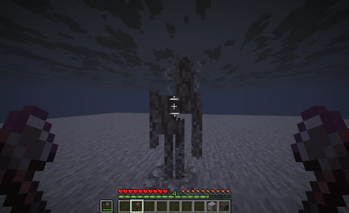

About this Mod
THIS WILL BE UPDATED TO 26.1 EVENTUALLY!
I'm going to be deriving it from Ambidexterity again because this has kind of been left behind and I don't have a desire to properly bring it into alignment with Ambi and make all the same changes again.
It'll take a bit for me to get to this, though, as I am in exam season.
Allows offhand attack actions with any item! Does not break vanilla behavior in any circumstances I have tested. please report it if you find any situations where it does. I want to avoid that.
There are no fancy animations whatsoever.
Also check out Ambidexterity if you want an experience with more significant changes!
CONFIGURATION:
Currently, the server's configuration is sent to all clients, and it will override the client's options. However, if the 'allow weak config' setting is 'true' for that slot, then both the client and the server have to allow for an item to be used in a specific way in order for it to be allowed. If it is set to false, then the player's setting is ignored and overridden.
INSTRUCTIONS ON ALLOWING FREE CLIENT CONFIG:
Set the 'weak config' option to true for a given slot.
Then if the option you want free config for is the 'empty hand' option, set that to true.
For both attacks and mining, set those to 'all.'
PLEASE let me know if there are any issues with the config! I've worked really hard on it.
A NOTE: In order to have the full, intended experience with offhand mining functionality, Right Click Fixer is essential! However, it should be noted that this is not the ONLY way to experience this mod; it is simply how I wanted it to be experienced. This is up to you.
NOTE 2: Offhand Mining is not available in creative mode.
Feel free to include this in modpacks; but please link back here.
Mod basis credit to Globox1997 for DualWielding; however, since forking, however, I have added AND removed more lines of code to this than he ever did. Still, check it out if you want to play on 1.19.2 or 1.20.
NOTE: versions prior to 1.21 are on a subsistence update schedule, meaning that I will only update them for major feature additions or for bugs. Minor feature additions and changes will be done along with the next major update or bugfix.
Available Versions
How to Install Simply Dual Wielding on Your Server
Order Server
Order a Minecraft Java server with at least 3 GB RAM (4 GB recommended).
Set fabric Loader
In the panel under "Egg", select the fabric loader and matching Minecraft version (1.21.11).
Install Mod
Open the mod browser in the dashboard and search for "Simply Dual Wielding". Click "Install" – done! Alternatively, upload the .jar via SFTP to the /mods folder.
Compatibility
Mod Loaders
Minecraft Versions
1.21.11, 1.21.10, 1.21.9 (+14 more)
Server-side
✓ RequiredRecommended RAM
4 GB(min. 3 GB)Frequently Asked Questions
Simply Dual Wielding server crashes on startup – what to do?
Most common cause: wrong fabric version or insufficient RAM. Check the server log (latest.log) for "OutOfMemoryError" or "Mixin" errors. With Mado Hosting: ensure at least 3 GB RAM is allocated and the loader matches the mod version (1.21.11). You can switch loaders with one click in the panel.
Is Simply Dual Wielding compatible with fabric?
Simply Dual Wielding officially supports fabric for Minecraft 1.21.11, 1.21.10, 1.21.9. The Mado dashboard automatically detects incompatible loader combinations.
Server lagging with Simply Dual Wielding – how to optimize performance?
Recommended RAM: 4 GB (per 8 players). Use /spark profiler to check if Simply Dual Wielding consumes the most tick time. Common fixes: reduce server view-distance to 8-10, install "performant" or "starlight" as supplementary mods on Forge. With Mado Hosting, your server runs on NVMe SSDs with dedicated CPU cores for minimal latency.
Similar Mods




Rent Modded Server
Install Simply Dual Wielding with just one click on your server.