
Sea Shanty Discs
A mod adding sea shanty music discs.
About this Mod
This mod adds fifteen new music discs for all your sea shanty needs. These can be found through the following methods:
Shipwreck treasure chests
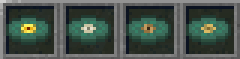
- Barrett's Privateers, by Stan Rogers
- Bones in the Ocean, by The Longest Johns
- Leave Her Johnny, by Michiel Schrey, Seán Dagher and Nils Brown
- Rye Whiskey, by The Pirates Charles
Buried treasures

- A Drop of Nelson's Blood, by The Longest Johns
- Captain Kidd, by Great Big Sea
- Randy Dandy-O, by The Longest Johns
- Santiana, by The Longest Johns
Ocean ruin chests

- Here's a Health to the Company, by Colm R. McGuinness
- Rolling Down to Old Maui, by Stan Rogers
- Spanish Ladies, by Jerry Bryant and Starboard Mess
Fishing
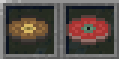
- Drunken Sailor, by The Irish Rovers
- Fish in the Sea, by Michiel Schrey, Seán Dagher and Nils Brown
Trading with expert (level 4) fishermen

- Retirement Song, by The Longest Johns
- Wellerman, by Nathan Evans
All of the music belongs to their respective artists and copyright owners.
Available in: English, Portuguese, and Pirate Speak.
Suggested mod: If you want to sail the seven seas while still being able to enjoy yourself, checkout the mod JukeboxBoat, by KaseToatz!
Available Versions
How to Install Sea Shanty Discs on Your Server
Order Server
Order a Minecraft Java server with at least 3 GB RAM (4 GB recommended).
Set fabric Loader
In the panel under "Egg", select the fabric loader and matching Minecraft version (1.21.11).
Install Mod
Open the mod browser in the dashboard and search for "Sea Shanty Discs". Click "Install" – done! Alternatively, upload the .jar via SFTP to the /mods folder.
Compatibility
Mod Loaders
Minecraft Versions
1.21.11
Server-side
✓ RequiredRecommended RAM
4 GB(min. 3 GB)Frequently Asked Questions
Sea Shanty Discs server crashes on startup – what to do?
Most common cause: wrong fabric version or insufficient RAM. Check the server log (latest.log) for "OutOfMemoryError" or "Mixin" errors. With Mado Hosting: ensure at least 3 GB RAM is allocated and the loader matches the mod version (1.21.11). You can switch loaders with one click in the panel.
Is Sea Shanty Discs compatible with fabric?
Sea Shanty Discs officially supports fabric for Minecraft 1.21.11. The Mado dashboard automatically detects incompatible loader combinations.
Server lagging with Sea Shanty Discs – how to optimize performance?
Recommended RAM: 4 GB (per 8 players). Use /spark profiler to check if Sea Shanty Discs consumes the most tick time. Common fixes: reduce server view-distance to 8-10, install "performant" or "starlight" as supplementary mods on Forge. With Mado Hosting, your server runs on NVMe SSDs with dedicated CPU cores for minimal latency.
Similar Mods

![[ETF] Entity Texture Features](https://cdn.modrinth.com/data/BVzZfTc1/af683d206d50b05258d865b0d6e4aa2f2cee12f2_96.webp)
![[EMF] Entity Model Features](https://cdn.modrinth.com/data/4I1XuqiY/6e5bbd0d06b1741bfdab6c0cfab6de8fdaf0064c_96.webp)



Rent Modded Server
Install Sea Shanty Discs with just one click on your server.