
SecureExplosion
Prevent some explosions from damaging blocks.
Screenshots
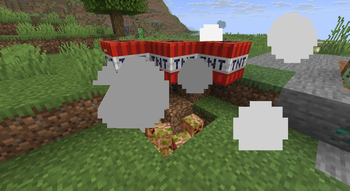
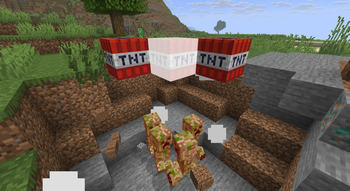
About this Mod
Secure Explosions
Secure Explosions gives you fine‑grained control over which explosions can destroy blocks or damage entities. Instead of a global on/off switch, you define rules based on what caused the explosion – for example, a creeper, TNT, or a fireball.
What it does
Prevents specific explosions from destroying blocks and/or hurting entities
Clears the explosion’s affected block list, entity list, or both
Works with any explosion source that has a direct source entity (Creeper, TNT, Ghast fireball, etc.)
Also handles explosions without a direct source (e.g., commands) with a separate option
Why you might want it
Stop creepers from wrecking your builds – let them deal damage to players but keep terrain intact
Protect mob farms – TNT minecarts no longer kill your precious loot carriers
Create custom game modes – only certain entities can destroy blocks
Fix griefing issues – on servers, prevent specific explosion types from ruining structures
Default behavior
Default ensures that explosions no longer destroy terrain (blocks are removed from the destruction list), but they still damage and kill mobs/players – a common "grief protection" use case.
How it works (critical info)
The mod doesn't disable explosions – it only removes blocks and entities from the explosion’s “to‑destroy” list.
You control everything through configuration files (.toml). Rules are based on regular expressions.
Available Versions
How to Install SecureExplosion on Your Server
Order Server
Order a Minecraft Java server with at least 3 GB RAM (4 GB recommended).
Set fabric Loader
In the panel under "Egg", select the fabric loader and matching Minecraft version (26.1.2).
Install Mod
Open the mod browser in the dashboard and search for "SecureExplosion". Click "Install" – done! Alternatively, upload the .jar via SFTP to the /mods folder.
Compatibility
Mod Loaders
Minecraft Versions
26.1.2, 26.1.1, 26.1 (+9 more)
Server-side
✓ RequiredRecommended RAM
4 GB(min. 3 GB)Frequently Asked Questions
SecureExplosion server crashes on startup – what to do?
Most common cause: wrong fabric version or insufficient RAM. Check the server log (latest.log) for "OutOfMemoryError" or "Mixin" errors. With Mado Hosting: ensure at least 3 GB RAM is allocated and the loader matches the mod version (26.1.2). You can switch loaders with one click in the panel.
Is SecureExplosion compatible with fabric and neoforge?
SecureExplosion officially supports fabric, neoforge for Minecraft 26.1.2, 26.1.1, 26.1. The Mado dashboard automatically detects incompatible loader combinations.
Server lagging with SecureExplosion – how to optimize performance?
Recommended RAM: 4 GB (per 8 players). Use /spark profiler to check if SecureExplosion consumes the most tick time. Common fixes: reduce server view-distance to 8-10, install "performant" or "starlight" as supplementary mods on Forge. With Mado Hosting, your server runs on NVMe SSDs with dedicated CPU cores for minimal latency.
Similar Mods




Rent Modded Server
Install SecureExplosion with just one click on your server.